Kortho Hot Quickcoder User manual
15
6 STARTING UP THE HOT QUICKCODER
6.1 Preparation for use
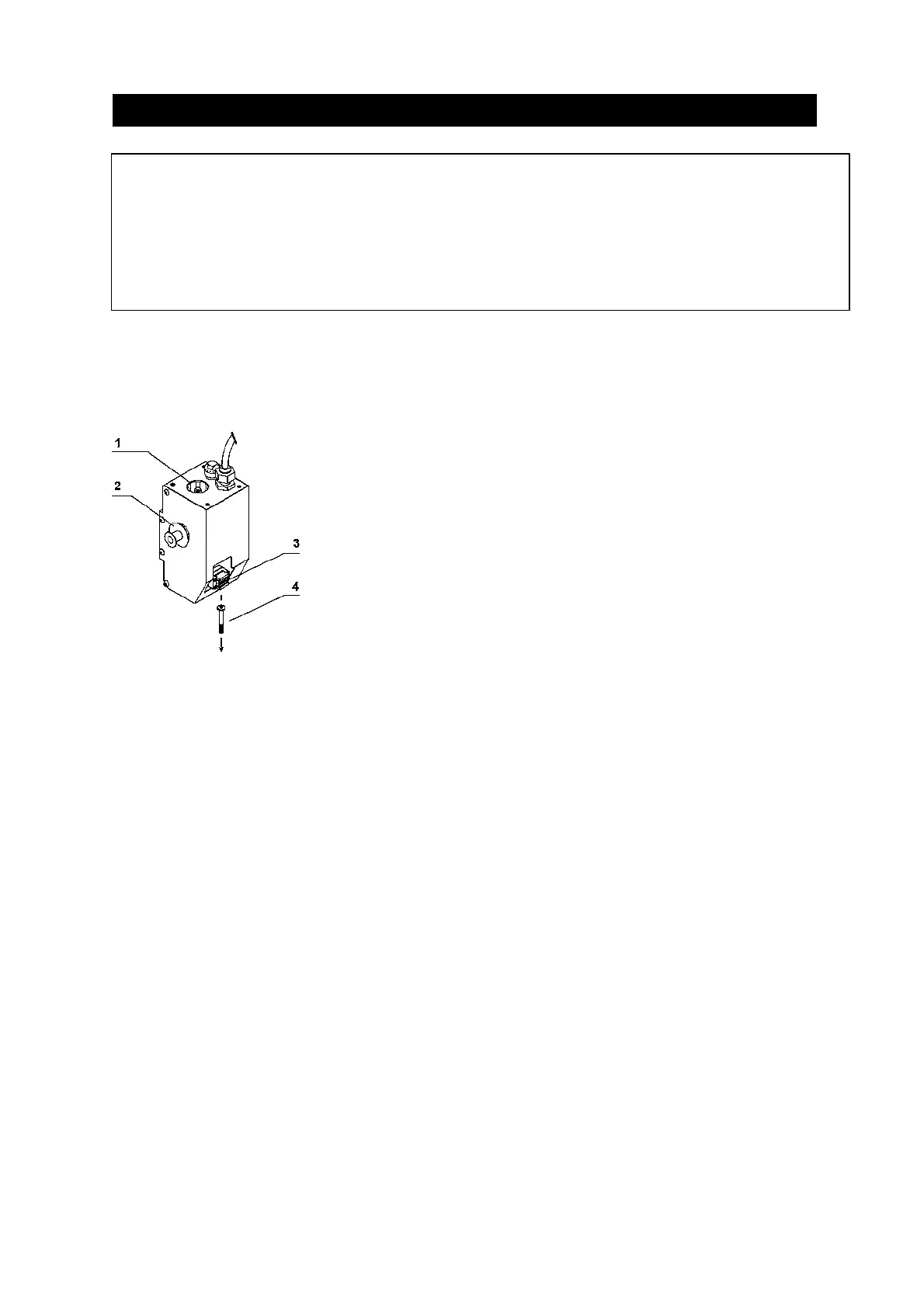
Figure 11: Preparation for use
1. Take the text head and prepare it for use by applying the desired text material (see section
5.2).
2. Connect the system to the Control box by pressing the ON button.
3. Activate the HEAD-OUT button on the Control Panel (see section 5.1). This fixes the text
head in the outermost position.
4. Place the text head in the text head holder.
5. Remove the handle (4) by twisting it out of the text head.
6. Place a Hotroll in the coding part (2) of the HQC; the cartridge must be pushed in until it
clicks.
7. Activate the HEAD-OUT button on the Control box (see section 5.1).
8. Set the temperature adjustment on the Control box (section 5) to position 8 which sets the
temperature to ± 135°C.
9. Take account of 15 to 20 minutes' heating up time.
10. Activate the START button on the Control box (see section 5.1).
11. Activate the supply of products.
Adjust the print quality further in accordance with the instructions in section 6.2.
13. Place a Hotroll in the preheating chamber (1). This heats up a new Hotroll during production
so as to avoid undesirable loss of production.
! WARNINGS:
Failure to observe the requisite heating up time of ±15 minutes leads to irrevocable damage to the
text material and the Hotroll!
Failure to remove the handle from the text head can damage the HQC
1 Preheating chamber
2 Coding part
3 Text head holder
4 Handle



 To Next Page