KRAMER: SIMPLE CREATIVE TECHNOLOGY
Using Your TP-400FW FireWire Range Extender
4
5 Using Your TP-400FW FireWire Range Extender
The standard FireWire range between two FireWire devices is limited to 4.5m
(13.5ft), as Figure 2 illustrates:
Figure 2: Connecting 2 FireWire Devices (Standard 4.5m Range)
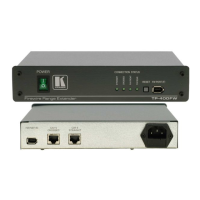
5.1 Connecting 2 FireWire Devices via 2 TP-400FW Units
You can interconnect a pair of FireWire devices (for example, a Webcam and
a PC) over an extended range of up to 100m (300ft), using two TP-400FW
units, as Figure 3 illustrates.
To interconnect a pair of TP-400FW units using twisted pair UTP/CAT 5
cable (commonly used for Ethernet connections), do the following:
1. On each TP-400FW unit, connect
1
the power cord
2
and turn the unit ON.
It is possible to connect the power cord to only one of the TP-400FW
units. (In this case, the other TP-400FW unit will derive its power
from that unit via the CAT-5 cable). The CAT-5 STRAIGHT
connector is always the source of the power, and the CAT-5
CROSSED connector is always the acceptor of the power.
2. Connect the CAT-5 Straight RJ45 connector on the first TP-400FW unit
to the CAT-5 Crossed RJ45 connector on the second TP-400FW unit,
when using a straight pin to pin cable with RJ-45 connectors
3
.
If you are using a crossover cable with RJ-45 connectors, connect the
CAT-5 Straight RJ45 connector on the first TP-400FW unit to the CAT-5
Straight RJ45 connector on the second TP-400FW unit
4
.
3. Connect a FireWire device (for example, a PC) to the FW PORT (R) or
(F) on the first TP-400FW unit, and a FireWire device (for example, a
Webcam) to the FW PORT (R) or (F) on the second TP-400FW unit.
1 Not illustrated in Figure 3
2 We recommend that you use only the power cord that is supplied with this machine
3 Alternatively, connect the CAT-5 Crossed RJ45 connector on the first TP-400FW unit to the CAT-5 Straight RJ45
connector on the second TP-400FW unit
4 Alternatively, connect the CAT-5 Crossed RJ45 connector on the first TP-400FW unit to the CAT-5 Crossed RJ45
connector on the second TP-400FW unit


 To Next Page