Program Material
The program material option uses the same screen as manual noise sequence, but with
external material such as a test disc. The source plays, simultaneously, from all
configured speakers. This allows you to individually adjust speaker balances based on
your listening preferences rather than SPL readings.
The program material option uses surround mode. If all channels are not present in the
source material, they will not be heard during this process.
4. CONFIGURE DEVICES
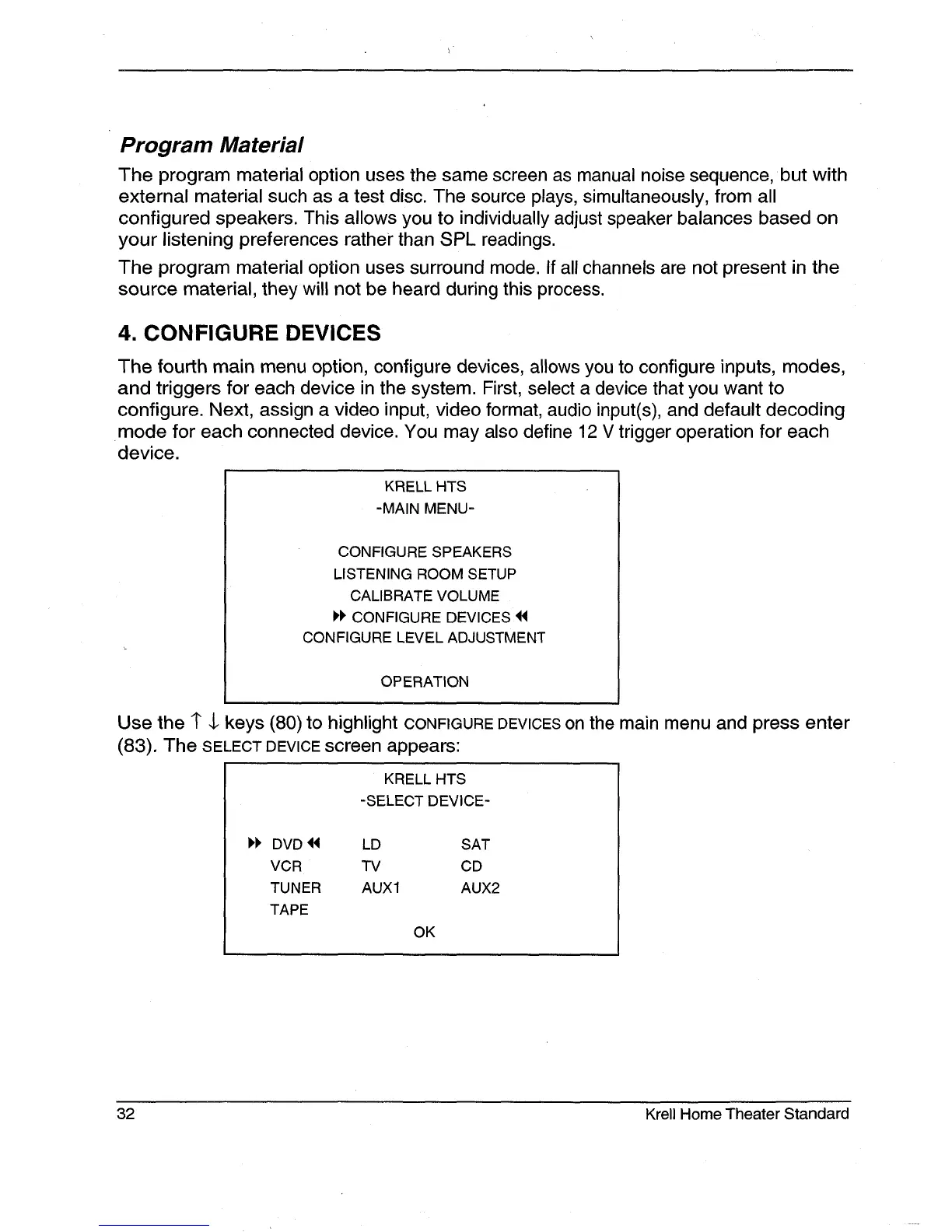
The fourth main menu option, configure devices, allows you to configure inputs, modes,
and triggers for each device in the system. First, select a device that you want to
configure. Next, assign a video input, video format, audio input(s), and default decoding
mode for each connected device. You may also define 12 V trigger operation for each
device.
KRELL HTS
-MAIN MENU-
CONFIGURE SPEAKERS
LISTENING ROOM SETUP
CALIBRATE VOLUME
H’ CONFIGURE DEVICES ~
CONFIGURE LEVEL ADJUSTMENT
OPERATION
Use the 1" $ keys (80) to highlight CONFIGURE DEVICES on the main menu and press enter
(83). The SELECT DEVICE screen appears:
KRELL HTS
-SELECT DEVICE-
DVD~ LD SAT
VCR TV CD
TUNER AUX1 AUX2
TAPE
OK
32
Krell Home Theater Standard







 To Next Page