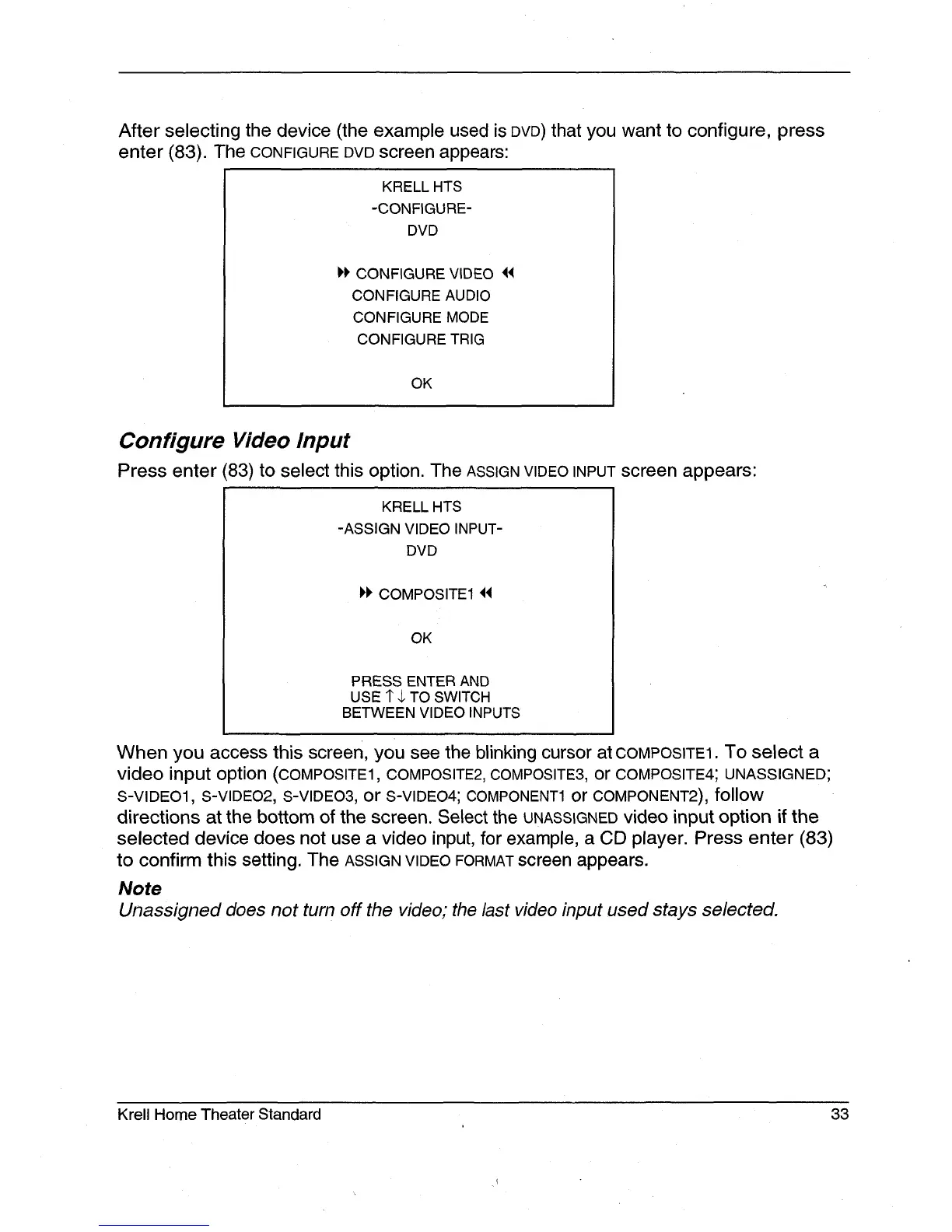
After selecting the device (the example used is DVD) that you want to configure, press
enter (83). The CONFIGURE DVD screen appears:
KRELL HTS
-CONFIGURE-
DVD
CONFIGURE VIDEO
CONFIGURE AUDIO
CONFIGURE MODE
CONFIGURE TRIG
OK
Configure Video Input
Press enter 83) to select this option. The ASSIGN VIDEO INPUT screen appears:
KRELL HTS
-ASSIGN VIDEO INPUT-
DVD
I~I~ COMPOSITE1 ~
OK
PRESS ENTER AND
USE 1" $ TO SWITCH
BETWEEN VIDEO INPUTS
When you access this screen, you see the blinking cursor at COMPOSITE1. To select a
video input option (COMPOSITE1, COMPOSITE2, COMPOSITE3, or COMPOSITE4; UNASSIGNED;
S-VIDEO1, S-VIDEO2, S-VIDEO3, or S-VIDEO4; COMPONENT1 or COMPONENT2), follow
directions at the bottom of the screen. Select the UNASSIGNED video input option if the
selected device does not use a video input, for example, a CD player. Press enter (83)
to confirm this setting. The ASSIGN VIDEO FORMAT screen appears.
Note
Unassigned does not turn off the video; the last video input used stays selected.
Krell Home Theater Standard 33







 To Next Page