Assign Video Format
KRELL HTS
-ASSIGNVIDEO FORMAT-
DVD
NTSC
OK
PRESS ENTER AND
USE 1" $ TO SWITCH
BETWEEN NTSC AND PAL
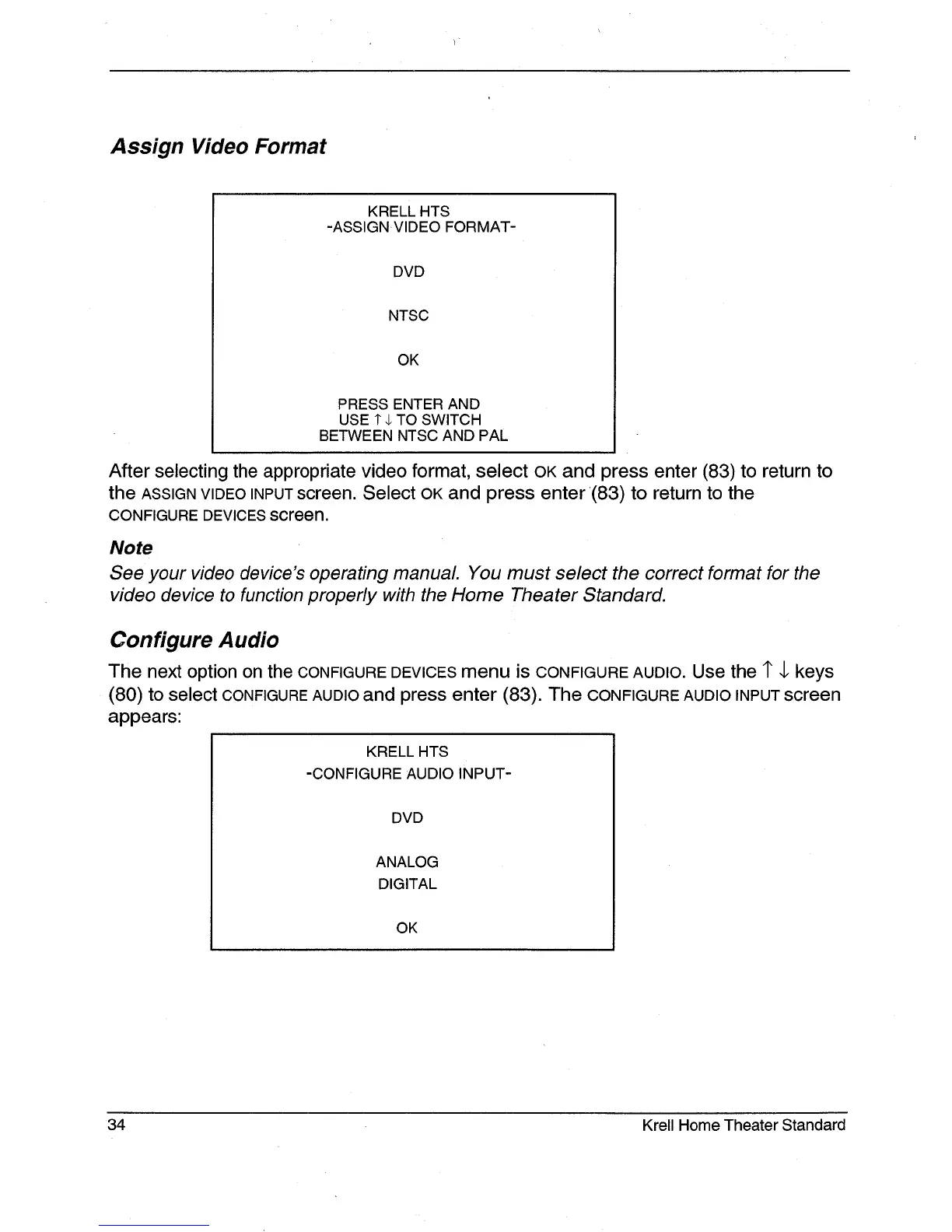
After selecting the appropriate video format, select OK and press enter (83) to return
the ASSIGN VIDEO INPUT screen. Select OK and press enter (83) to return to the
CONFIGURE DEVICES screen.
Note
See your video device’s operating manual. You must select the correct format for the
video device to function properly with the Home Theater Standard.
Configure Audio
The next option on the CONFIGURE DEVICES menu is CONFIGURE AUDIO. Use the 1" 4, keys
(80) to select CONFIGURE AUDIO and press enter (83). The CONFIGURE AUDIO INPUT screen
appears:
KRELL HTS
-CONFIGURE AUDIO INPUT-
DVD
ANALOG
DIGITAL
OK
34 Krell Home Theater Standard







 To Next Page