Placement, continued
Place the KAV-250cd on a firm level sur-
face, away from excessive heat, humi-
dity or moisture.
R
Although well shielded, the KAV-250cd
should not be placed near hum sensi-
tive components such as preamplifier
phono stages or turntables. The power
supply may create interference and
induce hum.
The KAV-250cd incorporates an ad-
vanced suspension system and does
not require additional mass coupling or
isolation. You may experiment with feet
or cones as long as they are not perma-
nently affixed to the chassis. Any unau-
thorized modifications to the electronics
or chassis will void the warranty.
IMPORTANT
The use of CD rings, mats, or other devices
attached to individual CDs is not recom-
mended. These devices may cause prob-
lems with the transport mechanism result-
ing in erratic playback and~or poor sound.
AC POWER GUIDELINES
WARNING
Do not remove or bypass the ground pin on
the end of the AC cord. This may cause RFI
(radio frequency interference) to be induced
into your playback system.
The KAV-250cd has superb regulation and
does not require a dedicated AC circuit.
Avoid connections through extension cords
or multiple AC adapters. High quality 15 amp
grounded AC strips are acceptable. High
quality AC line conditioners or filters may be
used if they are grounded.
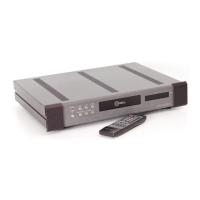
Front Panel Description
See Figure 1 on page 4
1 Power Button
Use this button to turn the KAV-250cd on
and off.
2 Power LED
The power LED illuminates when the KAV-
250cd is in the operational mode.
3 Stand-by LED
The stand-by LED illuminates when the
KAV-250cd is plugged into a standard AC
wall receptacle, indicating that the compact
disc player is ready to be switched into the
operational mode.
4 Transport Function Buttons:
Stop
Use this button to terminate CD play-
back.
Play
To activate playback from the beginning
of the CD, press the play button after
inserting the CD into the drawer.
Pause
Use this button to suspend play tem-
porarily.
Open/Close
Use this button to open and close the
transport drawer.
Track
I< (Track Back)
Press once to return to the beginning of
the current track.
H (Track Forward)
Press. once to begin playing the track
that follows the track.
¯ 5 CD Transport Drawer
This drawer holds the CD in the play posi-
tion.
1HDCD
¢
is the registered trademark of Pacific Microsonics, Inc,
KRELL® KAV-250cd English Page 5 of 16



 To Next Page