Bill
Remote Control
Description
See Figure 3 on page 8
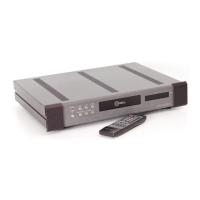
The KAV-250cd remote control provides
complete CD transport functions as well as
Krell
®
preamplifier and power amplifier re-
mote functions. A description of the remote
control keys that are used with the KAV-
250cd follows.
15 CD Key
Use this key to access CD commands for
keys 16-21 and key 27. There is no need to
press the CD key in order to access keys
22-26.
16 Pwr (Power) Key
Use this key to turn the KAV-250cd on and
off.
17 Mode Key
Use this key to cycle the display window (7)
between elapsed time of the current track,
time remaining on the current track, and
total remaining time of the disk or program.
18 Direct Number Access Pad’
Use this keypad to access a selection or to
program various tracks. To select and play
a specific track, first press the number key
on the direct number access pad that corre-
sponds to the track you want to play. Next,
press the play key (23). The track will begin
to play.
The numbers 1 through 0 are functional
with the KAV-250cd, the +10 button is not.
Use the cIr key (19) to erase a program or
current selection. Tracks consisting of two
digits must be programmed within 8 sec-
onds of each other.
19 CIr (Clear) Key’
Use this key to erase a current selection or
delete entries in a programmed sequence.
20 Prog (Program) Key’
Use this key to begin a program sequence.
After each track is selected, push this key to
store the selected track into your program.
21 Rep (Repeat) Key
Press this key once to repeat the entire disc
or track program. Press the stop key (24)
press the rep key again to cancel this func-
tion.
22 Pause Key
Use this key to suspend play temporarily.
23 Play Key
To activate playback from the beginning of
the CD, press the play key. after inserting
the CD into the drawer.
24 Stop Key
Use this key to terminate CD playback.
25 Open Key
Use this key to open and close the transport
drawer.
26 Track Keys
I~ (Track Back)
Press once to return to the beginning of the
current track.
H (Track Forward)
Press ,once to begin ~playing the track that
follows the current track.
27 Search Keys
,~ (Search Back)
Press and hold the key to scroll backward
through the current track.
~.~ (Search Forward)
Press and hold the key to scroll forward
through.the current track.
1,See also Track Programming, on page 12
KRELL® KAV-250cd English Page 9 of 16



 To Next Page