17
No. Display Function Application
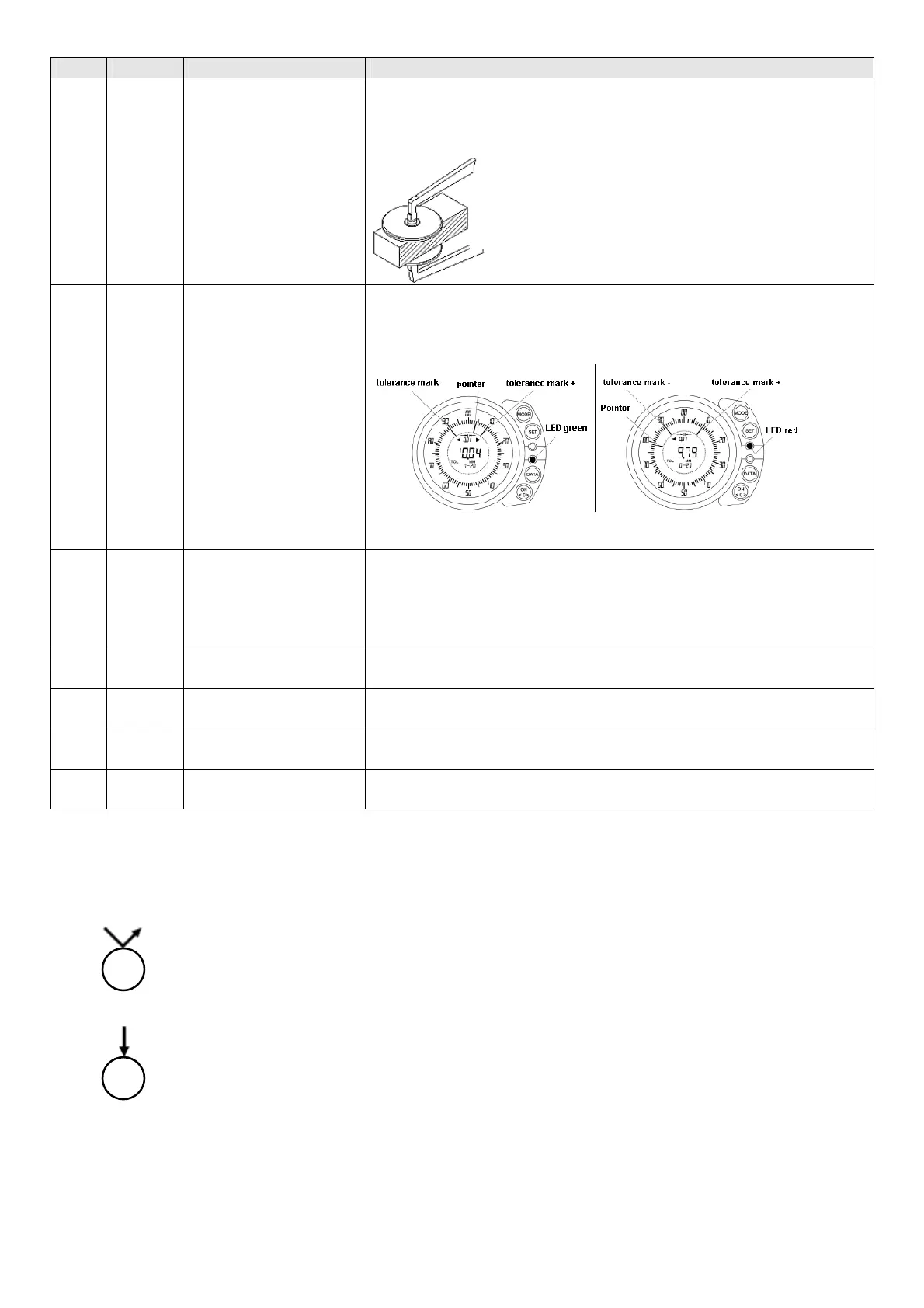
4 HOLD
Finding and saving of
the measured value
If the gauge cannot be used vertical and horizontal.
Hold gauge steady around 2 sec.
Measurement:
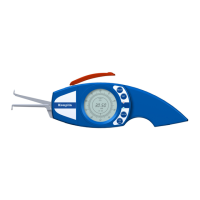
5 TOL
Activation of the toler-
ance marks and the tol-
erance display
(red and green LED)
During series measurements the observance of the given tolerances will
be checked.
Example: Diameter 10 +/-0,1mm will be checked
Measurement / Display:
Measuring value within tolerance Measuring value out of tolerance
The LED expires 5 sec. after having found a measuring value.
It switchs on after having found a new one.
6 SET
Setup – Menu is active
Possible Settings:
- Configuration of the zero setting adjustment (OFFSET)
- Upper and lower tolerance limit (TOL)
- Measuring unit mm / INCH (UNIT)
- Numerical interval / Scale interval (RES)
7 MM Representation of the
measured value in MM
8 INCH Representation of the
measured value in INCH
14 Red LED Measured value is out of
tolerance
For fast identification of reject parts.
15 Green
LED
Measured value is
within tolerance
For fast identification of good parts.
Remarks:
= press the key shortly
= press the key long (> 2 sec.)
Example: B440T


 To Next Page