20
4. Handling of functions and programs
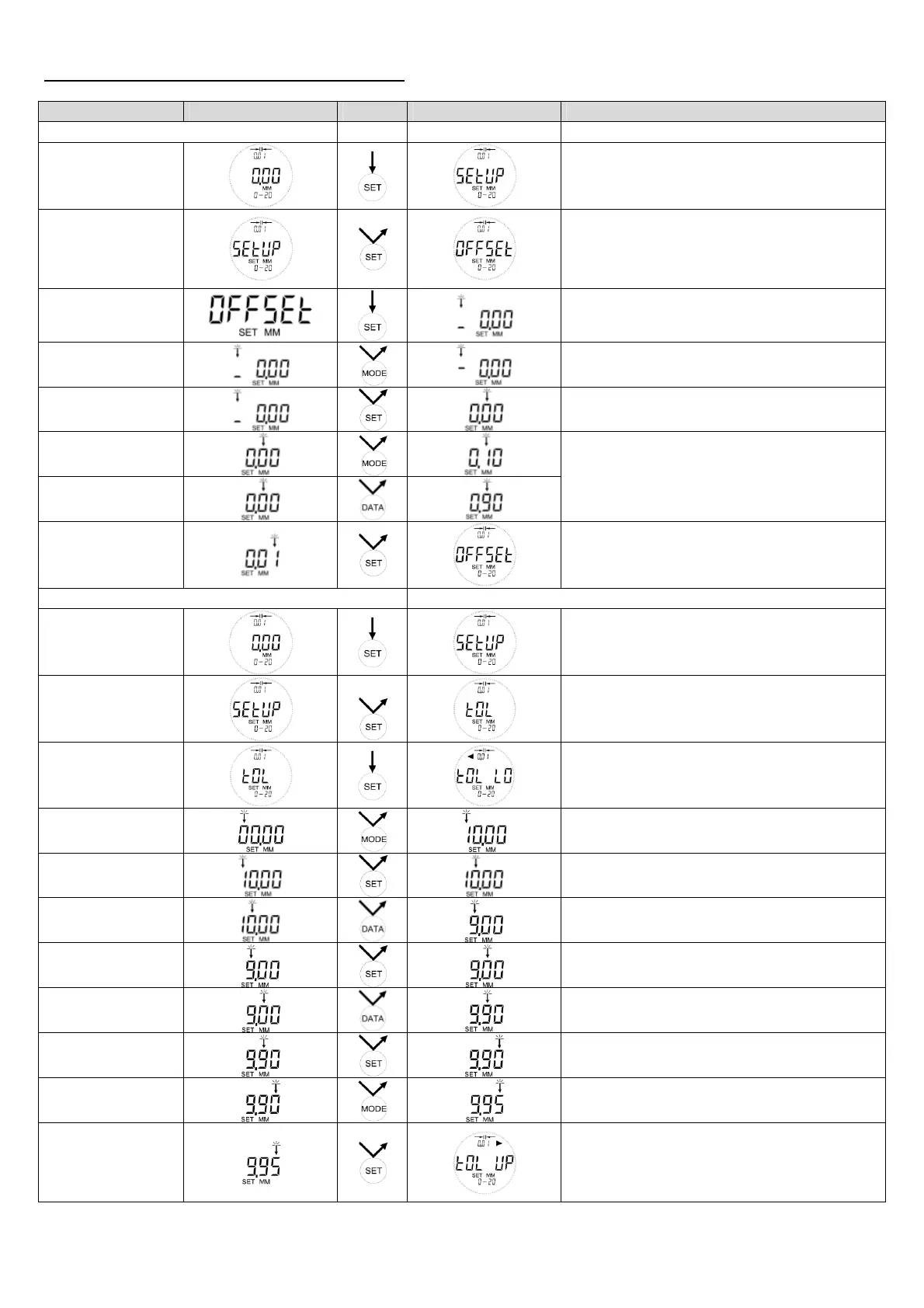
Function Basic Action Result Remarks
Zero point adjustment
Start SETUP
SETUP Menu can be started within every
measuring mode
OFFSET
Possible 0 point adjustment according to
resolution in certain ranges (see “9. Technical
Details”). If the absolute OFFSET is ex-
ceeded, the error report ERR 07 is shown.
Adjustment
unsigned
= plus
Adjust + / -
signed
= minus
Select next digit
Adjustment
upwards
Adjustment
downwards
Applies for the blinking digit (scale interval
0,005mm = 3 decimal places)
Quitting
SETUP Menu can be started within every
measuring mode
Adjustment of the tolerance limits in ABS Example: 10,00 +/- 0,05mm
Start SETUP
SETUP Menu can be started within every
measuring mode
TOL
2x
Lower tolerance limit
Attention!
TOL LO must be lower than TOL UP
Adjust lower toler-
ance limit
After short TOL LO display the last saved
value will be shown
Adjust first digit
MODE counts upwards
Select second digit
Adjust second digit
DATA counts downwards
Select third digit
Adjust third digit
Select fourth digit
Adjust fourth digit
Number of digits depending on the scale
interval
Switch over to
TOL UP
After short TOL UP display the last saved
value will be shown


 To Next Page