GB-5
Commissioning
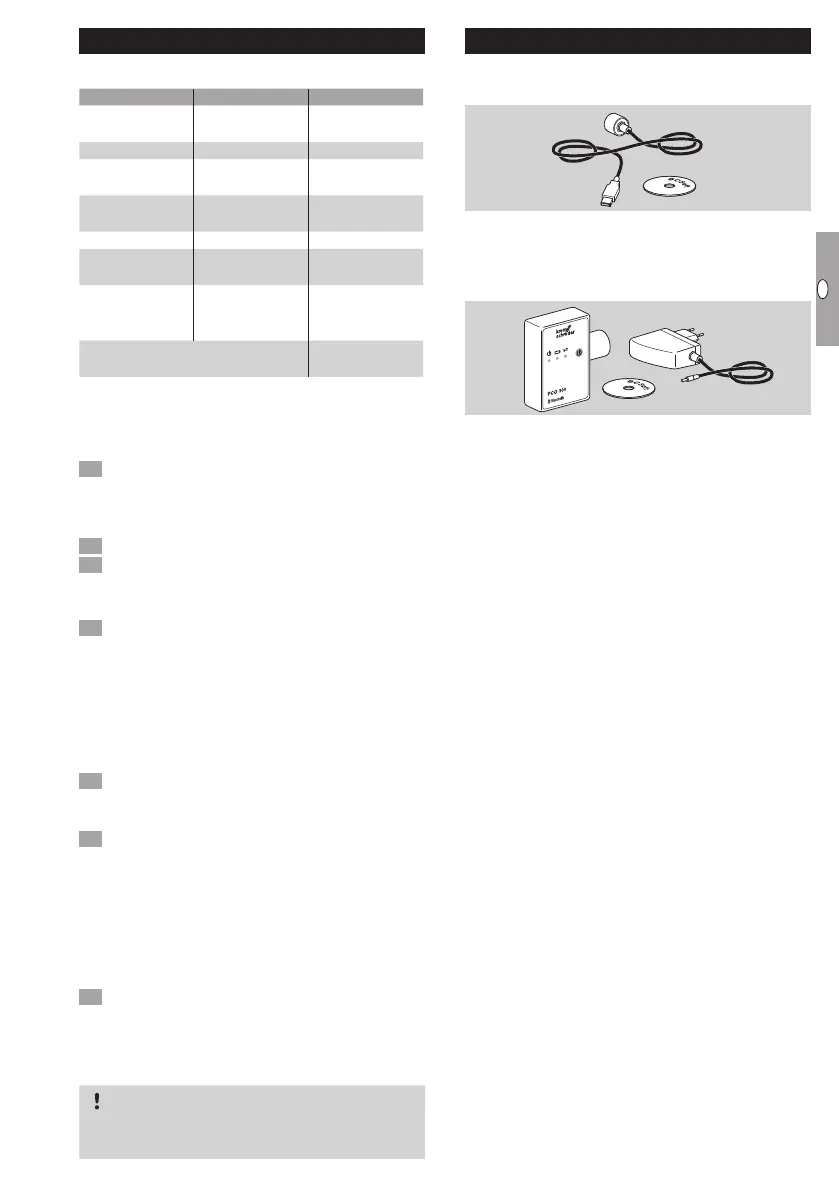
LED display
Blue LED Red LED Operating state
Moderately
flashing
2)
Off
Zero position
check
Slow flashing
3)
Slow flashing
3)
Calibration
Lit Off
Device in
Standby mode
Moderately
flashing
2)
Off
Device in
motion
Fast flashing
1)
Off Manual mode
Fast flashing
1)
Off
Moving in
Manual mode
Lit
Flashing
depending on
fault message
Fault
Flashing alternately for 2 s
1)
Parameters
accepted
1)
Fast flashing: 5 x per second.
2)
Moderately
flashing: 3 x per second.
3)
Slow flashing: 1 x per
second.
Calibrating the zero position using BCSoft
1 After automatic identification via BCSoft, select
the IC 40 in the “Devices” window by double-
clicking on it. The individual program options are
displayed.
Select the “Commissioning..” program option.
Select the butterfly valve fitted in the “Actuator
mounted on” menu item.
BVH, BVHS
4 Select “Start calibration”.
▷
The slow flashing blue and red LEDs indicate
that the actuator is moving.
▷ The setting process for the valve’s zero/closed
position takes place automatically.
▷
When the blue LED is lit continuously, calibration
is completed.
BVG, BVGF, BVA, VFC ...
4 Select “Start calibration”.
▷
The control element moves to the zero/closed
position.
• Move the actuator manually using the “OPEN”
and “CLOSE” buttons.
▷ The current position can be entered as the zero/
closed position by clicking on “Accept zero po-
sition”.
▷
When the blue LED is lit continuously, calibration
is completed.
BVH, BVHS, BVG, BVGF, BVA, BVAF, VFC...
5 After the calibration process has been com-
pleted, check the selected operating mode or
select a new operating mode for the application.
▷
The setting up of the parameters and assignment
of the inputs and outputs must be co-ordinated.
CAUTION
The selected operating mode is responsible for the
setting properties of the device!
Accessories
Opto-adapter PCO 00
Cable connection via USB interface.
BCSoft CD-ROM included
Order No.: 74960625
Opto-adapter PCO 00
Wireless connection using Bluetooth.
®
BCSoft CD-ROM included
Order No.: 74960617
BCSoft
For BCSoft software and operating instructions, see
www.docuthek.com→ Elster Thermal Solutions→
Products→ 03Valves and butterfly valves→ Actua-
tors IC20, IC40, IC50→ BCSoft V4.x.
▷
In order to be able to download the software,
registration in the DOCUTHEK is required.
M0 plastic cable gland with pressure
equalization element
To avoid the formation of condensation, a cable gland
with pressure equalization element can be used in-
stead of the standard cable gland. The cable gland
is designed to ventilate the device, without allowing
water to enter.
Order No.: 74924686



 To Next Page