1.6 Increase pressure/rinse pump
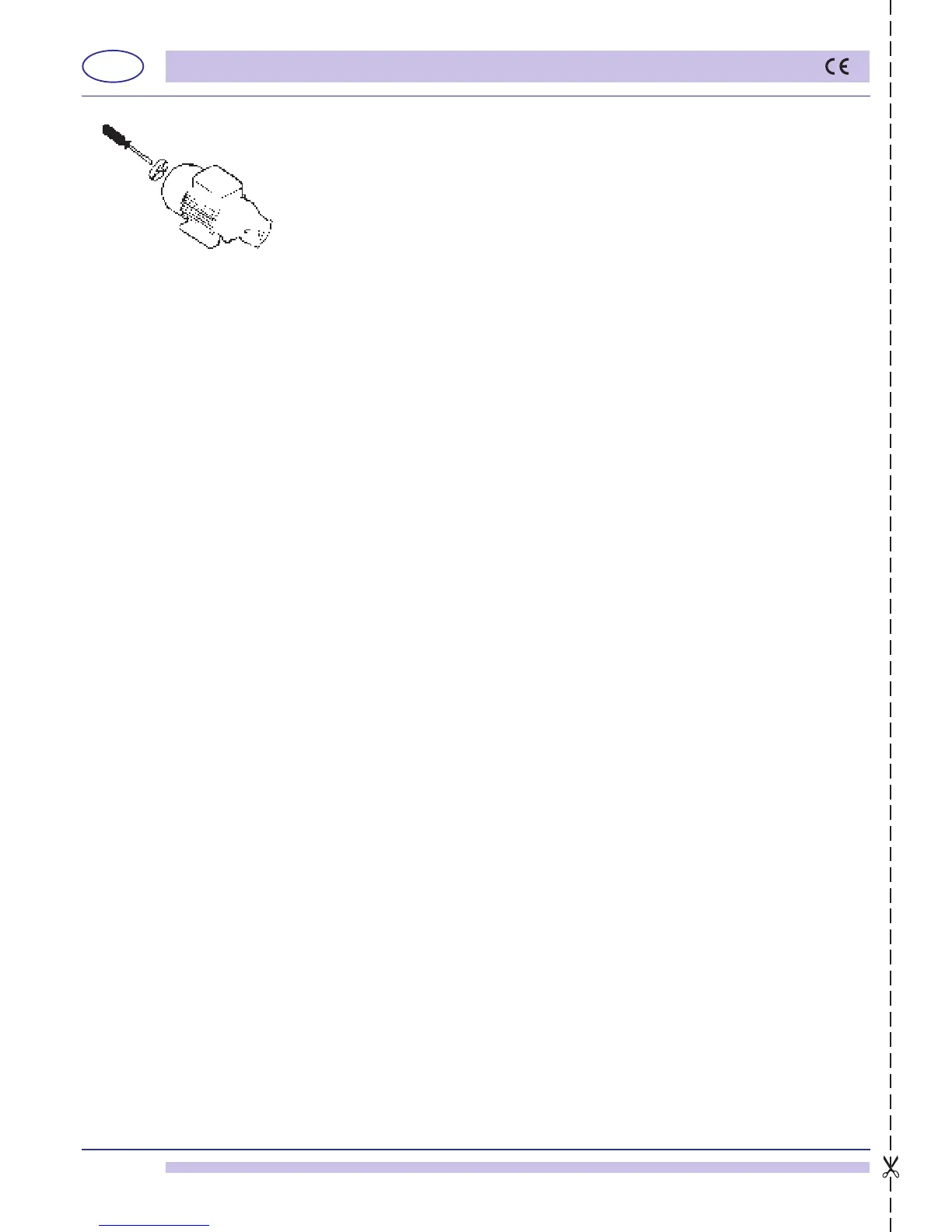
After a period of inactivity of the ware-washer, check that the rinse pump rotates freely.
If it is blocked, move the pump shaft, by inserting a screwdriver in the notch, rotating
clockwise and counter-clockwise (see g. 9). This operation may be necessary when
the slow tank-loading alarm sounds (7) (chap. 11.2).
1.7 Emptying boiler and break tank
This function lets the boiler and break tank empty for any extraordinary maintenance or
emptying function.
• Press key “B” (Stand By) and make sure that the tank is empty.
• Simultaneously press keys “E” and “F” (granule cycle selection/water cycle selection)
for about 5 seconds; Boiler and break tank emptying is activated.
The display will show the message “Empty” during the entire emptying cycle.
• Once emptying is complete, the machine can be turned back on with key “B” (ON), but
is frozen until the tension is removed and replaced by the general wall switch.
pict. 9


 To Next Page