Terminal machine functions 6
Displays on the working screen 6.3
RP701-10 , RP701-11 , RP701-20 , RP701-21 , RP701-30 , RP701-31 , RP701-40 , RP701-41 , RP701-51
Comfort 1.0_en 29
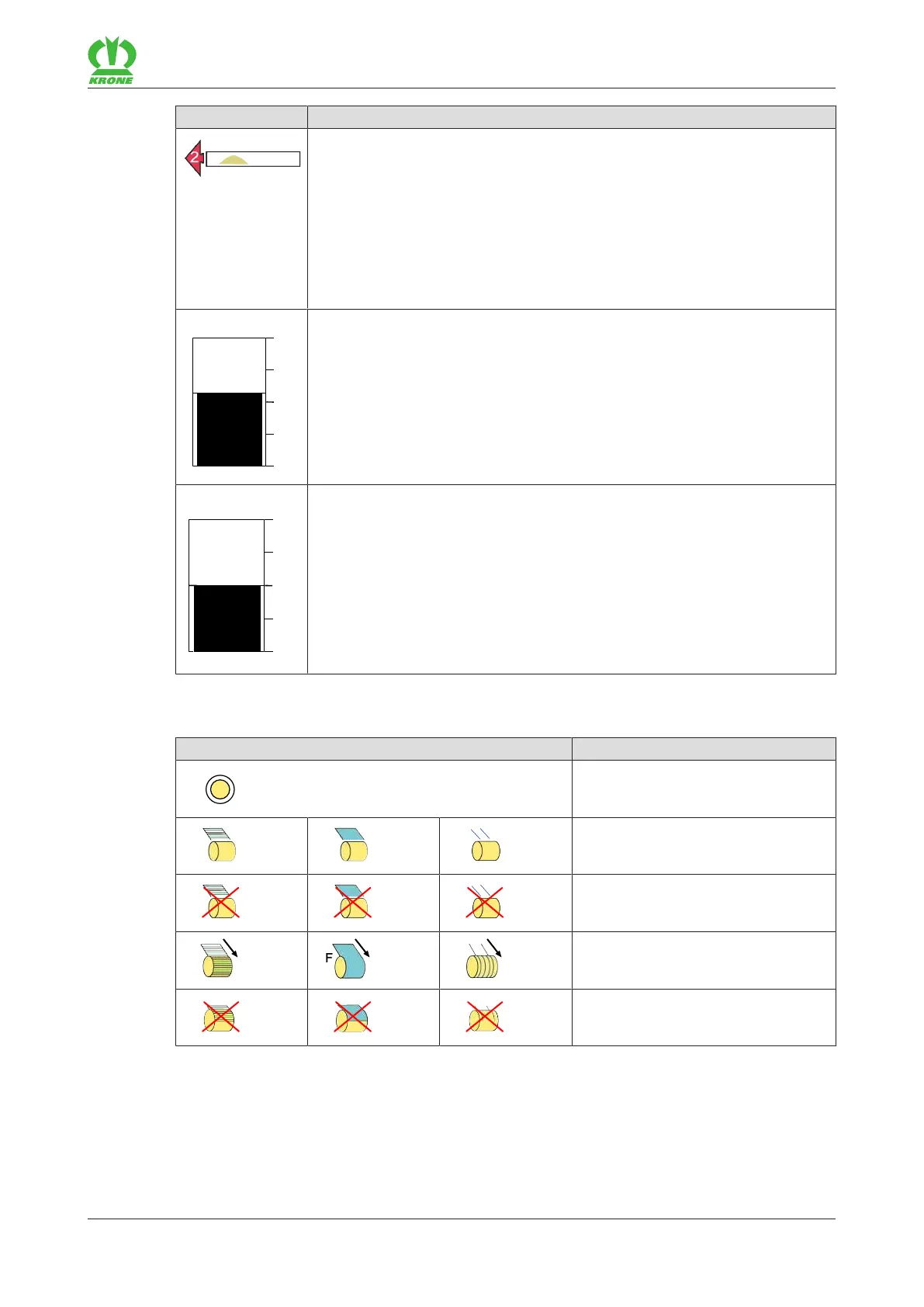
Icon Explanation
Arrow direction display:
During operation, arrows can be shown to the left and right of the direction
display. The arrows have three different sizes, numbered from 1 to 3.
The arrows indicate to the driver the side he/she should correct towards
and by how much when driving over the swath to ensure that the bale
chamber is evenly filled.
If the direction of travel is not corrected, the displayed arrow starts flashing
and an acoustic signal sounds.
Adjusting and displaying the bale diameter (Comprima V).
The bale diameter can be adjusted directly in the working screen, refer to
page31.
Adjusting and displaying the baling pressure (Comprima F).
The baling pressure can be adjusted directly in the working screen, refer to
page32.
Icons during the net wrapping, twine tying or chamber film wrapping process
Icon Explanation
Value of bale diameter/baling pres-
sure is reached (flashing)
Net/twine/film is fed.
Net/twine/film is not pulled.
Net wrapping/twine tying/chamber
film wrapping is active.
Net wrapping/twine tying/chamber
film wrapping is stopped.








 To Next Page