OPERATION
Setting the Time
u
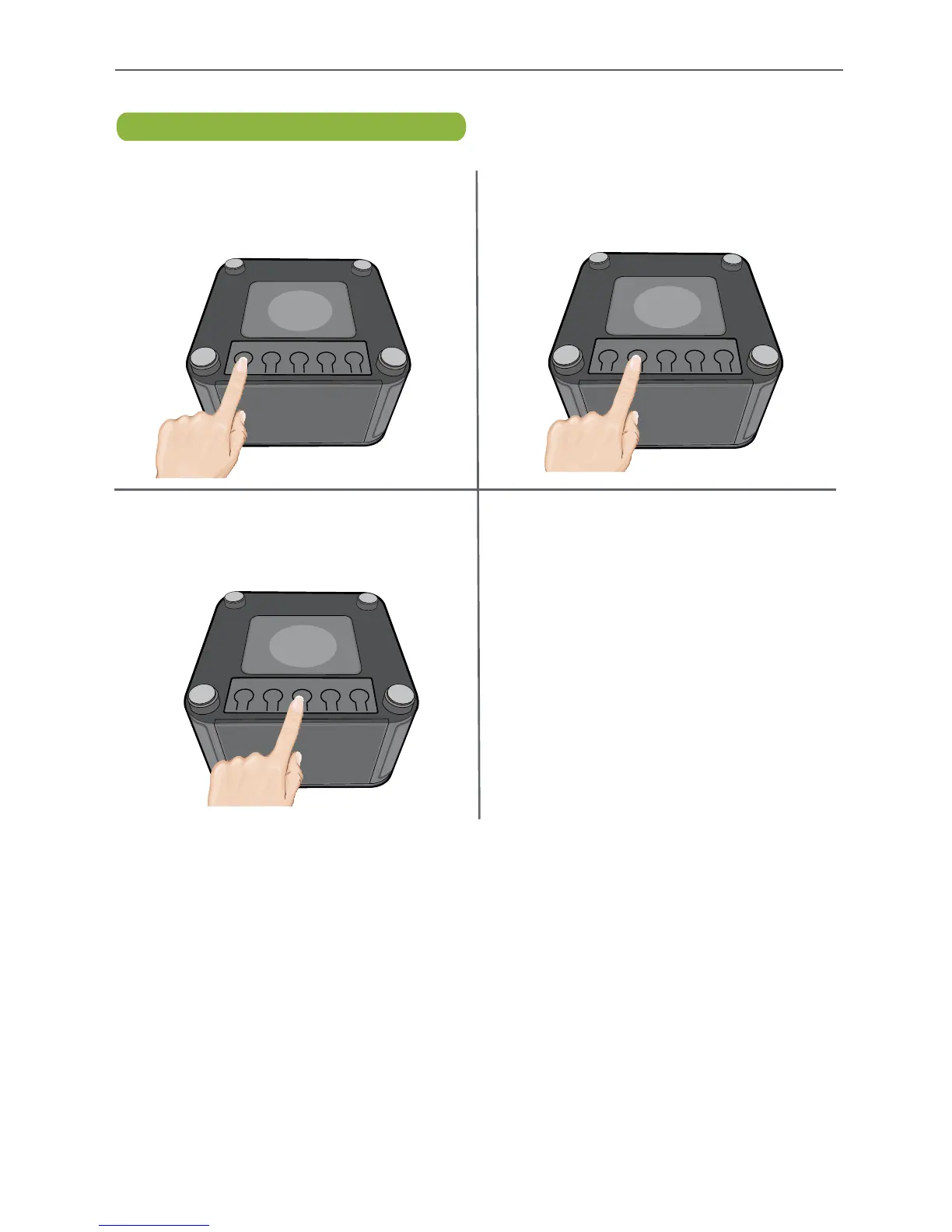
To set the time, turn the unit upside
down. Press and release the TIME SET
button on the bottom of the unit; the
time will flash in the display.
w
Within 3 seconds, press the MIN
button to set the minutes. When done,
wait a few seconds and the clock will
stop flashing.
v
Within 3 seconds, press the HOUR
button to set the hour, making sure to
set the correct AM/PM.
TIME
SET
HOUR
MIN
DST
+1
DST
-1
TIME
SET
HOUR
MIN
DST
+1
DST
-1
TIME
SET
HOUR
MIN
DST
+1
DST
-1


 To Next Page