— 6 —
INTRODUCTION
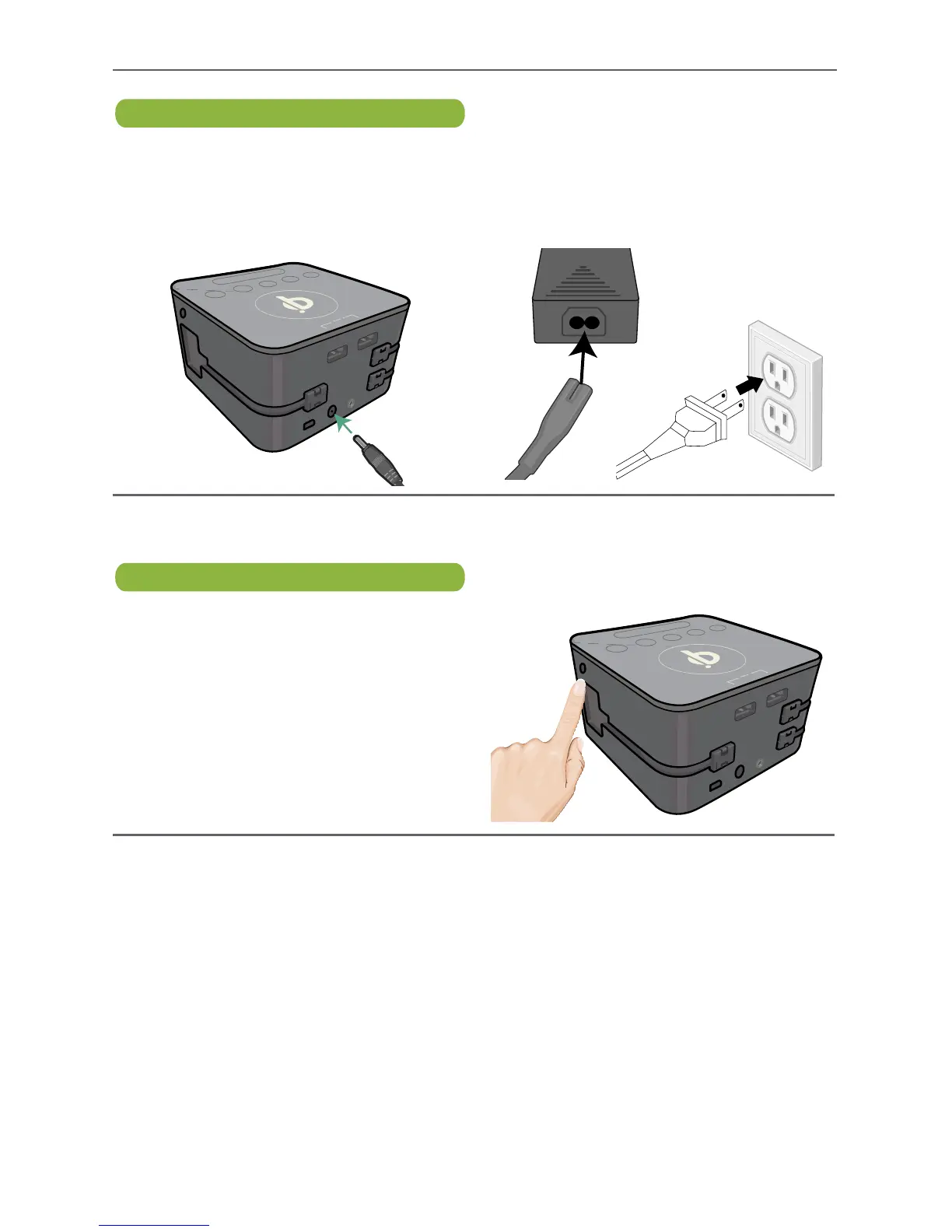
AC Connection
u
Insert the power supply plug into the
DC In jack on the rear of the unit. v
Insert the AC cord into the power
supply. Insert AC plug into an AC
outlet having 100-240v (50-60hz); the
clock display will show a time.
Auto-Dimming Display
u
The ambient light sensor on the right
side of the unit will dim the clock display
when it detects the ambient light is low.
Make sure the right side of the unit is
clear of obstructions.


 To Next Page