— 14 —
OPERATION
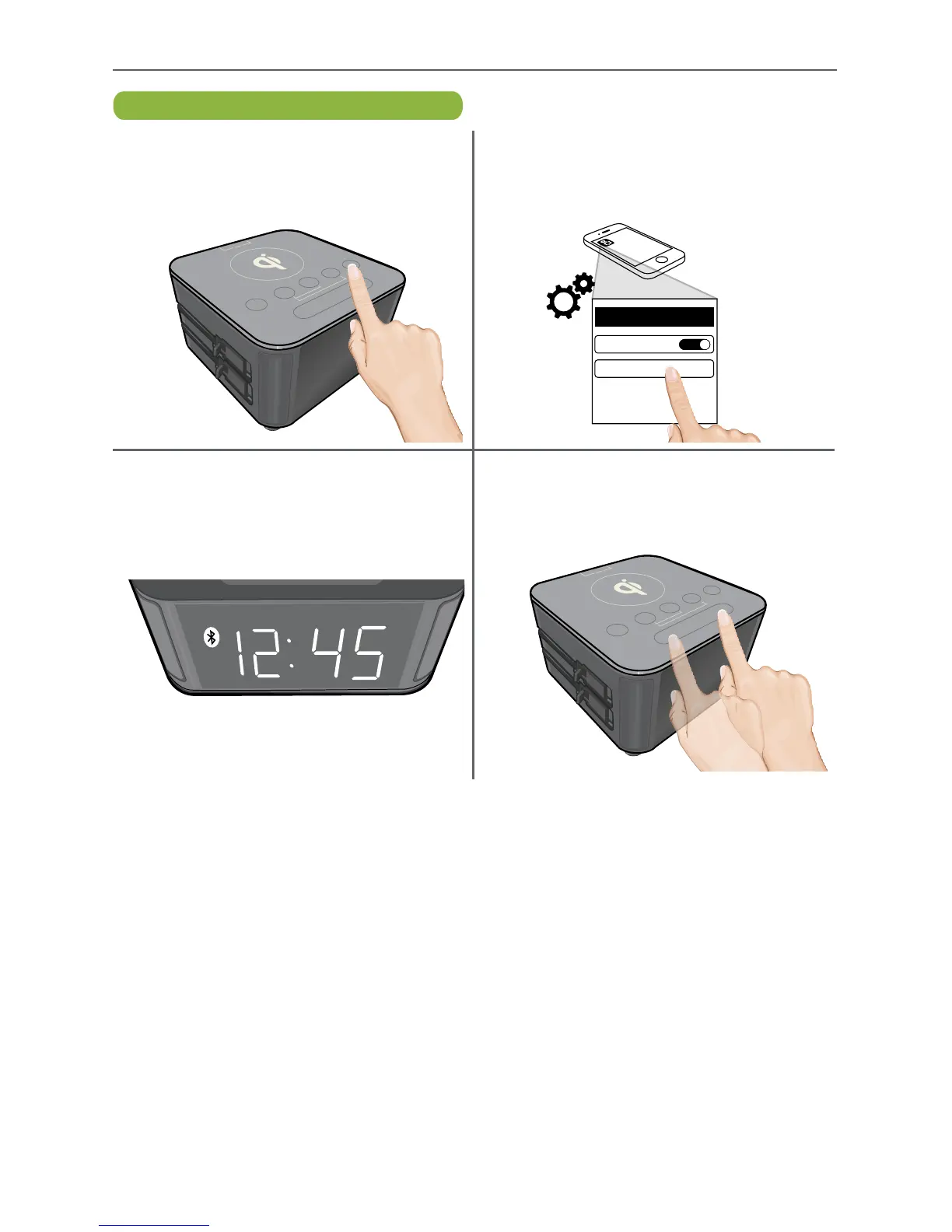
Pairing Via Bluetooth
u
Press and release the Bluetooth button
on the top of the unit; the button will
flash blue and white.
w
Some Bluetooth devices will ask you to
accept the connection. If the units are
paired properly, the speaker will beep
and the Bluetooth icon will appear.
x
Start playback on the external device.
Adjust the volume using the external
device’s Volume buttons as well as the
Volume Up and Down buttons on this unit.
v
On the Bluetooth device, enable
Bluetooth and select “KS-CLOCK”
from the Device List. It may take a few
seconds for it to appear.
KS-CLOCK
ON
Bluetooth
Bluetooth
ON


 To Next Page