CHARGING
Charging Via Qi Wireless Charging (Optional)
u
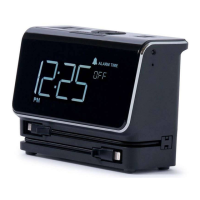
Designed with inductive charging
capabilities, this unit allows you to
place your Qi compatible device on top
of the unit for wireless charging. It’s
that simple! Make sure your device is
Qi compatible or utilizes a Qi case or
other Qi charging option (both available
separately), then place the unit on top of
the Alarm Clock.
u
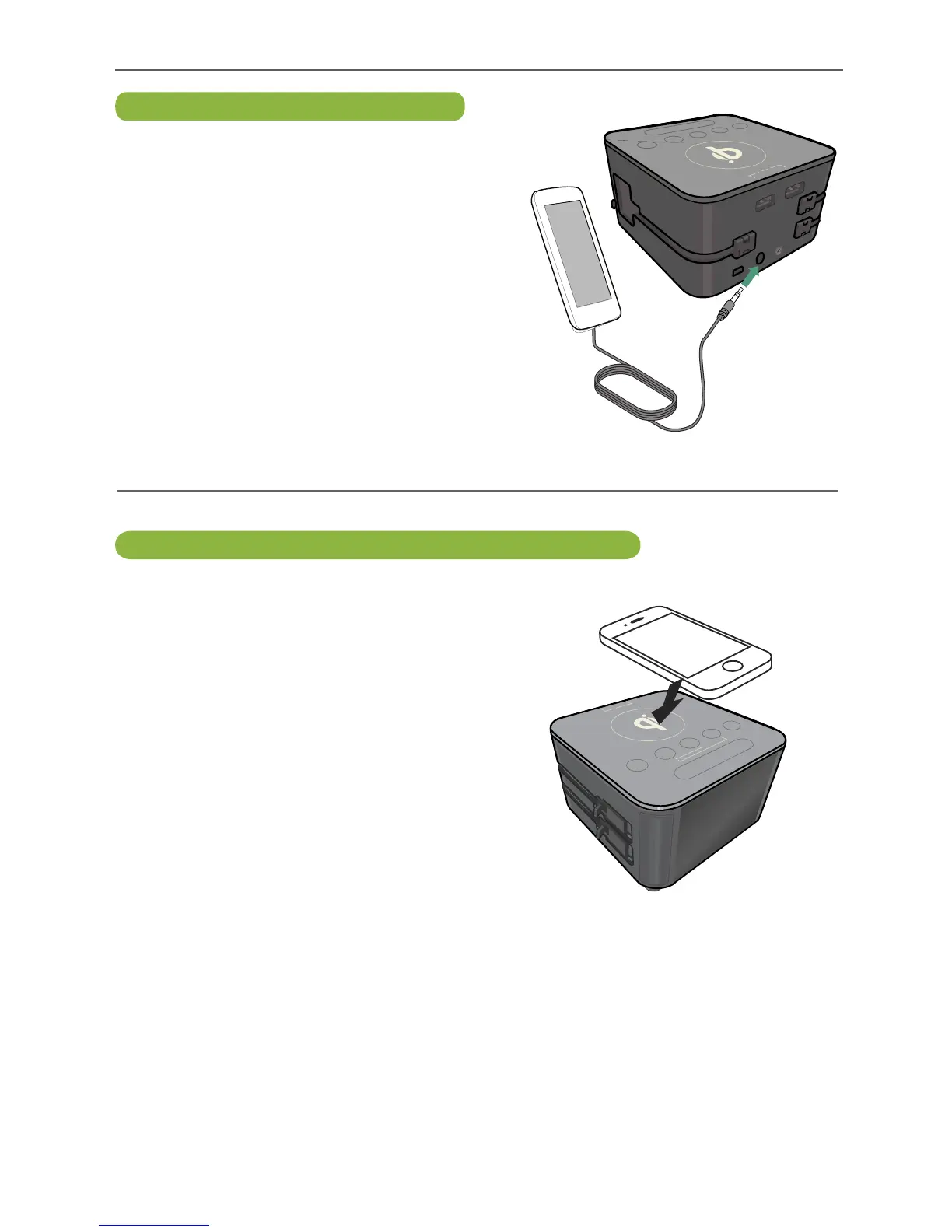
Insert one end of the audio cable
(included) into the LINE OUT jack
on your external audio unit and the
other end into the AUX IN jack on the
rear of this unit. The external device
will automatically be selected when
the audio cable is connected. Start
playback of the external unit and the
external audio unit’s output sound will
be heard through this unit’s speakers.
The Volume Up and Down buttons will
not work on this unit when connected
via the AUX IN jack. Use your external
device’s volume controls.
Connecting Via AUX Input


 To Next Page