
 Need help?
Do you have a question about the Kvaser U100 and is the answer not in the manual?
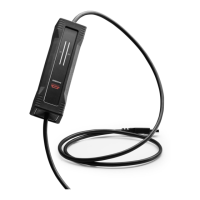
Introduces the Kvaser U100 and its purpose as a CAN to USB interface.
Lists the key capabilities and specifications of the Kvaser U100, including CAN FD support and IP67 rating.
Explains how the Kvaser U100 connects and functions as a CAN bus interface via USB.
Details the Kvaser CANlib SDK and where to find the latest documentation and drivers.
Provides instructions for installing the Kvaser U100 hardware, including driver and firmware requirements.
Describes how to connect the Kvaser U100 to a PC via USB, including cable length considerations.
Specifies that the Kvaser U100 has one CAN Hi-Speed channel.
Explains that the Kvaser U100 is powered through the USB connector.
Details the Tx and Rx LED bars on the Kvaser U100 and refers to their function descriptions.
Offers guidance on verifying communication and checking power supply issues for the Kvaser U100.
Explains the meaning of different LED states, colors, and patterns on the Kvaser U100.
Defines the information types conveyed by LED colors and the meanings of various indicator states.
Describes the device's interface mode when connected via USB and the associated LED indications.
Presents the detailed technical specifications for the Kvaser U100, including electrical and physical properties.
Describes the available PC connector options for the Kvaser U100, specifically the USB-A connector.
Details the CAN connector options for the Kvaser U100, focusing on the 9-pin D-SUB connector and pinout.
Explains the necessity of CAN bus termination and the Kvaser U100's lack of built-in termination.
Provides instructions on how to update the firmware for the Kvaser U100 and check the current version.
Defines the intended purpose of Kvaser CAN interfaces and the Kvaser U100.
Issues a critical warning about potential hazards, risks, and responsible usage of the device.
Details the EU Declaration of Conformity and applied harmonised standards for the Kvaser U100.
Outlines the FCC compliance statements, conditions, and responsible party information for the Kvaser U100.
Lists trademarks, copyrights, and mentions patents related to Kvaser products.
 General
| Type | USB to CAN Adapter |
|---|---|
| Channels | 1 |
| CAN Protocols | CAN, CAN FD |
| Operating System Compatibility | Windows, Linux |
| Galvanic Isolation | Yes |
| USB | USB 2.0 |
| CAN Standard | ISO 11898-2 |
| Operating Voltage | 5V (USB powered) |
| Operating Temperature | -40°C to +85°C |
| Data Rate | CAN FD: Up to 8 Mbit/s, CAN: Up to 1 Mbit/s |
| Power Supply | USB powered |
| Connector | 9-pin D-SUB |
| Weight | 150 g |

 To Next Page