
 Need help?
Do you have a question about the Kverneland IsoMatch Tellus Go and is the answer not in the manual?
Emphasizes reading the manual for safety and optimal performance.
Outlines employer responsibilities for personnel training and safety.
Provides overarching safety instructions and guidelines for safe operation.
Specifies the device's designed purpose and warns against unintended uses.
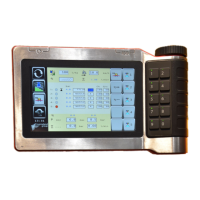
Introduces the IsoMatch Tellus GO as a next-generation ISOBUS terminal.
Details the components that make up a fully compatible ISOBUS tractor and implement system.
Explains how the IsoMatch Tellus GO upgrades non-ISOBUS tractors for ISOBUS compatibility.
Highlights the terminal's intuitive design with touch screen, buttons, and grip.
Describes the terminal's durable construction for harsh agricultural conditions.
Lists the physical and technical specifications of the IsoMatch Tellus GO terminal.
Provides a visual overview and identification of the terminal's buttons and connectors.
Details the application for controlling and configuring implements.
Explains the application for viewing tractor sensor data and recording field data.
Describes the application used for configuring the terminal and serial ports.
Provides step-by-step instructions on how to mount the terminal clamp and the terminal itself.
Explains how to connect an adapter cable for TECU functionality via CAN J1939 bus.
Describes how to use a USB to SERIAL cable to create an additional rs232 port.
Details the procedure and cables required for connecting an external camera to the terminal.
Guides the user through the initial setup wizard for language, time zone, and date settings.
Explains how to access and use the application selector to view available applications.
Explains how to transfer and manage PDF files on the IsoMatch Tellus GO.
Details how to create, save, and manage screenshots of the terminal's display.
Describes how to assign and manage frequently used applications or implements.
Introduces the configuration screen for adjusting various terminal settings.
Explains how to enter and manage license keys for specific functionalities.
Guides on setting the terminal's time, date, and system language.
Explains how to configure unit profiles and measurement units for various settings.
Explains the licensing system for GEOcontrol features and their limitations.
Details how to use the physical push buttons and rotary button for navigation and data entry.
Explains how to use the rotary button for selecting fields and changing values.
Provides guidance on diagnosing and resolving common issues with the terminal.
Provides detailed steps for calibrating the terminal's touchscreen for accurate input.
Specifies disposal methods for plastic parts according to local rules.
Advises sending metal components to a metal recycling facility.
Recommends sending electronic boards to specialized recycling or the manufacturer.
 General
| Display Size | 7 inches |
|---|---|
| Touchscreen | Yes |
| ISOBUS Compatibility | Yes |
| Connectivity | USB |
| GPS | External |


 To Next Page