M102
7
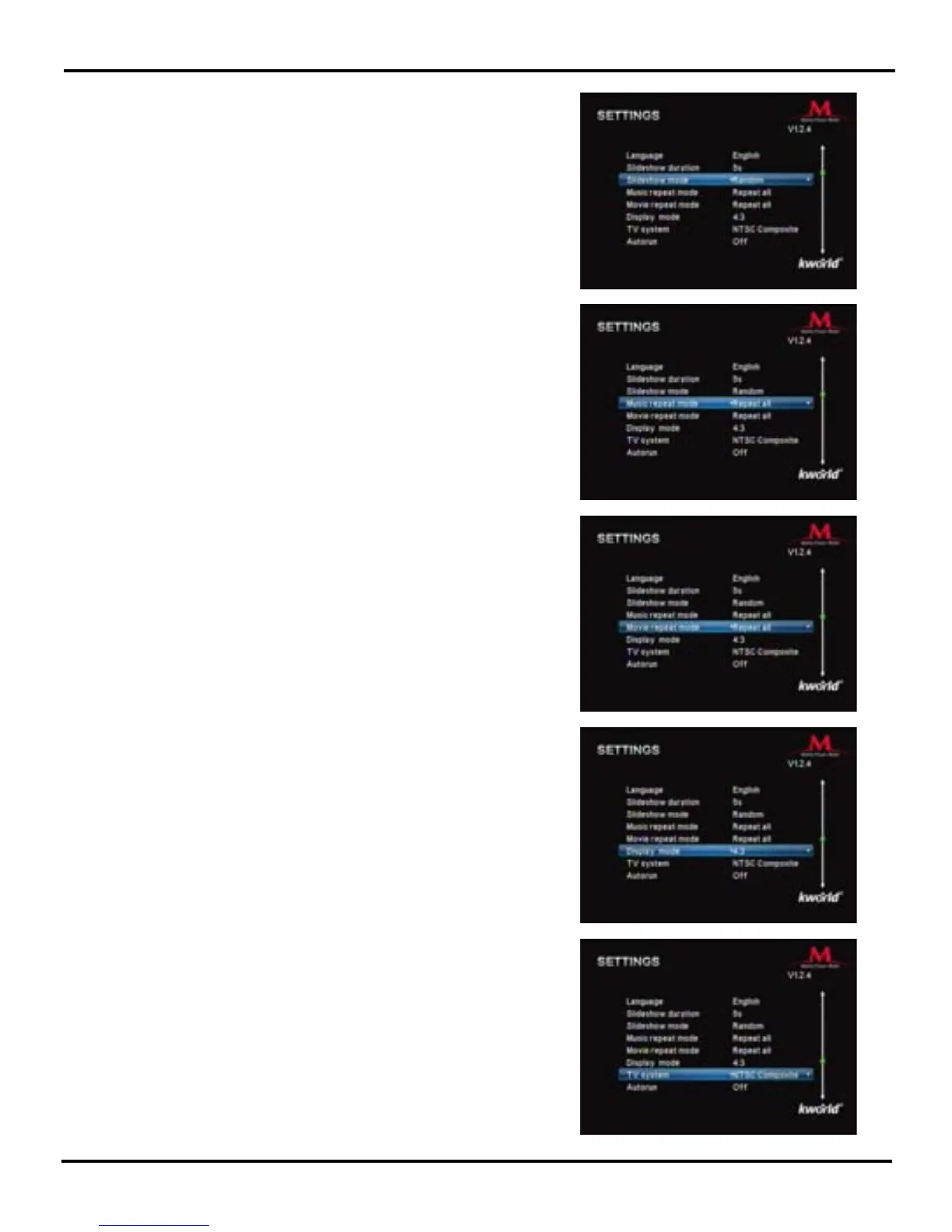
Slideshow Mode: “Random/Fading off/Off/Bottom To Top/
Top To Bottom/Left to Right/Right to Left/Door Close/Door
Open/Hori-Cross/Verti-Cross”. Please use the ◄/► key on
the Remote to select your preferred mode, then press “OK”
to conrm. (This function supports photos in JPEG format)
TV System: You can set your TV settings as “NTSC
C o m p o s i te , H D Mo d e , NT S C In t e rl a c e , NT S C
Progressive, PAL Composite, PAL Interlace or PAL
Progressive”. Please use the ◄/► key on the Remote to
select the proper TV setting, then press “OK” to conrm.
Display Mode: Set the display ratio based on your TV
screen ratio. Please use the ◄/► key on the Remote to
set the proper ratio, then press “OK” to conrm.
Movie repeat Mode: You can set the Video Play Mode as
“Repeat one” or “Repeat All”. Please use the ◄/► key on
the Remote to select, then press “OK” to conrm.
Music repeat Mode: You can set the Music Play Mode as
“Repeat one” or “Repeat All”. Please use the ◄/► key on
the Remote to select which one you prefer, then press “OK”
to conrm.



 To Next Page