© 2009 KWorld
6
TWO
Installation and Instruction
2-1. Setting up Your KWorld Media Player M102
2-2. System Settings
1.Please check if you have properly connected the
followings:
a.Connect the Power Adapter to the “DC 5V” connector
on the media player and then plug the other end of
the adapter to a power outlet for power connection.
b.Connect the YPbPr or HDMI cable to your Media
Player M102. and link the other end of the cable to
your display device (i.e. TV sets).
c.Connect the Audio L/R Cable to your media player.
2. Please insert a USB storage device or memory card.
3. Turn on your TV and set the TV to YPbPr, HDMI or CVBS input mode according to the
type of connection you have established, and turn on your Media Player M102. You will
see the operation interface on the TV Screen. Press the “Video Standard” key on the
Remote to switch to modes.
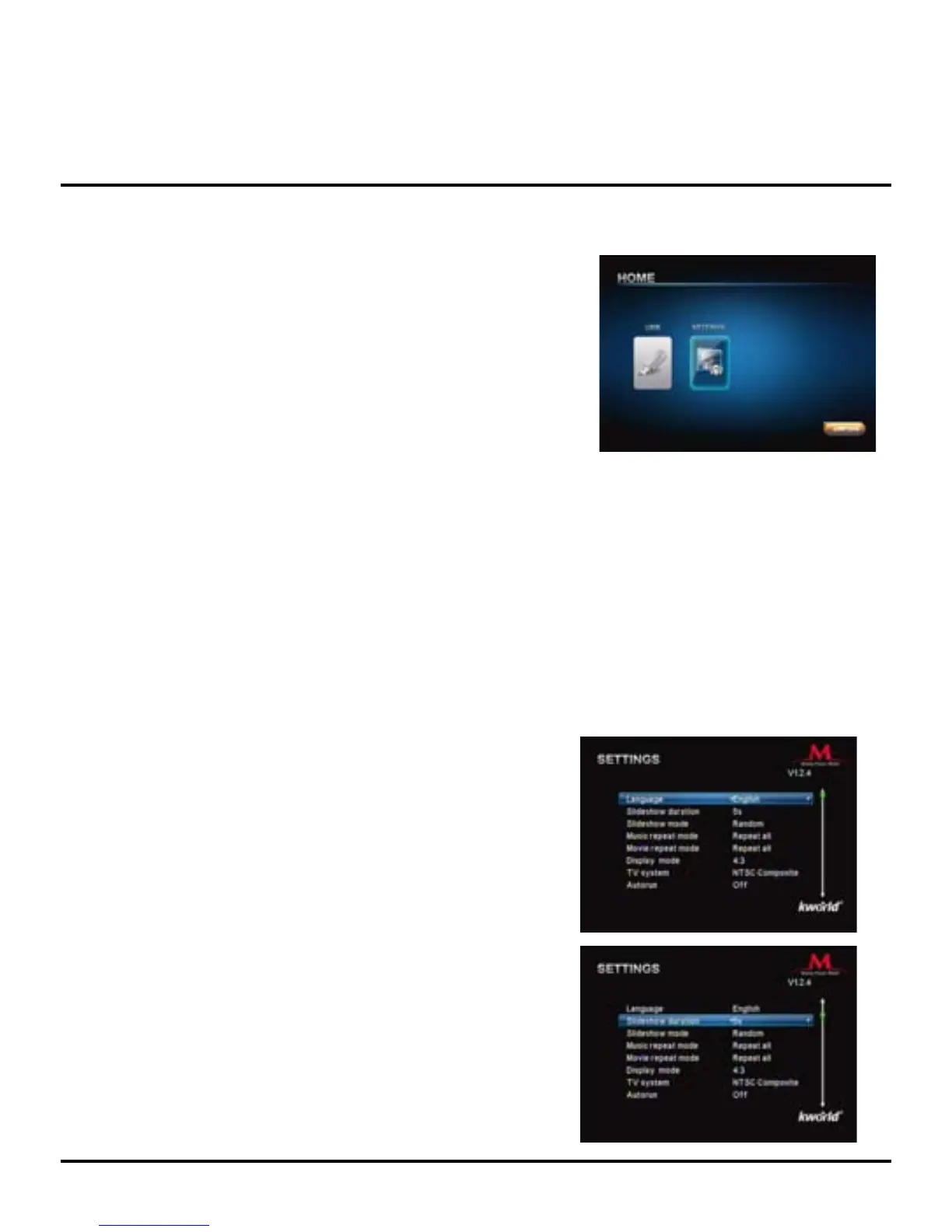
4. Once you turn on your Media Player M102, it will start loading. After the loading for
system initialization is completed, the main page will show as the gure below. You will
see “SETTINGS” and ”USB ”( the name of this icon depends on the storage device you
connect to the Media Player).
5. If you need to congure the system settings, please press ◄/► key on the Remote to
select “SETTINGS”, then press “OK” key to access the setting page.
Once you have entered the “SETTINGS” page, you will
see the following options:
Language: Please use the ◄/► key on the Remote to
select your preferred language, then press “OK” to conrm.
Slideshow duration: Set your slideshow interval to 3 sec,
5 sec, 15 sec, 1 min, 15 min or 1hour. Please use the ◄/►
key on the Remote to select the preferred time interval
that you like to set for your slideshows, then press “OK” to
conrm.



 To Next Page