10
4. Menu display and description
4.1 Menu display and description
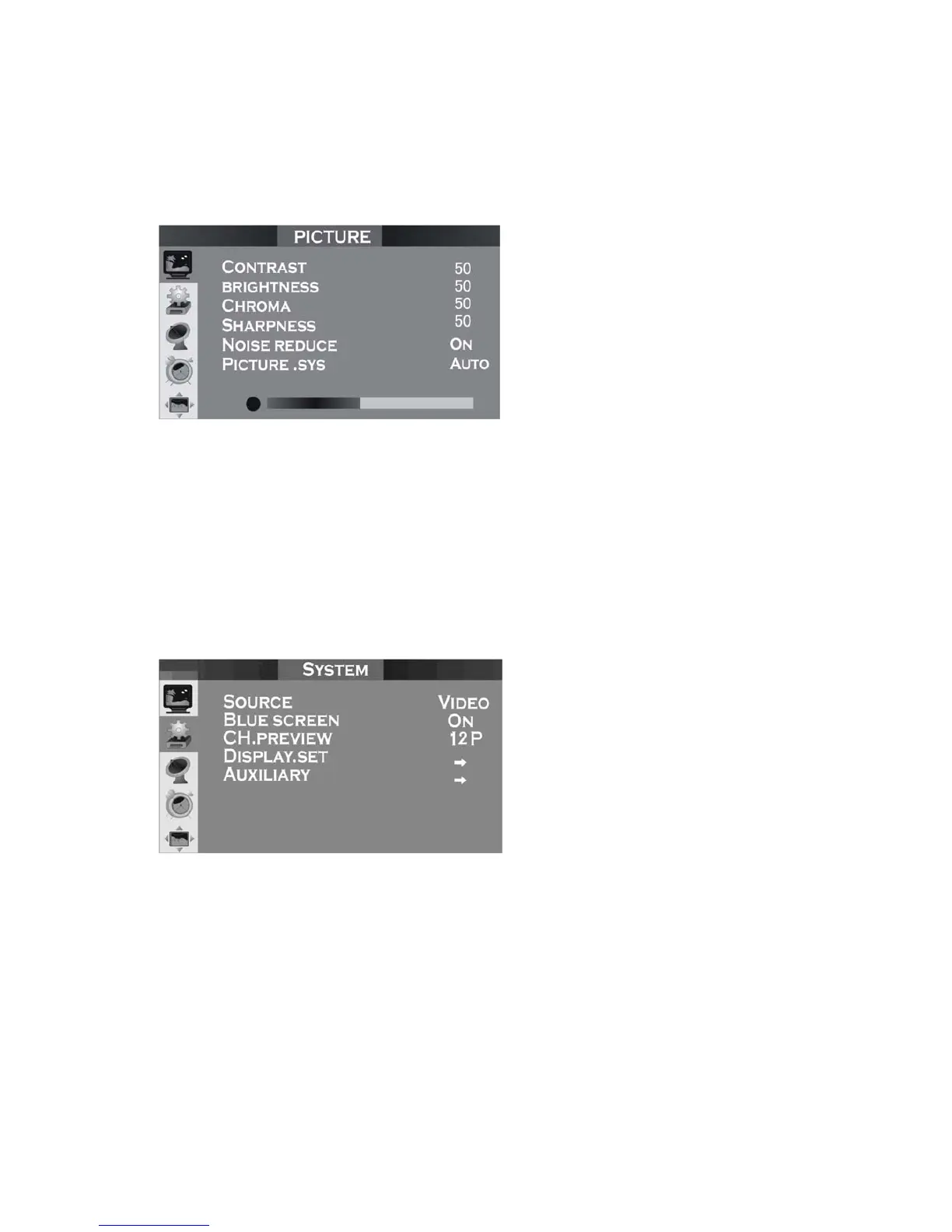
Menu I: Picture
Contrast, brightness, Chroma, hue can be adjusted from 0 to 100 respectively.
(Note: Hue option can be displayed only if the video input is NTSC system
signal.)
There are two states, ON and OFF, for noise reduction. Noise reduction at ON
state can reduce the noise in picture.
For picture system, there are Auto, PAL, N3.58, N4.43 for selection.
Menu II: System
Adjusting input source, you can change the input mode of the product. There
are four kinds of input source, i.e. TV, video, S-video and YPbPr.
Adjusting Blue Screen ON/OFF, you can turn on or turn off blue background at
no signal state.
CH Preview allows you to set the number of pictures you want to view, and
there are 9 and 12 available.
Display Setup: see Menu III.
Auxiliary option including four sub items: see Menu IV.


 To Next Page