13
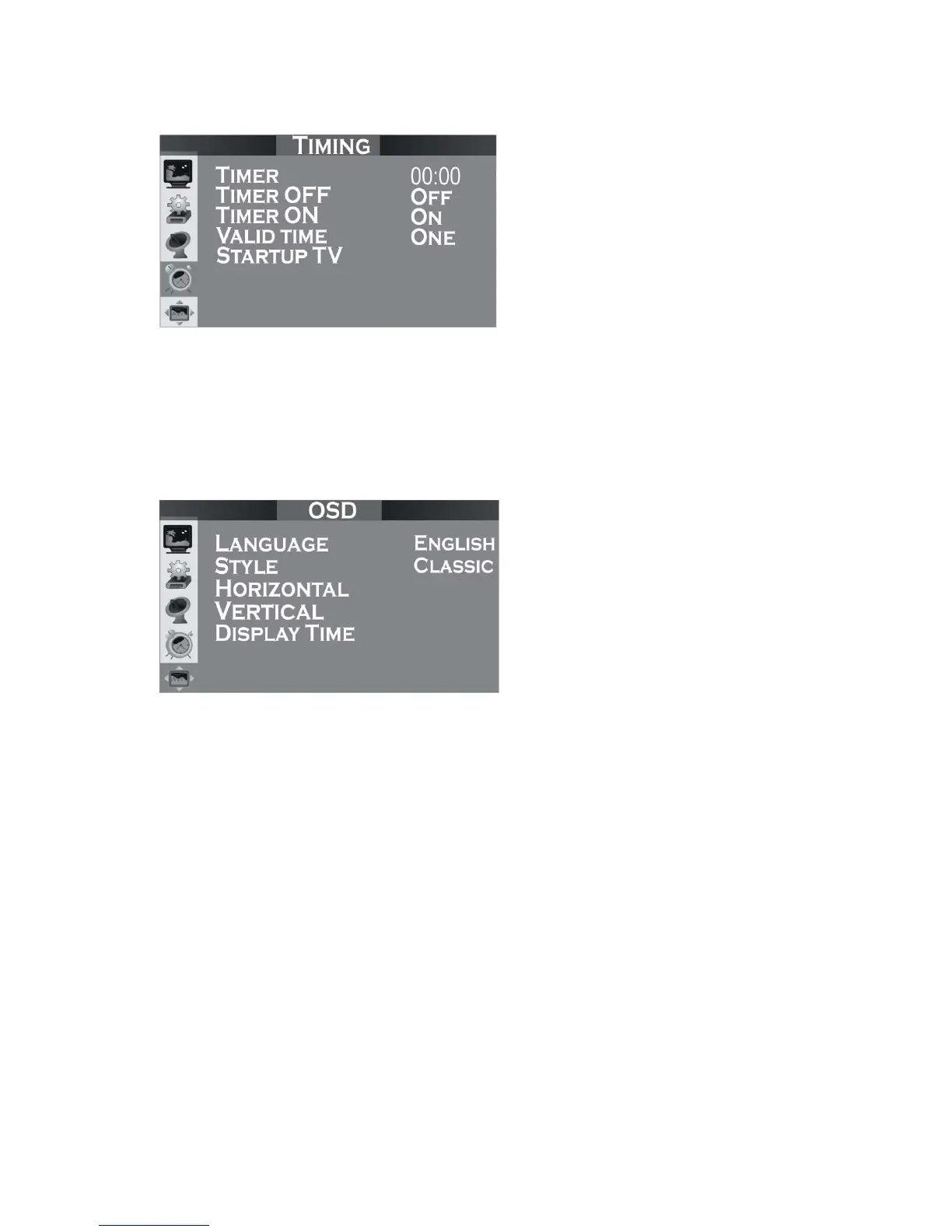
Menu VII: Timing
Timer OFF: used to set the time for shutdown. It shall be changed to “on”.
Timer ON: used to set the time for startup. It shall be changed to “on”.
Valid time: used to set the valid time of your setting as once or every day.
Startup Mode: used to set the mode for each startup, which can be set as video,
S-video or TV.
Menu VIII: OSD
Language: Select the OSD language.
Style: used to set the style of menu as per your liking, including three options,
classic, modern and romantic.
Horizontal Position: used to adjust the position of menu on screen in left or right
direction.
Vertical Position: used to adjust the position of menu on screen up or down.
Display Time: used to adjust the display time of menu on screen.
4.2 Program searching
z Connect the antenna plug for CATV or antenna TV to the ANT IN port of this
product.
z Enter into Tuning menu. Click VOL+ to enter into Tuning menu. Select Auto and
click VOL+ to start auto searching.
z If the noise level is too high at a certain channel and you do not want to keep it,
you can enter into TV Tuning menu to select CH. Skip. After setting, the channel
will be deleted.


 To Next Page