© 2020 Kymeta Corporation. All rights reserved. 4 08 December 2020
700-00121-000 revD Kymeta u8 products installation and user guide
1 Introduction and general considerations
This document contains important step-by-step details for the installation and setup of the Kymeta™ u8 terminal and
Kymeta™ u8 outdoor unit (ODU). Read this document in its entirety.
For information on the Kymeta u8 antenna web-based user interface, refer to 700-00139-000 Kymeta™ u8 antenna
software user guide.
For your safety, read 700-00122-000 Kymeta™ u8 products safety and handling guide before beginning installation.
✎ This document also contains important u7-to-u8 terminal upgrade considerations.
Refer to 2 u7-to-u8 upgrade kit installation considerations for details.
Ensure you have all the installation hardware and tools required for u8 terminal assembly. Installation tools are not
provided with the product. If you ordered any u8 accessory kit(s) to accompany your u8 terminal or u8 ODU, refer to the
installation instructions shipped with the kit(s).
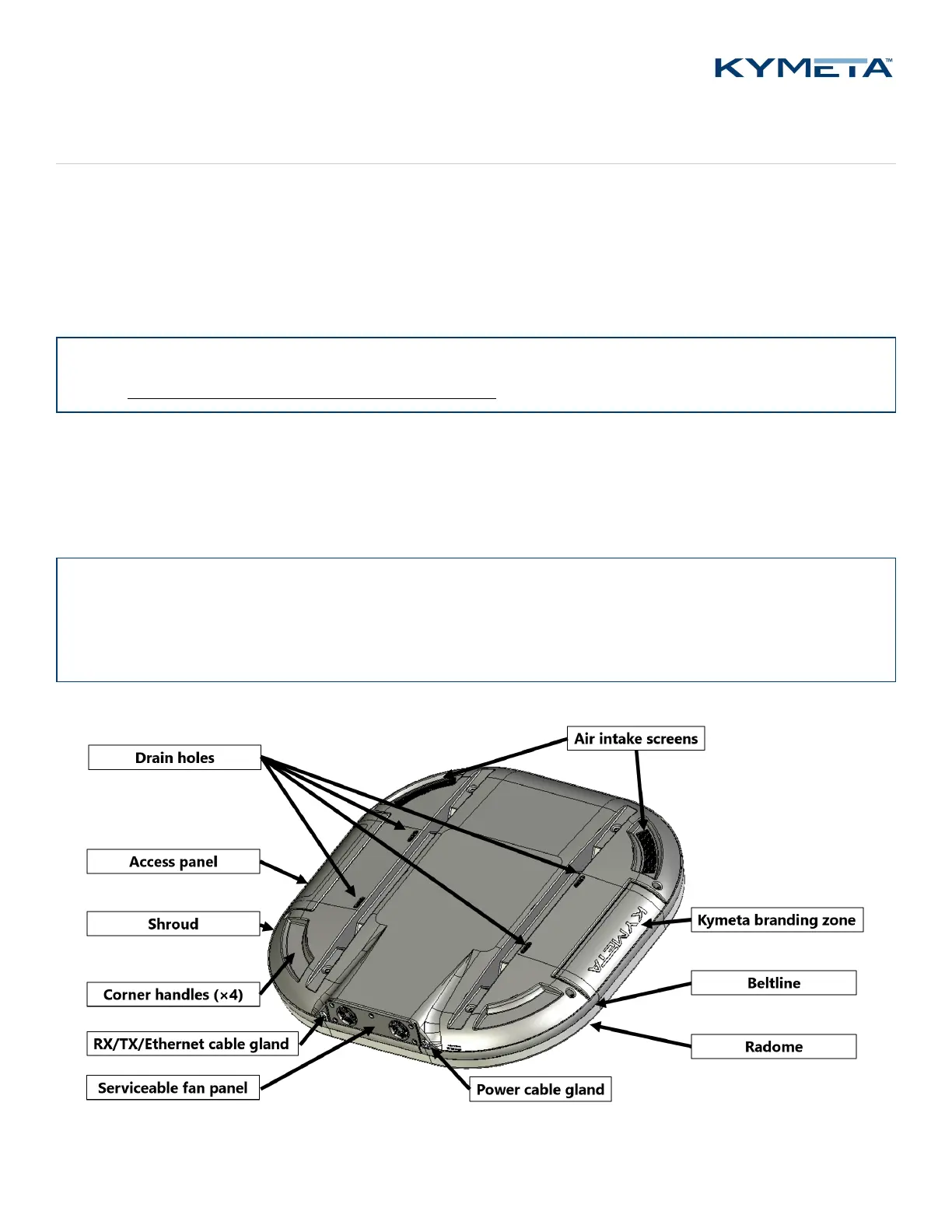
During installation, avoid obstructing the air intake screens or drain holes.
✎ Never grab or lift the u8 by the shroud, diplexer or any other part of the RF chain. Never use the diplexer or any
part of the RF chain to mount the ODU as they are not a structural part of the u8 and may be damaged if handled
improperly. Avoid damaging the coating on the diplexer.
Use the corner handles to lift the u8.
Figure 1. u8 terminal and u8 ODU external guide


 To Next Page