Phone Basics 9
Turn Your Phone Off
►
Open the phone and press and hold for two seconds until you see the powering-
down animation on the main screen.
Your screen remains blank while your phone is off (unless the battery is charging).
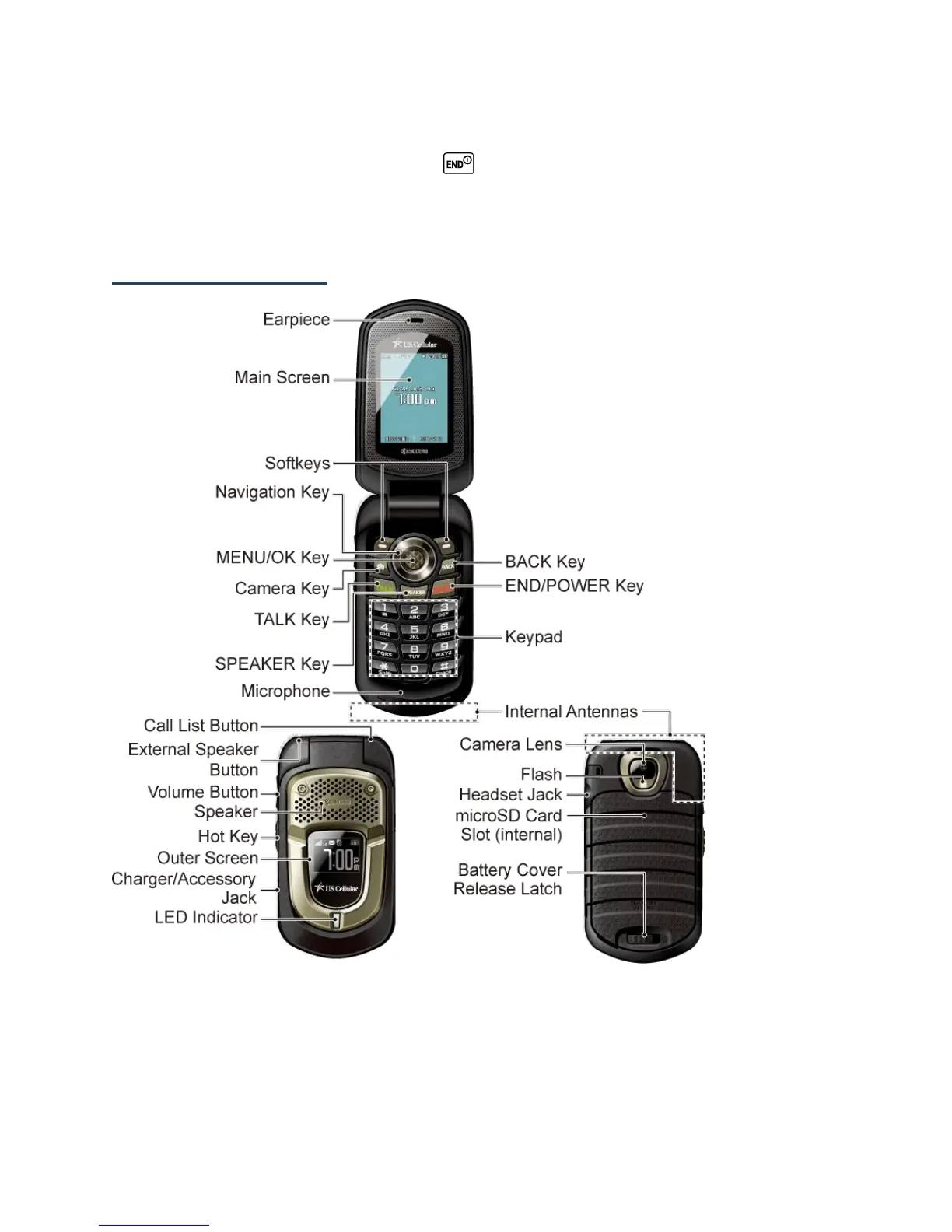
Phone Overview
Key Functions
●
Earpiece lets you hear the caller and automated prompts.
●
Main Screen displays all the information needed to operate your phone, such as the
call status, the Contacts list, the date and time, and the signal and battery strength.













 To Next Page