8 82-G1652-1EN, Rev. 002
6.
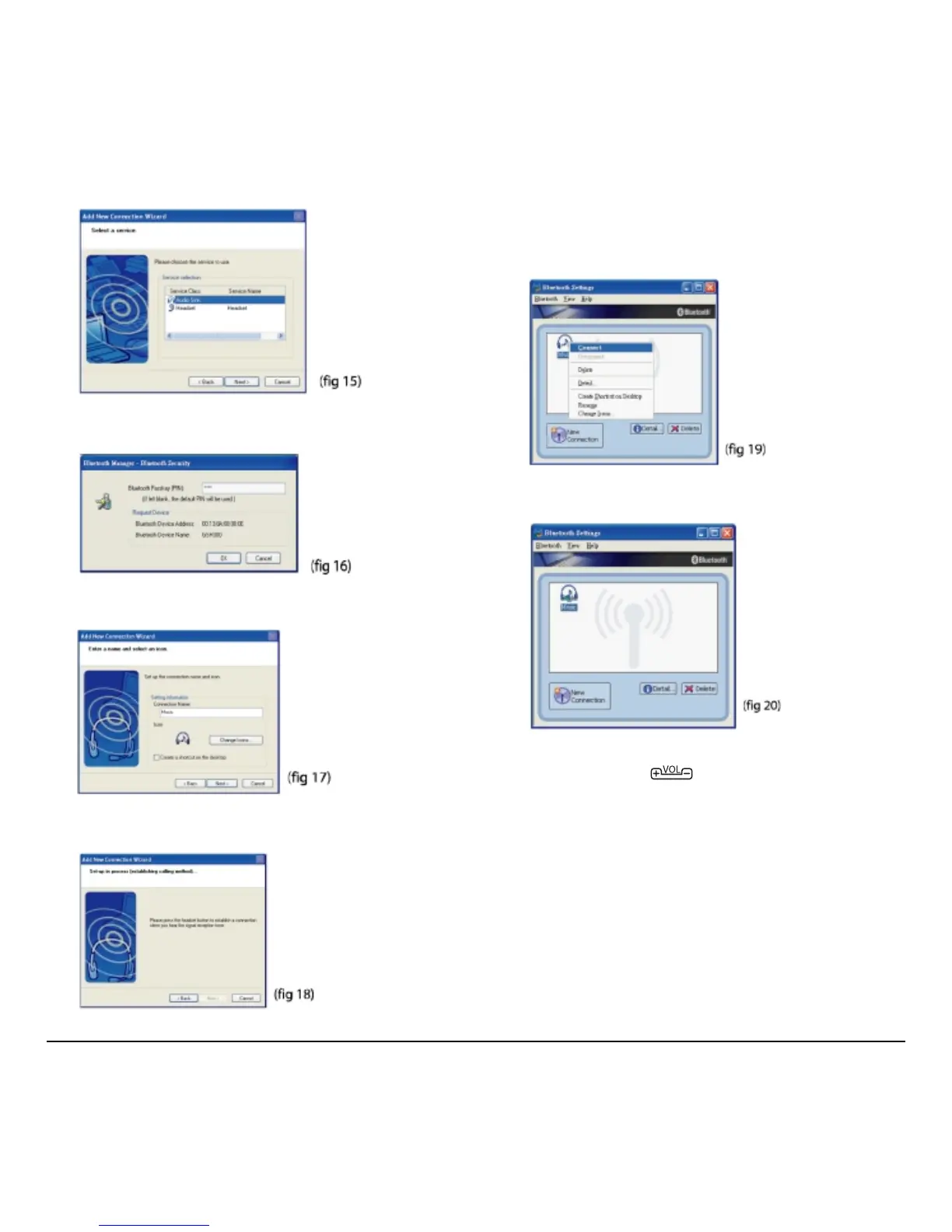
Select GSH300 and click Next (fig 15).
7. Under Service Class, select Audio Sink
and click
Next (fig 16).
8. Type in the default passkey (0000) and click
OK (fig 17).
9. Type a connection name such as “Music” and
click
Next (fig 18).
10. Click Finish to complete the connection.
Right-click the GSH300 icon and click
Connect. Once connected the icon changes
to a handshake (fig 19).
The new connection is shown in the Bluetooth
Settings window (fig 20).
Now you can listen to the music using Windows
Media Player. Press key to adjust the music
volume. (Re-start the computer if the buttons of
headset do not work for music playback.)



 To Next Page