2 82-G1652-1EN, Rev. 002
Important:
The 3-way button ( ) only works with
Bluetooth enabled wireless devices that support the
A2DP profile.
Status LED
Charging the battery
The wireless stereo headset has a built-in battery
which must be charged fully before you use the
headset. Charging takes about three and a half
hours. You can charge the headset using the AC
adapter or the USB connector on a computer.
When fully charged, the headset can be on standby
for up to 200 hours. You can call or listen to music
continuously for up to 14 hours.
Caution: Be sure the USB connectors are aligned
correctly and do not force the connection. Use the
USB icon on the connectors and in the illustrations
below as a guide.
When to recharge the battery
Your battery needs to be recharged when the LED
lights red when the headset is powered on.
Important: The rechargeable battery in the headset
must be disposed or recycled according to local
ordinances/regulations.
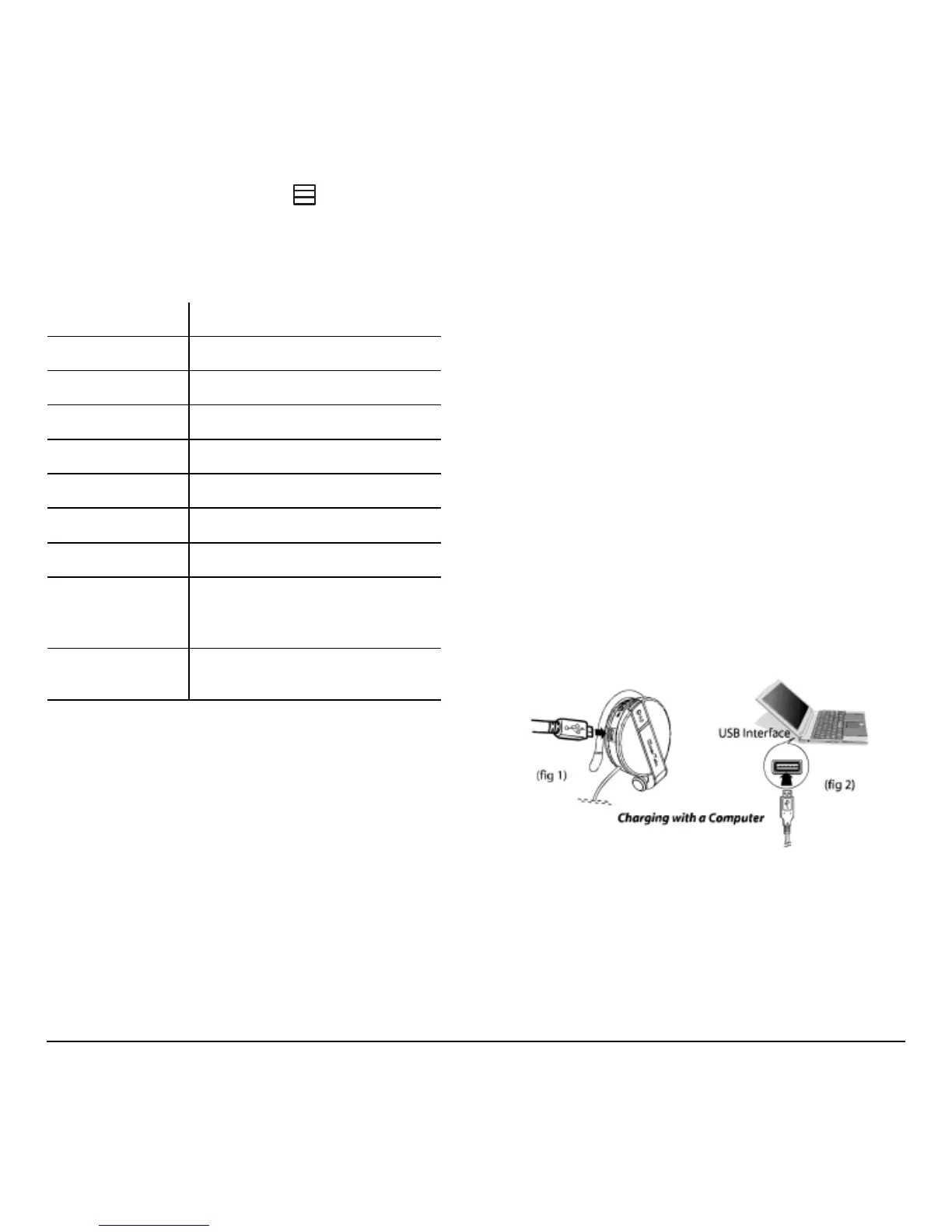
Charging with a computer
1. Open the charging port dust cover.
2. Connect the small connector on the USB cable
to the charging port on the headset (fig 1).
3. Connect the other end of the USB cable to a
USB connector on the computer. The LED
lights red (fig 2).
4. Unplug the cable when the red LED turns off.
Function LED color and status
Headset off
Off
Pairing mode
Flashes blue/red
Paired
Flashes blue 5 times
Standby
Flashes blue every 2 seconds
Making a call
Flashes blue every 2 seconds
Playing music
Flashes blue every 1 second
Switching off
Flashes red
Charging,
headset on
On steady red, blue LED
state depends on the
headset and battery state
Charging,
headset off
On steady red



 To Next Page