Wireless Stereo Headset 5
Call waiting and three-way calling
1. To answer a second incoming call, short-press
IN, the incoming call will be accepted and
the active call will be held.
2. To join the second call with the first, long-press
. Both calls are active.
To release all call, short-press UP.
3. To answer a second incoming call, and release
the active call, short-press .
4. To keep the active call, and release other calls,
short-press
IN.
Switching calls between headset
and phone
While you are making a call, you can switch the call
between the headset and your phone.
Headset to phone: Long-press . (Or switch
the call through your phone, if supported.) The call
switches to your phone.
Phone to headset: Long-press . (Or switch the
call through your phone if supported.) The call
switches back to the headset.
Phone to headset (when headset off): If the
headset is off during a call, turn on the headset and
short-press . The call switches to the headset.
Rejecting a call
If you do not want to take an incoming call, long-
press . The incoming call is cut off.
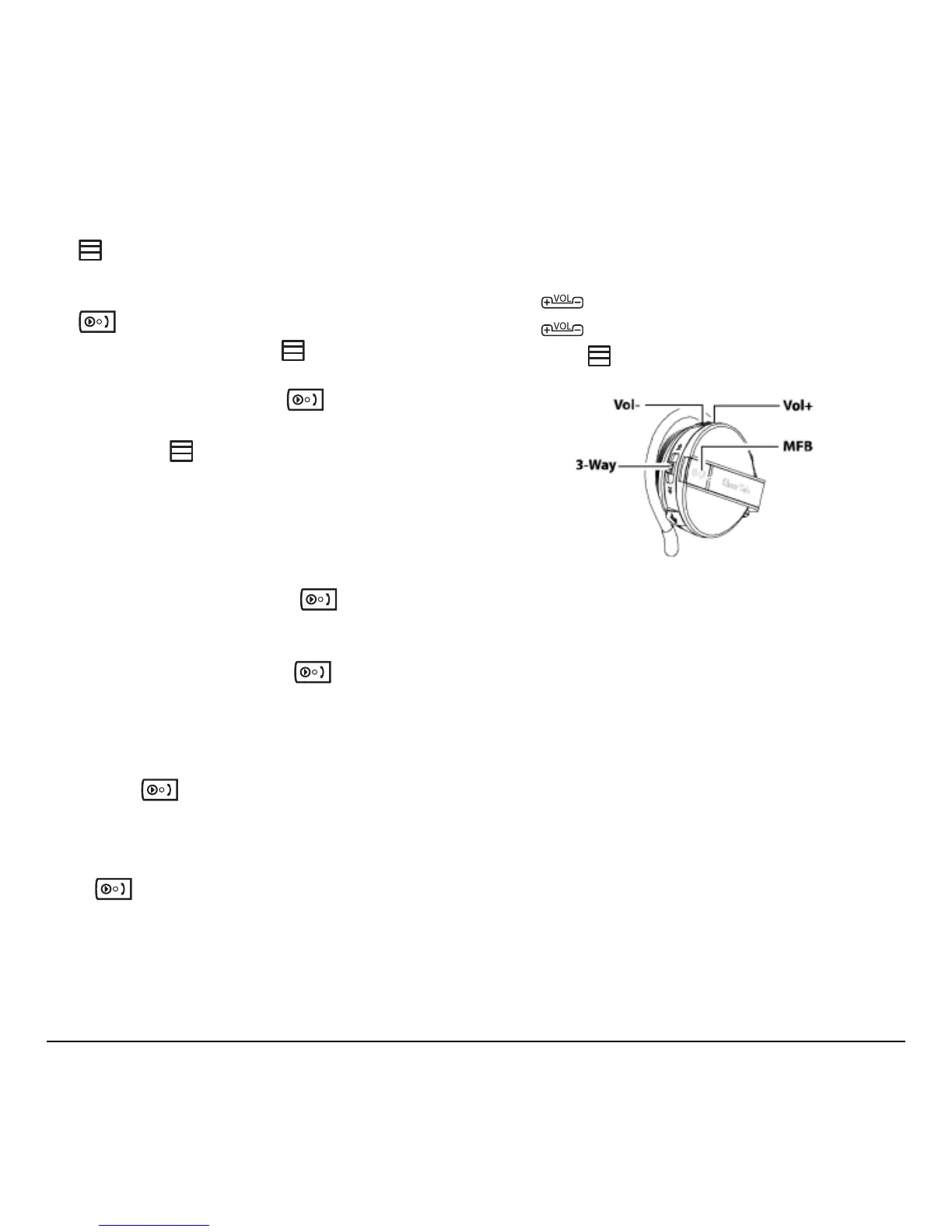
Adjusting the volume
You can adjust the volume during a call by pressing
the volume buttons on the headset or the volume
buttons on your phone.
Press
UP to increase the volume (fig 9).
Press
DOWN to decrease the volume.
Long-press IN to mute the microphone. Long-
press again to enable the microphone.
Note: Mute only affects the microphone. You can
still hear the caller; but the caller cannot hear you.



 To Next Page