My MA2000w does not turn ON
1. Make sure to fully press in the white main power button located on the lower right side of the
front of the printer.
2. Check that the power cord that came with the printer is fully inserted in the rear of the unit.
3. Confirm the printer is plugged into a working outlet. Try plugging in another device to see if it
powers on.
4. Try a different power cord if available.
What do the different led panel
indications mean on my MA2000w?
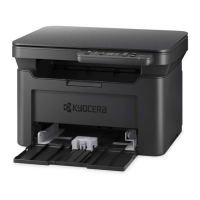
This device has a 2-digit 7 segment indicator which will change depending on certain conditions.
Note: When the error code is displayed, for more details refer to Error Messages in the operation Guide,
Kyocera Client Tool will provide more detailed information about the printer status.



 To Next Page
 Loading...