6-4
Machine transportation after setup > Procedure for the main unit transportation (floor to floor)
[CONFIDENTIAL]
14
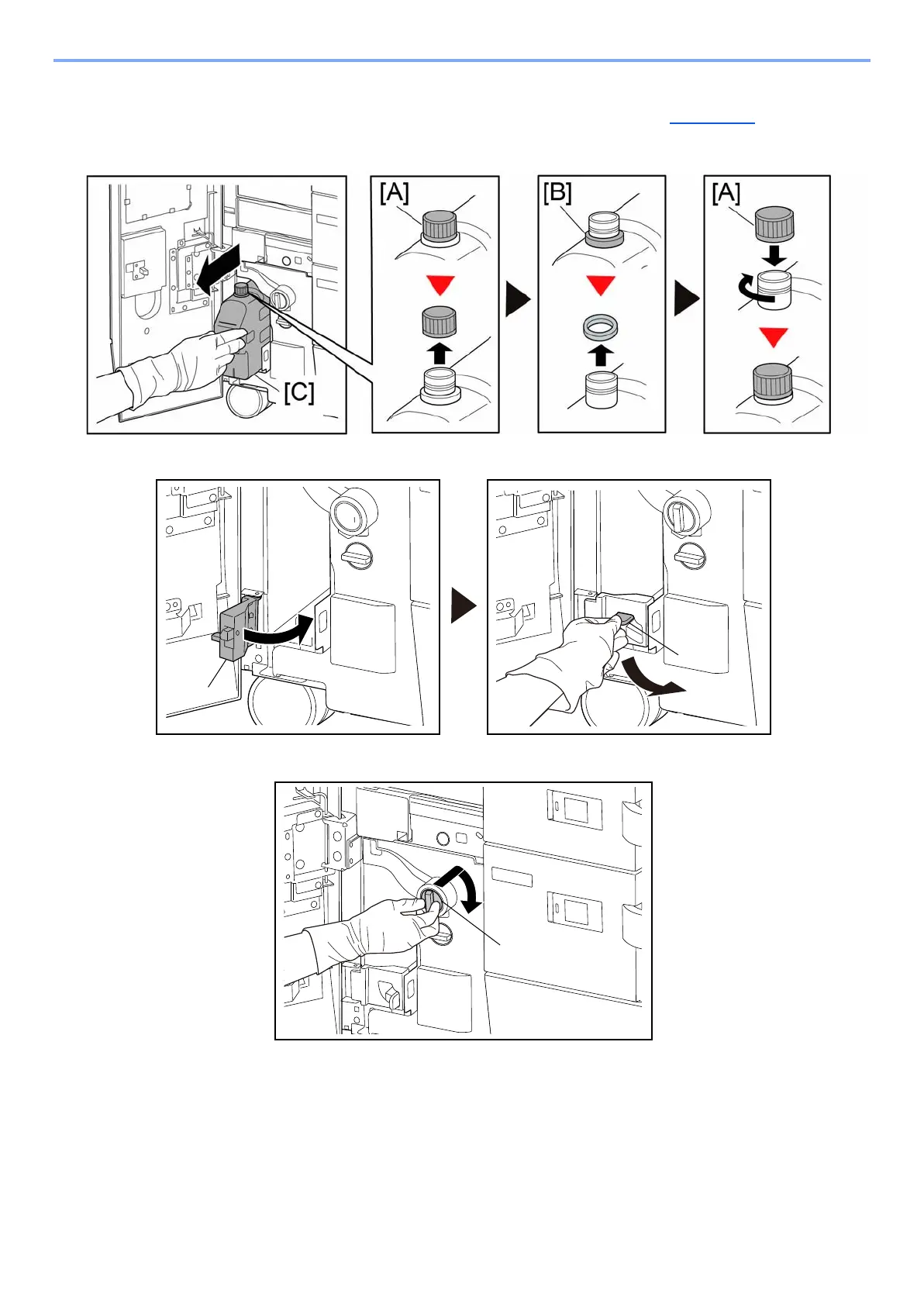
Pull out the cleaning liquid tank [C] until it stops and remove the cap [A] and the
spacer [B]. (keep the spacer and use it at procedure of setup. (page 6-10))
15
Then, close the cap [A] and pull out the cleaning liquid tank [C] all the way.
16
Close the cleaning liquid tank cover [A] and lock by rotating the lock lever [B].
17
Rotate the waste ink tank nozzle release lever [A].



 To Next Page