6-5
Machine transportation after setup > Procedure for the main unit transportation (floor to floor)
[CONFIDENTIAL]
18
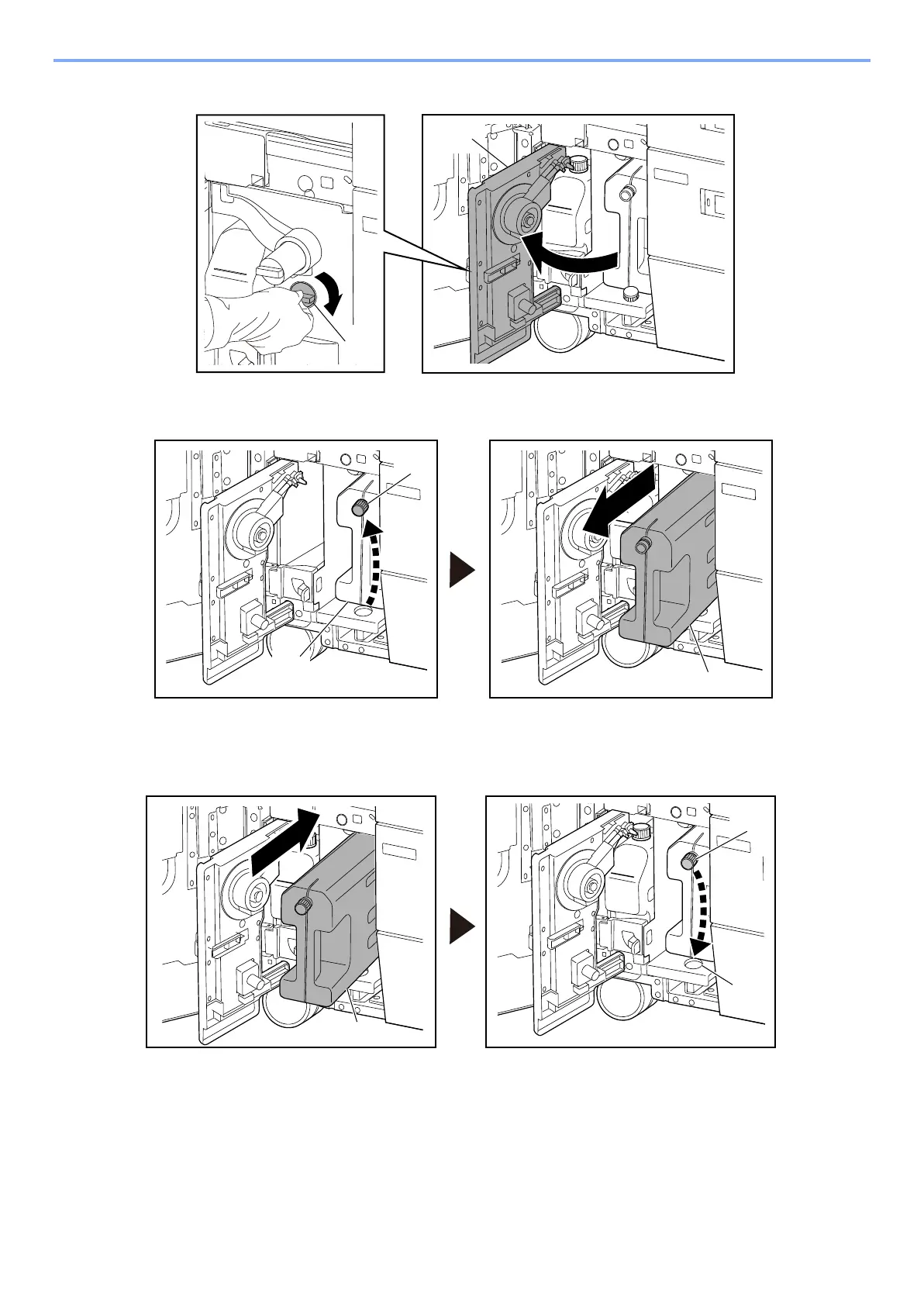
Rotate the lock dial [A] to release lock, and open the waste ink cover [B].
19
Place the cap [B] on the waste ink tank [A] and remove from the main unit in the
direction of the arrow.
Install the new waste ink tank
20
After installing the new waste ink tank [A], remove the cap [B] from the waste ink tank
and place it on storing place [C].



 To Next Page