17
Step 3:
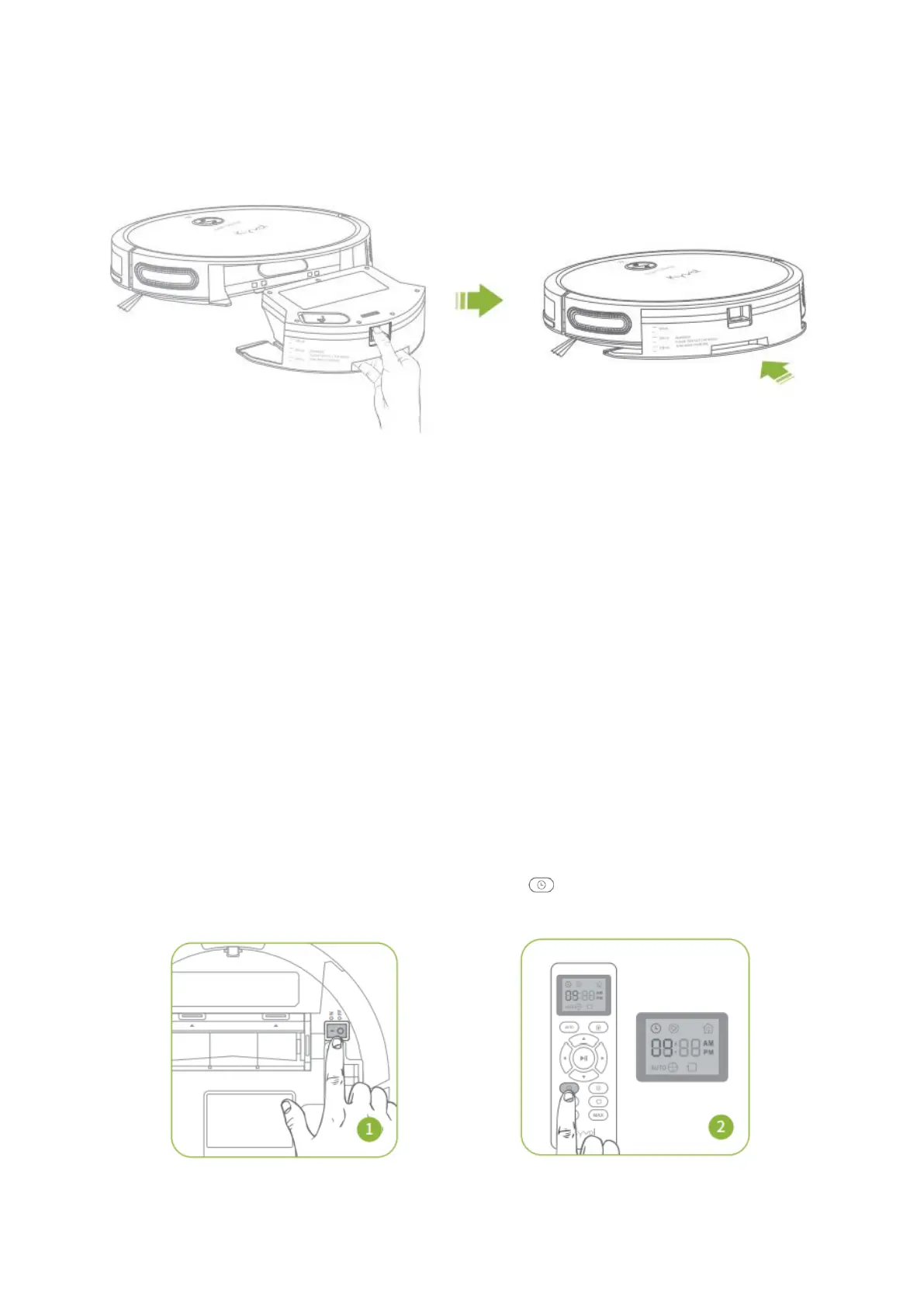
Press and hold the latch down and insert the Water Tank into the robot.
Step 4:
Select a cleaning mode to start mopping the floor.
Tip:
Go to Kyvol APP to adjust the water volume for mopping.
Notes:
1. Take out the Water Tank when the robot is charging or not in use.
2. Only use water in the Water Tank. Do not use any cleaning solution, even natural
ones, which will cause damage to the robot.
3. Do not mop the carpeted floor.
4. The robot cleans best on smooth hard surfaces any may not perform as well on
uneven or rough surfaces.
5. Do not leave the robot unattended when using it to mop the floor.
TIME SETUP
Press on the remote, and the HOUR
will flash on the LED Display.


 To Next Page