12
Notes:
1. Remove any object that may entangle the robot, such as power, cords, ropes, etc.
2. The robot can climb to the top of the objects with a thickness less than 15mm.
Please take the objects away if you do not want the robot to climb then.
3. Do not operate the robot on the wet floor.
4. Keep the robot away from any furniture that may he the space <72mm(because
the thickness of the robots is 72mm) on the bottom. The robot may get stuck if it
goes in by accidently. The Magnetic Strip could be used in this situation.
5. The robot may not run on certain dark or black coloured surfaces, since the Anti-
drop Sensors that recognize an edge of a stair may regard this colour as and
edge, then the robot will not clean over it.
6. Fold the tasseled edges underneath the area rugs to prevent tangling the robot.
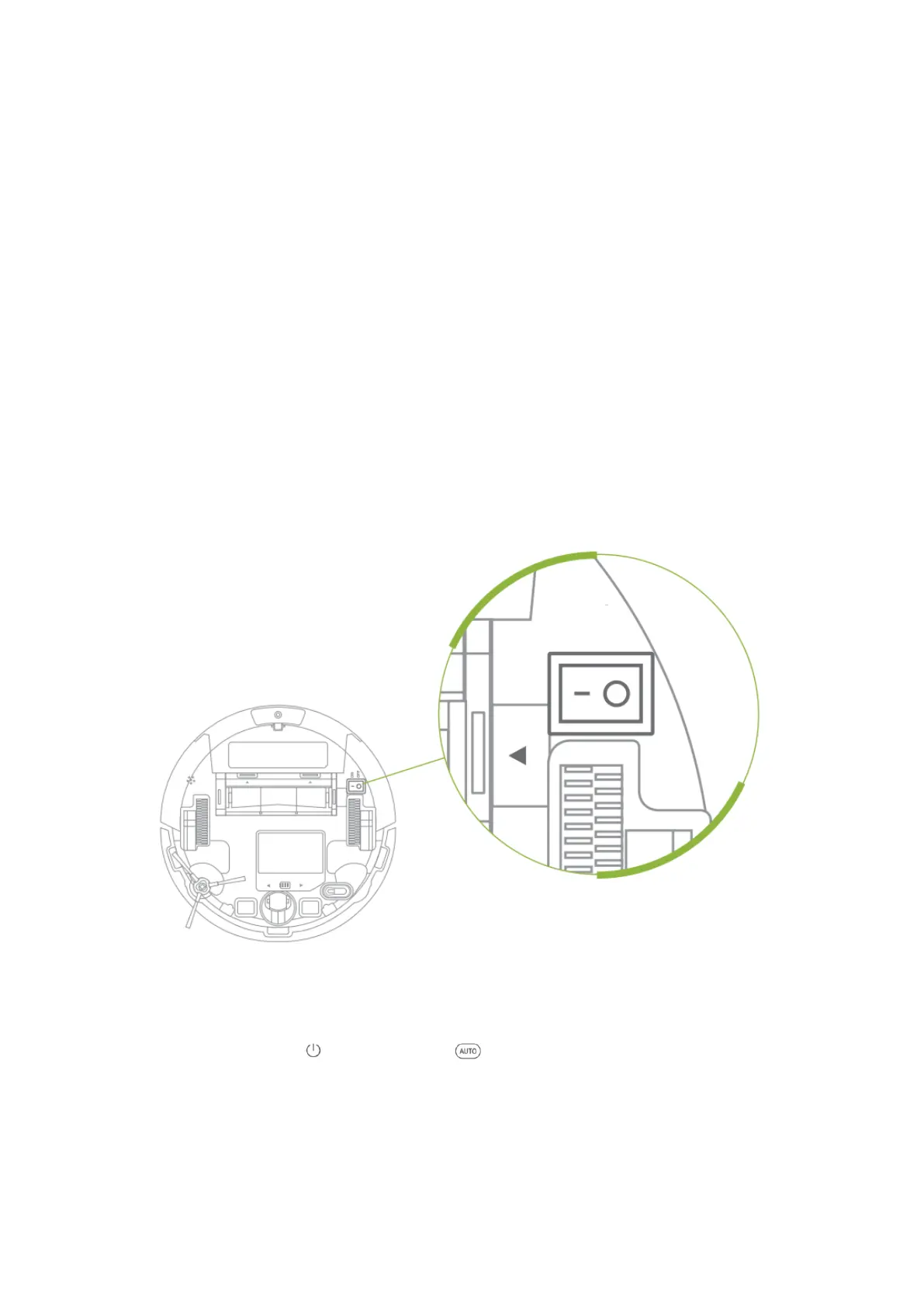
POWER ON/OFF
Press the Power Switch to ON on the bottom of the robot to power it on, to power it off,
press the Power Switch to OFF
CLEANING MODES
Auto Mode
After powering on press on the robot or on the remote initiate Auto Mode
process, in which the robot will clean all accessible space with medium suction power
(this is the default level) until the battery gets low.


 To Next Page