13
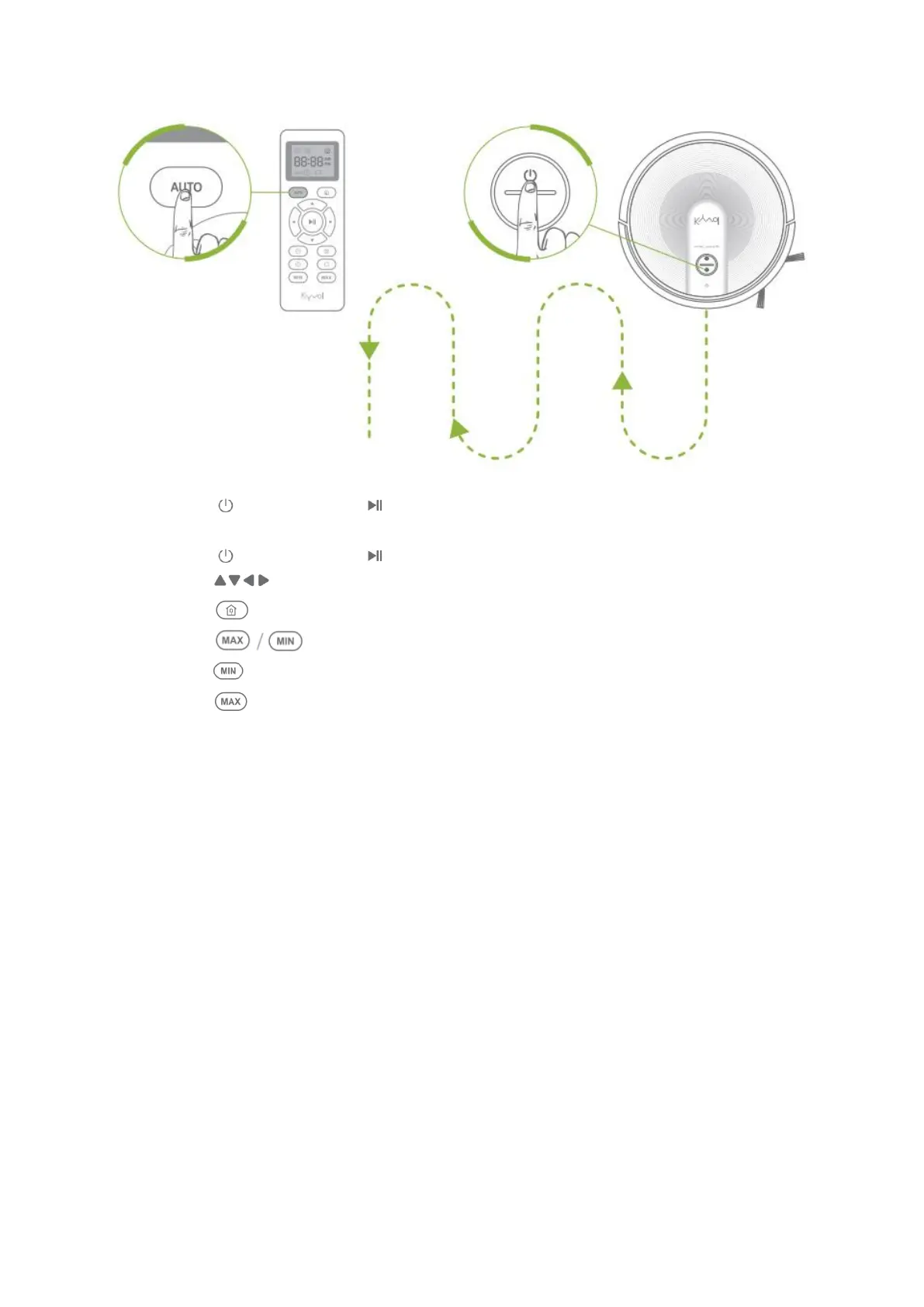
• Press on the robot or on the remote to pause the cleaning process, press
again to resume.
• Press on the robot or on the remote to pause the cleaning process, then
press on the remote to manually adjust the direction of the robot.
• Press on the Cybovac or the remote to get it back to the Charing Base.
• Press on the remote to adjust the levels of the suction power.
• Press for the minimum level, press it again to get back to the medium level.
• Press for the maximum level, press it again to get back to the medium level.
Tips:
1. When the battery gets low, the robot will return to the Charging Base to make a
self-charging. We recommend to fully charge the robot, then operate it as
needed. If no cleaning plans, please let the robot always connect with the
Charging Base.
2. If you set a schedule for Auto Mode, the robot will beep to respond to the
schedule even in low battery status, but can´t perform the cleaning due to the
low battery.
3. If the robot is not managed to find the Charging Base due to obstacles or getting
stuck, please manually get it to contact with the Charging Base.


 To Next Page