La Crosse Technology, Ltd. Page 2
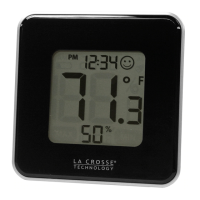
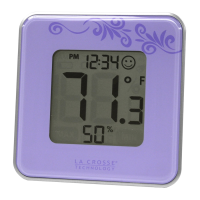
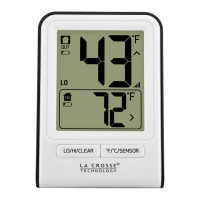
The numbers are 1.18 inches tall.
Power Requirements
1 CR2032 battery powers the Indoor Comfort Level Station
How do I switch from Fahrenheit to Celsius?
Press and release the SET button to switch from Fahrenheit to Celsius.
MIN/MAX Temperature and Humidity
To view MIN/MAX data, press and release the MAX/MIN button.
MAX appears on the display. The maximum temperature and humidity show.
Press and release the MAX/MIN button again.
MIN appears on the display. The minimum temperature and humidity show.
Press MAX/MIN button again to return to normal mode.
To reset MIN/MAX data, press and release the MAX/MIN button to show MAX or
MIN.
Hold the SET button in the respective mode to clear the recorded MAX/MIN
reading.
The temperature and humidity will appear as dashes: --. - °F and --. - % on the
display.
How do I view the humidity in large numbers?
Press and release the SWITCH button to view either the Temperature or the
Humidity in the larger numbers.
Why does the Smiley Face appear and disappear?
When the humidity is between 40% and 60%, a smiling face icon will display in
the upper right corner of the station to indicate the comfort level of indoor
climate.
When the humidity is lower than 40% or higher than 60%, the smiley face will
not show indicating it is less comfortable (dry or wet).
Does the station have a backlight?
No, this Indoor Comfort Level Station does not have a backlight.
Generally, an a/c power cord is required for products to have a backlight.
This station does not use a/c power cord.
Dashes, OFL or Stuck Indoor Temperature
This is generally a power related issue.
Remove battery from Indoor Comfort Level Station.
Press any button 20 times. Leave the Indoor Comfort Level Station unpowered
for 1-2 hours.



 To Next Page