www.lacrossetechnology.com/support Page|2
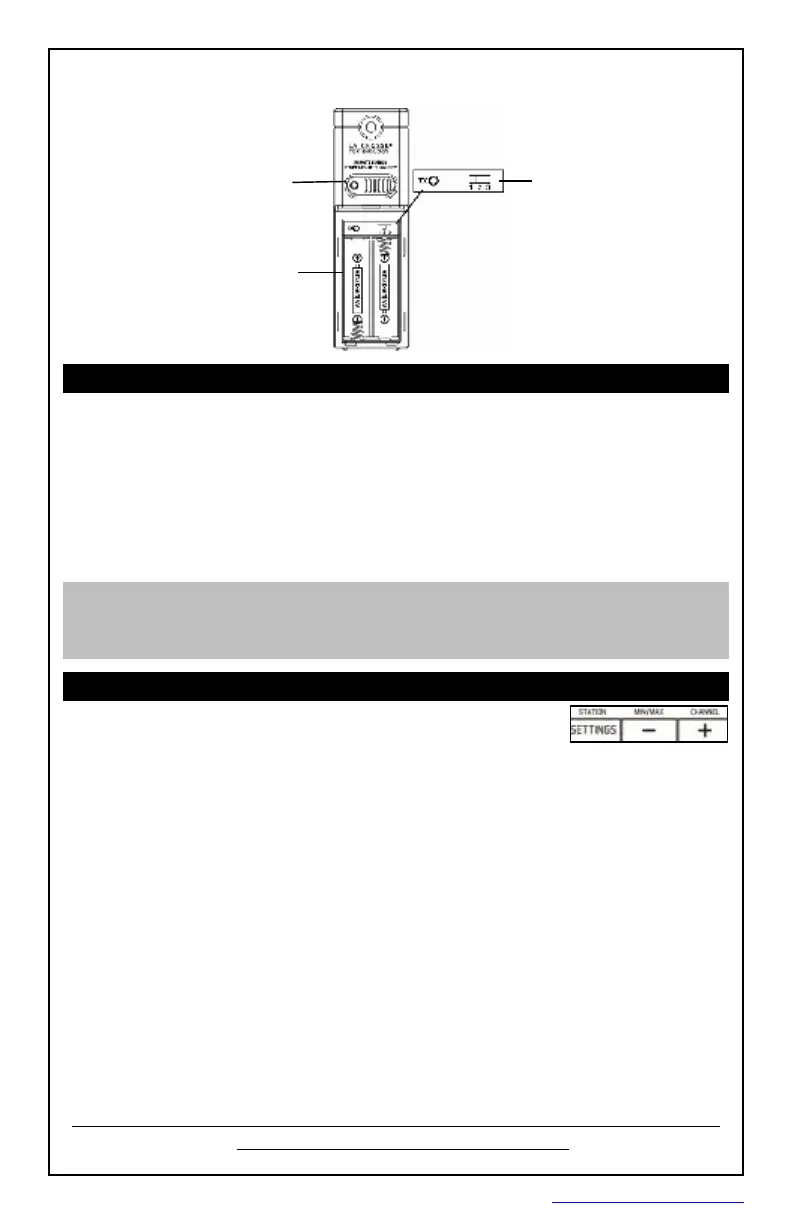
RemoteSensorTX141TH-BCH
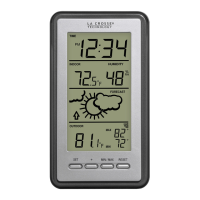
GetStarted
Step1: Insertthe5voltACcord(included)intothewalloutlettheninto
theforecaststation.
Step2: Insert3newAAAAlkalinebatteries(notincluded)intothe
forecaststation.Observethecorrectpolarity.
Step3: Insert2newAAbatteries(notincluded)intotheTX141TH-BCH
remotesensor.Observethecorrectpolarity.TheredLEDwill
flashduringtransmission.
Restart: Ifthereisnoremotetemperaturedataafter3minutes,unplug
theACadapterandremovebatteriesfromtheforecaststation&remote
sensorfor15minutes.Returnto Step1above.
SetTime,Date,TemperatureUnit
Holdthe SETTINGS buttontoentersettingsmode.
1. Pressthe + or - buttonstoadjustthevalues.
2. Pressthe
SETTINGS buttontoconfirmadjustmentsandmovetothe
nextitem.
SETTINGSORDER:
1. BeepON/OFF
2. 12/24hourtimeformat
3. Hour
4. Minutes
5. Year
6. Month
7. Date(dayoftheweekwillsetautomatically)
8. Fahrenheit/Celsius
Pressthe SETTINGS buttontoexit,orwait20secondswithoutpressing
buttonstoreturntothenormaltimedisplay.
SensorBattery
Compartment
2 “AA”
LED
Transmitbutton(TX)
SensorChannelSelector
PDF 文件使用 "pdfFactory Pro" 试用版本创建 www.fineprint.cn









 To Next Page