EasyManua.ls Logo

La Crosse Technology WT-8112U - User Manual

La Crosse Technology WT-8112U
17 pages
Print Icon
To Next Page IconTo Next Page
Loading...
1
WT-8112U
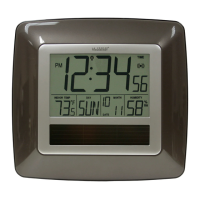
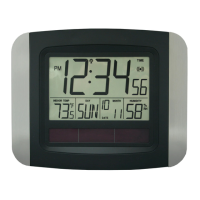
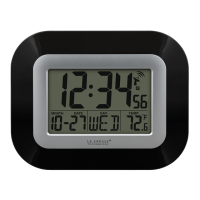
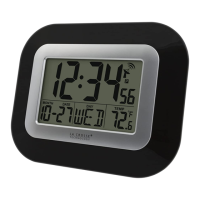
RADIO-CONTROLLED SOLAR CLOCK
INSTRUCTION MANUAL
Contents
Languages Page Page
__________________________________________
English 2 1
French 18
Spanish 36

Questions and Answers

  • T
    Taylor TateJul 26, 2025
    What to do if my La Crosse Technology WT-8112U Clock has no reception of WWVB signal?
    • I
      Ian SloanJul 26, 2025
      If your La Crosse Technology Clock isn't receiving the WWVB signal, try these steps: 1. Face the front of the clock towards Ft. Collins, Colorado, to improve reception. 2. Allow the clock to attempt signal reception overnight. 3. Ensure the clock is at least 6 feet (2 meters) away from electrical devices like TVs, computers, or other radio-controlled clocks. 4. Remove the batteries for five minutes, then reinsert them. Leave the unit alone overnight without pressing any buttons.
  • E
    Emily BrownJul 31, 2025
    What to do if my La Crosse Technology WT-8112U appears to be locked up?
    • N
      nicholas61Jul 31, 2025
      If your La Crosse Technology Clock seems locked up or shows partial segments, remove the battery, slide the battery switch to BATTERY, and then reinsert the battery. If you're using a rechargeable battery, you can slide the battery switch to SOLAR afterward.
  • B
    bonnie84Aug 5, 2025
    Why is the LCD off on my La Crosse Technology Clock?
    • N
      nicholssabrinaAug 5, 2025
      If the LCD on your La Crosse Technology Clock is off, here are some things to check: 1. Move the clock to a brighter area. 2. Make sure the solar panel isn't covered. 3. If you're using an alkaline battery, try replacing it. 4. Go to the program menu and turn Solar Mode OFF, as this feature saves power.
  • S
    Stephanie HillAug 10, 2025
    What to do if the hour is incorrect on my La Crosse Technology WT-8112U Clock?
    • J
      jack87Aug 10, 2025
      If the hour is incorrect, but the minute and date are correct on your La Crosse Technology Clock, make sure that the correct time zone and daylight saving time are selected.
  • A
    angela19Aug 15, 2025
    What to do if 'OFL' appears on my La Crosse Technology Clock?
    • L
      Linda FergusonAug 16, 2025
      If “OFL“ appears in the indoor temperature section of the LCD of your La Crosse Technology Clock, it means the surrounding temperatures are outside of the measuring range. Move the clock to an area with a warmer or cooler surrounding temperature.
  • C
    cdavisAug 20, 2025
    What to do if '00' appears in the humidity section of my La Crosse Technology WT-8112U?
    • K
      Kelsey HuertaAug 20, 2025
      If “00“ appears in the humidity section of the LCD of your La Crosse Technology Clock, remove the battery from the unit for ten minutes. While the battery is out, press any button 20 times, and then reinsert the battery.

Summary

TO INSTALL; REPLACE BATTERY

INITIAL SETUP (USING INCLUDED SOLAR RECHARGEABLE BATTERY FROM THE FACTORY)

Details the initial setup process for the solar clock using the included rechargeable battery.

Use a non-rechargeable alkaline battery

Instructions for using a non-rechargeable alkaline battery in the clock.

SETUP AFTER CHANGING;REPLACING THE BATTERY

WWVB RADIO CONTROLLED TIME

Explains how the clock receives and displays time from the WWVB radio signal.

FUNCTION KEYS

Describes the purpose and operation of the clock's function keys.

LCD SCREEN DESCRIPTIONS

SET THE TIME MANUALLY

Procedure for manually setting the clock's time when radio reception fails.

YEAR SETTING

Instructions for setting the year on the clock.

MONTH SETTING

Instructions for setting the month on the clock.

DATE SETTING

Instructions for setting the date on the clock.

WEEKDAY SETTING

How to set the displayed weekday on the clock.

12;24 H TIME FORMAT

Setting the clock to display time in 12-hour or 24-hour format.

TEMPERATURE UNITS (°C;°F)

How to select temperature display units (°C or °F).

SOLAR MODE

Explanation of the solar mode for power saving.

EXIT MANUAL SETTING MODES

Procedure to exit manual setting mode and return to normal display.

ALARM

TO DEACTIVATE THE ALARM:

Steps to turn off the alarm function.

SNOOZE SETTING

How to activate the snooze function during an alarm.

POSITIONING THE RADIO-CONTROLLED SOLAR CLOCK:

FOLDABLE TABLE STANDS

Instructions for using the foldable table stands to position the clock.

WALL MOUNTING

Steps for mounting the clock securely on a wall.

TROUBLESHOOTING:

The LCD is OFF.

Solutions for when the clock's LCD screen is not displaying anything.

No reception of WWVB signal

Troubleshooting steps for poor or no radio signal reception.

Hour is incorrect (minute and date are correct).

Resolving incorrect hour display when other time elements are correct.

OFL appears in the indoor temperature section of the LCD

Meaning and solution for the 'OFL' display in temperature readings.

00 appears in the in humidity section of the LCD.

Meaning and solution for the '00' display in humidity readings.

The clock appears to be locked up or displays partial segments.

Steps to resolve when the clock freezes or shows incomplete display segments.

CARE AND MAINTENANCE:

SPECIFICATIONS:

WARRANTY INFORMATION

La Crosse Technology WT-8112U Specifications

General IconGeneral
BrandLa Crosse Technology
ModelWT-8112U
CategoryClock
LanguageEnglish

Related product manuals