
 Need help?
Do you have a question about the La Crosse Technology WT-8005U-W and is the answer not in the manual?
Insert 2 fresh AA, LR6 1.5 volt Alkaline batteries into the atomic clock according to the polarity markings.
The clock searches for the atomic time signal for 7 minutes upon battery installation.
Guide to setting the clock's time, date, and 12/24 hour format.
Instructions for selecting time zones and switching between Fahrenheit and Celsius.
Procedure for setting the alarm hour and minutes.
How to deactivate, activate, and snooze the alarm.
Instructions for resetting the atomic clock to its default settings.
Details on temperature range, power, battery life, and dimensions.
Guidelines for proper battery handling and maintenance.
Information on the product warranty and how to contact support.
FCC and Canada statements regarding device operation and interference.
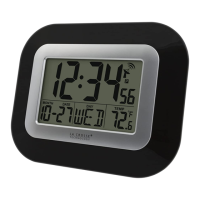
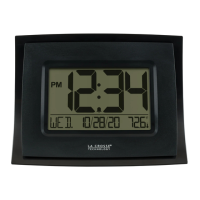
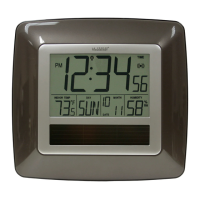
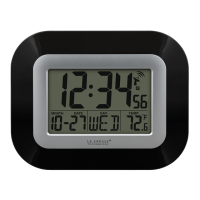
The La Crosse Technology WT-8005U is a digital atomic wall clock designed for easy timekeeping and basic environmental monitoring. This clock automatically synchronizes with the WWVB atomic time signal, ensuring accurate time, and also displays indoor temperature, the day of the week, and the date.
The primary function of the WT-8005U is to provide precise timekeeping through its atomic clock feature. Upon initial setup or after a reset, the clock will automatically search for the WWVB atomic time signal for up to 7 minutes. This signal ensures that the time displayed is always accurate. The clock also features an alarm function, allowing users to set a specific time for an audible alert. In addition to time, the display shows the indoor temperature, which can be toggled between Fahrenheit and Celsius, and the current date, including the month, day, and day of the week. An icon on the display indicates when the clock is actively searching for or has successfully received the WWVB signal.
To begin using the clock, two fresh AA (LR6 1.5 volt) alkaline batteries must be inserted according to the polarity markings. Once batteries are installed, the clock will automatically begin searching for the atomic time signal. During this search, the buttons will be inactive. If the user wishes to stop the atomic signal search, they can hold the WWVB SEARCH button for 3 seconds. The clock will automatically search for the atomic time signal again after midnight. Users can also initiate an atomic signal search at any time by pressing the WWVB SEARCH button.
The clock offers manual adjustment for time and date settings. To enter the time set mode, press the SET button. Users can then navigate through the settings order: 12/24 Hour Format, Hour, Minutes, Year, Month, Date, and Daylight Saving Indicator. The ▲ or ▼ buttons are used to adjust values, and pressing SET confirms each adjustment and moves to the next item. To exit the setting mode, press SET again or wait 30 seconds for the clock to automatically return to the normal time display.
The time zone can be selected by pressing the ZONE button. The available options are Pacific (P), Mountain (M), Central (C), and Eastern (E). To switch between Fahrenheit (°F) and Celsius (°C) for temperature display, press the °F/°C button.
To set the alarm time, hold the ALARM button. Use the ▲ or ▼ buttons to adjust the hour and minutes. Press ALARM to confirm adjustments and move to the next item. To exit the alarm setting mode, press ALARM again or wait 30 seconds. Once an alarm time is set, pressing the ALARM button once will activate the alarm, indicated by the appearance of an alarm icon on the display. Pressing ALARM again will deactivate the alarm, and the alarm icon will disappear.
When the alarm sounds, pressing the SNOOZE button will silence it for 5 minutes. During the snooze period, the alarm icon will flash. The alarm is a crescendo alarm, meaning its volume gradually increases over 120 seconds if not deactivated. Pressing any button other than SNOOZE will stop the alarm for 24 hours.
Should the clock display become distorted or unresponsive to button presses, a RESET button is available. Using a pen or paperclip, press the RESET button once to restore the clock to its default settings.
The clock requires two AA (LR6 1.5 volt) batteries. It is important to replace all batteries in a set at the same time to ensure optimal performance. When replacing batteries, always purchase the correct size and grade suitable for the intended use.
To ensure longevity and proper function, do not mix old and new batteries. Also, avoid mixing alkaline, standard, lithium, or rechargeable batteries. Clean the battery contacts on both the batteries and the device prior to installation. Always ensure batteries are installed with the correct polarity (+ and -). If the clock will not be used for an extended period, remove the batteries to prevent leakage. Expired batteries should be removed promptly and disposed of properly.
The manufacturer is not responsible for any radio or TV interference caused by unauthorized modifications to the equipment. Such modifications could void the user's authority to operate the equipment. The manual emphasizes that the device should not be co-located or operated in conjunction with any other antenna or transmitter.
 General
| Display | Digital |
|---|---|
| Atomic Function | Yes |
| Temperature Display | Yes |
| Calendar | Yes |
| Alarm | Yes |
| Snooze | Yes |
| Backlight | Yes |
| Time Format | 12/24 hour |
| Atomic Time Synchronization | Yes |
| Weight | 0.5 lbs |
| Type | Atomic Clock |
| Time Zones | 4 |
| Temperature Units | Fahrenheit, Celsius |
| Time Display | Hours, Minutes, Seconds |
| Display Color | Black |






 To Next Page