La Crosse Technology, Ltd Page 9
Gradual Wake Up: The gentle Melody Sound Alarm will increase in volume over a 5-
minute period. Turn off a sounding alarm by pressing any button (except ). After the 5-
minute time frame, the alarm will stop if not snoozed/deactivated.
Can I change sounds on my Sound Alarm ?
• No. the only sound option is the melody.
Activate/Deactivate Sound Alarm
• The alarm is active when set. The words SOUND ALARM will show on the display.
• Press the button once to deactivate. Alarm time will show for 3 seconds.
• Press button again to activate for the same time.
• The words SOUND ALARM will show when alarm is active. The words will not show
when alarm is deactivated.
Snooze Sound Alarm
• TAP the button to snooze the Sound Alarm for the selected 5-120 minutes.
• SNOOZE and minutes countdown will show in place of weekday
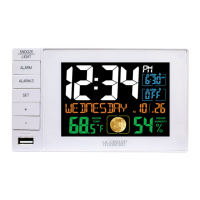
USB Charge Port
There is a 1 Amp USB charging port on the side of the clock. The included power adapter
must be in use to charge a device with your cable.
• Connect your external device’s USB charging cable (not included) to the USB charging
port.
• Charging times will vary.
• USB Power Output: 1A maximum current.
• Charge 1A devices or devices that are self-regulating.
USB Output: 1 Amp output


 To Next Page