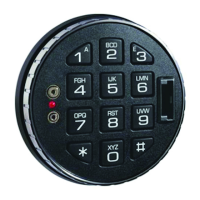
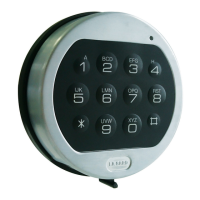
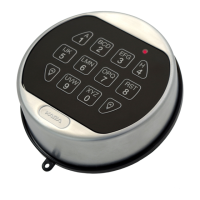
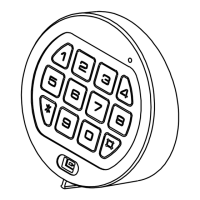
Available users and default codes
Deleted – Must be added
by the Manager
Default codes must be changed immediately. The
master code contains 8 digits, all other codes contain 6
digits.
Acoustic and visual signals
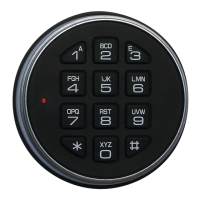
The lock system will indicate status with beeps and LED
flashes on the keypad
Code or function entered
correctly
Code or function entered
incorrectly
The lock is in time delay
LED flash twice per second
and beep every 10
seconds
The lock is in the open window
LED flash every 10
seconds
Repeated beeping and
flashing during opening
Command Keys
All of the functions available to the master, manager
and users are accessible using command keys. To use
a command key, enter a valid code and hold down the
last digit until 2 sets of double beeps have sounded and
the LED stays on. Press the relevant command key and
follow the remaining instruction.
Add a user / enable a disabled user / check user
status
Standard Features
Codes & Users
The master code holder can:
The manager code holder can:
Open the lock
Add, enable, disable
and delete users
Check user status
Change code
Audit the lock
Set time delay values
There are 8 user codes numbered 2-9. Users can:
Time delay
Time Delay is a feature requiring a period of time to
elapse before the lock system can be opened, to
prevent a user being forced to open the lock
immediately.
The Time Delay period can be set from 1 – 99 minutes
The Open Window is the period of time after time delay
has expired during which the lock can be opened which
can be set from 1-19 minutes.
Low battery warning
If the battery is running low, repeated beeping during
opening will indicate the need to change the battery.
Penalty
Entry of 4 consecutive incorrect codes results in a 5
minute penalty - all lock functions are disabled. During
penalty, the LED flashes at 10 second intervals and a
key press will result in 3 beeps. After the penalty has
expired, 2 further consecutive incorrect codes will
initiate the penalty. Once a correct code is entered, the
penalty trigger resets to 4 wrong tries.
Check user status
The status of users, whether enabled, disabled or
deleted may be audited using the keypad.
Optional Features Available On Request
Audit
An audit can be taken of the last 512 lock events,
showing opening activity and other operations. The
audit shows time and date information. To take an audit,
a PC is required along with software and a cable
interface kit, items sold separately.
Dual mode
The lock system can be set up so that 2 codes are
required to open the lock and carry out manager special
functions.
Alarm signals
The lock can be set up so that a silent signal is sent to
an alarm system when a duress code is entered, in
addition to one of the following options:
When an input signal is received from an alarm
system, the lock is disabled from opening.
When an input signal is received from an alarm
system, the lock is disabled from opening, and any
command functions are disabled.
An alarm box, sold separately, is required to interface
with the alarm system.
Time delay override
User 9 is able to override time delay. This feature is
intended for cash carriers who may require immediate
access to the safe.
Dallas Key / eKey / Dual Token
Users must insert a Dallas key into the reader on the
keypad in addition to entering their code to open the
lock system. This feature requires eKeys which are sold
separately.


 To Next Page
 Loading...