EasyManua.ls Logo

La Gard Basic Series - User Manual

La Gard Basic Series
2 pages
Print Icon
To Next Page IconTo Next Page
Loading...
(P/N) 760.128 Rev C
EN
02/10
© copyright 2004-2010 Kaba Mas LLC
Page 1 of 2
MANAGER INSTRUCTIONS
BASIC SERIES
3802 Firmware
Dual-Handed Swing Bolt Lock or Dead Bolt
FEATURES
MANAGER COMBINATION
(Factory set to 1-2-3-4-5-6)
Add/Remove User
Enable/Disable User
USER COMBINATION
Open Lock
Change Combination
WRONG TRY PENALTY
Four (4) consecutive invalid
combinations initiates ve (5) minute
delay period.
LOW BATTERY WARNING
Repeated LED ashing and beeping
after opening indicates battery is low
and needs immediate replacement.
When battery level becomes too low
to safely operate the lock, any key
press will give a low battery warning,
and the battery must be changed
before the lock will operate.
AUDIO AND VISUAL SIGNAL
Double signal - two (2) LED ashes
and two (2) beeps - indicates entry is
valid or accepted.
Triple signal - three (3) LED ashes
and three (3) beeps - indicates invalid
or not accepted.
OPENING THE LOCK
1. Enter valid six (6) digit combination.
The lock will signal a valid combination
entry with a double signal.
2. Within four (4) seconds, turn the
keypad to the open position (clock-
wise) if using a dead bolt style lock, or
turn the handle to the open position if
using a swing bolt style lock.
3. Pull door open.
4. Close the door, and check the locked
status of the container with the handle
of the boltworks.
Invalid Combination Entry - Lock will
signal three (3) times.
Security Considerations - On safes
using more than one lock the
swing bolt must lock rst.
CHANGING MANAGER AND USER
COMBINATIONS
ALWAYS PERFORM THIS OPERATION
WITH THE DOOR OPEN
1. Enter “zero” six times.
2. Enter your existing six (6) digit
combination one time.
3. Enter your new six (6) digit
combination two times.
4. If a mistake is made wait thirty (30)
seconds and repeat steps 1 - 3.
5. Test lock operation several times
before closing the door.
Valid Combination - Double signal
after valid six (6) digit combination
is entered.
Invalid Combination - Triple signal
indicates the old combination is
still valid.
CAUTION: When selecting a
combination do not use birthday or
other predictable data that could give
correlation between the user and
combination. Keep the combination
secret.
Dual-handed
Swing Bolt
Dead Bolt
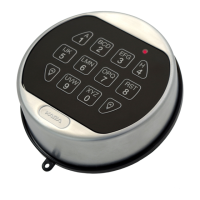
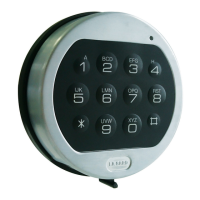
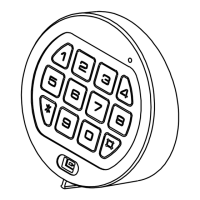
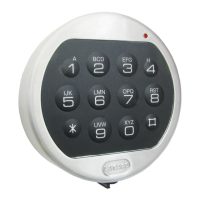
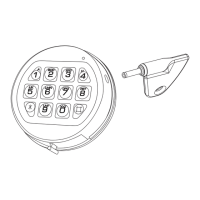
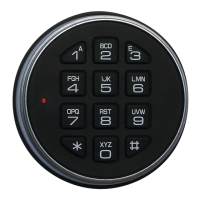
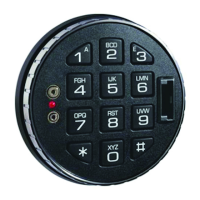
3000* Entry
3750
Entry
ENTRY DEVICE OPTIONS
3715* Entry
3190 Privat
II
(Optional)
3710* Entry
(* for Swing Bolt only)
3035
Entry
LOCKS
Question and Answer IconNeed help?

Do you have a question about the La Gard Basic Series and is the answer not in the manual?

Summary

Manager Instructions

Features

Details on manager combination, adding/removing users, and penalties for incorrect entries.

Manager Combination

Factory set combination and steps to change it.

Add and Remove User

Instructions for adding and removing users from the lock system.

Enable and Disable User

Procedure for enabling and disabling user access to the lock.

User Combination

Operations related to opening and changing user combinations.

Wrong Try Penalty

Consequences for multiple incorrect combination attempts.

Low Battery Warning

Indicators for low battery levels and their meaning.

Audio and Visual Signals

Interpretation of audible beeps and LED flashes from the lock.

Opening the Lock

Steps to open the lock using a valid combination.

User Management Operations

Add User (Manager Only)

Procedure for a manager to add a new user combination.

Disable User (Manager Only)

Steps for a manager to temporarily disable a user's access.

Reinstate User (Manager Only)

Procedure for a manager to re-enable a disabled user's access.

Delete User (Manager Only)

Instructions for a manager to permanently remove a user.

Operational Warnings and Battery Status

Wrong Try Penalty Details

Specifics on lock behavior after multiple invalid attempts.

Battery Low Warning Indicators

Details on repeated LED flashing indicating low battery.

Summary

Manager Instructions

Features

Details on manager combination, adding/removing users, and penalties for incorrect entries.

Manager Combination

Factory set combination and steps to change it.

Add and Remove User

Instructions for adding and removing users from the lock system.

Enable and Disable User

Procedure for enabling and disabling user access to the lock.

User Combination

Operations related to opening and changing user combinations.

Wrong Try Penalty

Consequences for multiple incorrect combination attempts.

Low Battery Warning

Indicators for low battery levels and their meaning.

Audio and Visual Signals

Interpretation of audible beeps and LED flashes from the lock.

Opening the Lock

Steps to open the lock using a valid combination.

User Management Operations

Add User (Manager Only)

Procedure for a manager to add a new user combination.

Disable User (Manager Only)

Steps for a manager to temporarily disable a user's access.

Reinstate User (Manager Only)

Procedure for a manager to re-enable a disabled user's access.

Delete User (Manager Only)

Instructions for a manager to permanently remove a user.

Operational Warnings and Battery Status

Wrong Try Penalty Details

Specifics on lock behavior after multiple invalid attempts.

Battery Low Warning Indicators

Details on repeated LED flashing indicating low battery.

Overview

The LA GARD BASIC SERIES 3802 Firmware is a security device designed for safes, offering both Dual-Handed Swing Bolt Lock and Dead Bolt options. It operates with a manager combination and allows for the management of multiple user combinations, enhancing security and access control.

Function Description

The primary function of this device is to secure a container, such as a safe, by controlling access through a combination entry system. It supports both swing bolt and dead bolt mechanisms, catering to different safe designs. The system is managed by a "Manager Combination," which has elevated privileges, including adding, removing, enabling, and disabling user combinations. "User Combinations" are primarily for opening the lock.

To open the lock, a valid six-digit combination must be entered. Upon successful entry, the lock provides a double signal (two LED flashes and two beeps). Within four seconds of this signal, the keypad or handle must be turned to the open position (clockwise for dead bolt, or handle for swing bolt) to retract the boltwork and allow the door to be pulled open. After closing the door, it's crucial to check the locked status of the container. If an invalid combination is entered, the lock will signal three times (three LED flashes and three beeps). For safes with multiple locks, the swing bolt must be locked first.

The system incorporates a "Wrong Try Penalty" to deter unauthorized access attempts. Four consecutive invalid combination entries will initiate a five-minute delay period, during which the lock will not accept further entries. During this delay, the LED will flash red at ten-second intervals. If, after the delay period, two more consecutive invalid combinations are entered, the five-minute delay period will restart.

The device also features a "Low Battery Warning" system. Repeated LED flashing and beeping after an opening indicates that the battery is low and requires immediate replacement. If the battery level becomes critically low, any key press will trigger a low battery warning, signaling that the battery must be changed before the lock can operate.

Usage Features

The LA GARD BASIC SERIES offers several key usage features for both managers and users:

  • Manager Combination Control: The manager combination allows for comprehensive control over user access. This includes:
    • Add User: To add a new user, the manager enters their combination and holds down the last digit until the lock signals with two sets of double beeps. Then, they press '1', and the lock signals twice. The new user combination is entered twice, with the lock signaling twice after each valid entry. This operation must always be performed with the door open.
    • Disable User: To temporarily disable a user, the manager follows a similar process, holding down the last digit of their combination, then pressing '2'. The lock signals once, and the user is disabled. Their combination is saved and can be reinstated. This also must be done with the door open.
    • Reinstate User: To reinstate a disabled user, the manager follows the same initial steps as disabling, but presses '1' after the initial signals. The lock signals once, and the user is reinstated. This operation also requires the door to be open.
    • Delete User: To permanently remove a user and their combination from the lock, the manager follows the initial steps, then presses '3'. The lock signals once, and the user and their combination are removed. The "Add User" feature remains available. This operation must also be performed with the door open.
  • Change Combinations: Both manager and user combinations can be changed. This critical operation must always be performed with the door open for safety. The process involves entering "zero" six times, then the existing six-digit combination once, followed by the new six-digit combination twice. If a mistake is made, a 30-second wait is required before repeating the steps. A double signal indicates a valid combination change, while a triple signal means the old combination is still valid.
  • Audio and Visual Signals: The device provides clear feedback through audio beeps and LED flashes. A double signal (two flashes, two beeps) indicates a valid or accepted entry, while a triple signal (three flashes, three beeps) signifies an invalid or not accepted entry.
  • Security Considerations for Combination Selection: Users are cautioned against using predictable data like birthdays for combinations to prevent correlation between the user and the combination. Keeping combinations secret is emphasized.

Maintenance Features

The LA GARD BASIC SERIES is designed with user-friendly maintenance in mind, primarily focusing on battery management:

  • Battery Type: The device uses one (1) 9-Volt alkaline battery. Examples of recommended brands include Duracell™ or Energizer™ alkaline batteries.
  • Battery Replacement Frequency: It is recommended to replace the batteries at least once annually to ensure optimal performance and prevent unexpected lockouts due to low power.
  • Non-Volatile Memory: A significant maintenance feature is the lock's non-volatile memory. This means that all programming, including manager and user combinations, is retained even when the batteries are removed. This eliminates the need for reprogramming after battery changes, simplifying maintenance.
  • Low Battery Warning: As mentioned, the system actively warns the user when the battery is low, allowing for timely replacement before the lock becomes inoperable. This proactive warning system helps prevent inconvenient situations where the lock cannot be opened due to a dead battery.

For detailed battery replacement instructions, users are directed to the input unit's "User Operation" Guide. Mounting instructions are available online at www.kaba-mas.com.

La Gard Basic Series Specifications

General IconGeneral
KeypadYes
Audible FeedbackYes
Lock TypeElectronic
Construction MaterialMetal
Voltage9V
Housing MaterialMetal
MountingDoor

Related product manuals