Need help?
Do you have a question about the La Gard COMBOGARD 33E and is the answer not in the manual?
Manages delay periods, LED signals, and override for lock access.
Requires two codes for operation, overriding Manager Mode.
Activates silent alarms via code entry deviations or remote control.
Covers lock operation, entry confirmation, timeouts, and penalties.
Steps for opening and closing the lock using valid codes.
Procedure for changing the lock code when the door is open.
Recommendations for code security and preventing unauthorized access.
Guidance on identifying low battery and replacing batteries.
Process to add a secondary user code via Manager Mode.
Options to disable, reinstate, or permanently remove a second user.
Verifying the successful addition of a second user code.
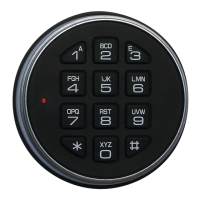
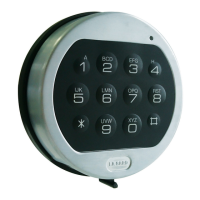
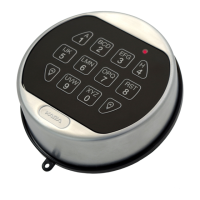
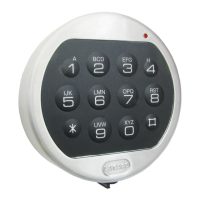
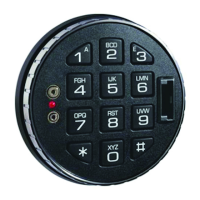
The COMBOGARD 33E (3040) is an electronic lock system designed for security applications, offering various features for enhanced control and protection. It operates with a 6-digit code or a 6-character word, providing flexibility in user authentication.
The lock confirms each entry with a beep-and-blink signal. A valid code is indicated by a double signal, while an invalid code results in a triple signal. If more than 10 seconds pass without completing the code entry, the already entered part of the code is deleted, requiring the user to re-enter the entire sequence.
To open the lock, the user enters the 6-digit code. Upon receiving a double signal, the entry must be turned clockwise within 3 seconds until it reaches the "hold" position. The lock is then open, and the entry is rotated. If the lock is not entered within 3 seconds, it automatically relocks. The factory default code is 1-2-3-4-5-6.
To close the lock, the user turns the entry counter-clockwise until it reaches the "hold" position. The lock is then closed, and the entry stands straight.
For security, the lock implements a wrong try penalty. After four consecutive invalid code entries, the entry is blocked for approximately 5 minutes. During this blocking period, the lock signals at 10-second intervals. After this initial penalty, every subsequent second invalid code entry initiates a new 5-minute delay period.
If the Time Delay feature is active, entering a valid code (confirmed by a double signal) initiates a delay period, during which the LED flashes once per second. At the end of this delay, an "Open window" begins, indicated by the LED flashing twice per second and the lock beeping every 10 seconds. To open the lock, a valid code must be entered during this "Open window." If the "Open window" expires without the lock being opened, it automatically relocks.
When this feature is active, two codes are required to open the lock. Both codes can be changed independently. If "Feature A (Manager Mode)" is active, it is cancelled when programming dual combination operation. If Time Delay is active, one valid code will start the delay period, but both codes must be entered during the "Open window" to open the lock.
This feature requires an optional alarm box or SP-box to be connected. If the last digit of the code entered is one higher or one lower (+/- 1) than the actual last digit, the lock will open as usual (with a double signal), but simultaneously, the alarm box will be activated silently. For example, if the combination is 471147, entering 471146 or 471148 will trigger the alarm.
This feature also requires an optional alarm box or SP-box to be connected. If six beeps and blinks follow the entry of a valid code, the lock is blocked by the alarm feature (remote control) and will not open. The alarm can still be signalled as usual.
The primary code, known as the manager code, has the ability to add and manage user codes. Codes can be changed independently.
To add a second user, the manager enters their code (double signal) and holds down the last digit until the lock double-signals again (approximately 2 seconds). Then, press "1" (double signal). The new user then enters their desired code twice (two times double signal). Both the manager code and the second user code can now open the lock. If the second code is not accepted (3x signal), it means it is identical to the first code, and a new code must be selected.
To disable a second user, the manager enters their code (double signal), holds down the last digit until the lock double-signals again, and then presses "2" (single signal). The second user is then disabled.
To reinstate a second user, the manager enters their code (double signal), holds down the last digit until the lock double-signals again, and then presses "1" (single signal). The second user is reinstated.
To permanently remove a second user, the manager enters their code (double signal), holds down the last digit until the lock double-signals again, and then presses "3" (single signal). A new second user code can then be added.
To check if a second user is added, the manager enters their code (double signal), holds down the last digit until the lock double-signals again, and then presses "1". The number of signals that follow indicates the status:
If the lock does not double-signal when the last digit is held down, it indicates that the second user code is being entered instead of the manager code.
To change the code, first enter "0" six times (double signal), which is 000000. Then, enter the current valid code (double signal), followed by the new desired code (double signal), and finally confirm the new code (double signal). For example, if the current code is 123456 and the new code is 471147, the sequence would be: 000000, 123456, 471147, 471147. The new code is then valid. If any mistakes are made during the process, or if an interval of more than 10 seconds occurs, the old code remains valid, and the entire sequence must be re-entered.
The lock signals low battery by beeping for approximately 3 seconds while being opened. Batteries must be changed using ALKALINE batteries only.
If the batteries have not been changed in time and the voltage is insufficient to cancel the lock's blocking feature, a new 9V ALKALINE battery can be temporarily pressed onto the contacts on the entry until the code has been entered and the entry is rotated. When Time Delay is programmed, a battery clip (available generally) can be used. The black wire connects to the upper position, and the red wire to the lower position.
No battery change is required if the SP-box is connected to the alarm system. The code remains active even if the power supply fails.

 To Next Page
 General