EasyManua.ls Logo

La Gard LGBASIC 3765-2 - User Manual

Default Icon
2 pages
Print Icon
To Next Page IconTo Next Page
Loading...
FEATURES
MANAGER CODE
(Factory set to 1-2-3-4-5-6)
• Add/Remove User
• Enable/Disable User
USER CODE
• Open Lock
• Change Code
WRONG TRY PENALTY
• Four (4) consecutive invalid codes initiates five minute delay
period.
LOW BATTERY WARNING
• Repeated audio and visual signal (LED flashing and repeated
beeping) during opening indicates battery low.
AUDIO AND VISUAL SIGNAL
• Double signal (LED flashes and unit beeps) indicates entry is
valid or accepted.
Triple signal indicates invalid or not accepted.
© copyright 2005
12-219v2
(Manager) 9-29-05
LA GARD INC
3765-2 / 4200 Dual-Handed Swingbolt Lock Instructions
MANAGER PROGRAMMING
CHANGING YOUR CODE
ALWAYS PERFORM THIS OPERATION WITH THE DOOR OPEN
1 Enter “zero” six times.
2 Enter your existing six (6) digit code one time.
3 Enter your NEW six (6) digit code two times.
4 If a mistake is made wait thirty (30) seconds and repeat
steps 1 - 3.
5 Test lock operation several times before closing the door.
Valid Code Entry - Double signal after valid six (6) digit
code is entered.
• Invalid Code Entry - Triple signal and old code is still valid.
ADD USER
ALWAYS PERFORM THIS OPERATION WITH THE DOOR OPEN
1 Enter Manager code and HOLD DOWN LAST DIGIT of
CODE until the lock signals with two sets of double beeps.
2 PRESS 1. Lock signals twice.
3 Enter user code twice. The lock signals twice after each
valid entry.
4 If a mistake is made wait thirty (30) seconds and repeat
steps 1 - 3.
Valid Code Entry - Double signal after valid six (6) digit
code is entered.
• Invalid Code Entry - Triple signal and old code is still valid.
OPENING THE LOCK
1 Enter valid six (6) digit code.
2 The lock will signal a valid code entry with a double signal.
3 Within four (4) seconds, turn handle to the open position.
4 Pull door open.
• Invalid Code Entry - Lock will signal three (3) times.
• Security Considerations - On safes using more than one
lock the swingbolt must lock first.
Suggested Keypads
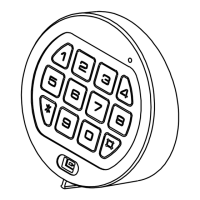
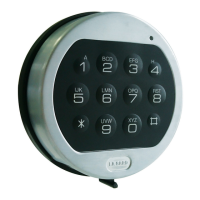
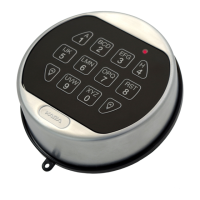
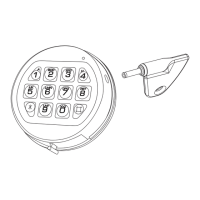
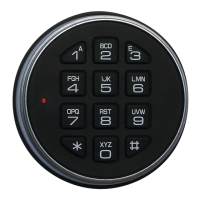
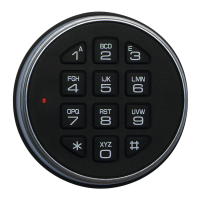
3715 LGBASIC
II
Input
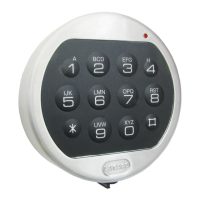
3000 Round Entry
DISABLE USER
ALWAYS PERFORM THIS OPERATION WITH THE DOOR OPEN
1 Enter Manager code and HOLD DOWN LAST DIGIT of
CODE until the lock signals with two sets of double beeps.
2 PRESS 2. Lock signals once.
3 User is temporarily disabled.
4 If a mistake is made wait thirty (30) seconds and repeat
steps 1 - 3.
Valid Code Entry - Double signal after valid six (6) digit
code is entered.
• Invalid Code Entry - Triple signal and old code is still valid.
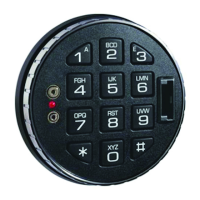
3900 LGACCESS
Handle
REINSTATE USER
ALWAYS PERFORM THIS OPERATION WITH THE DOOR
OPEN
1 Enter Manager code and HOLD DOWN LAST DIGIT of
CODE until the lock signals with two sets of double beeps.
2 PRESS 1. Lock signals once.
3 User is reinstated.
4 If a mistake is made wait thirty (30) seconds and repeat
steps 1 - 3.
Valid Code Entry - Double signal after valid six (6) digit
code is entered.
• Invalid Code Entry - Triple signal and old code is still valid.
4200 is a new part
number replacing the
3765-2
Question and Answer IconNeed help?

Do you have a question about the La Gard LGBASIC 3765-2 and is the answer not in the manual?

Summary

Manager Programming Procedures

Change Your Code

Procedure to change your existing six-digit code to a new one, requiring the door to be open.

Add User Code

Procedure to add a new six-digit user code by entering manager code and the new user code twice.

Disable User Code

Procedure to temporarily disable a user code using the manager code and pressing '2'.

Reinstate User Code

Procedure to re-enable a previously disabled user code using the manager code and pressing '1'.

User Management and Battery

Remove User Code

Procedure to permanently remove a user code using the manager code and pressing '3'.

Battery Replacement LGBASICII Input

Steps to replace the 9-volt battery for the 3715 LGBASICII keypad model.

Battery Replacement 3000 Round Entry

Steps to replace the 9-volt batteries for the 3000 Round Entry keypad model.

Battery Replacement LGACCESS Handle

Steps to replace the 9-volt battery for the 3900 LGACCESS handle model.

Summary

Manager Programming Procedures

Change Your Code

Procedure to change your existing six-digit code to a new one, requiring the door to be open.

Add User Code

Procedure to add a new six-digit user code by entering manager code and the new user code twice.

Disable User Code

Procedure to temporarily disable a user code using the manager code and pressing '2'.

Reinstate User Code

Procedure to re-enable a previously disabled user code using the manager code and pressing '1'.

User Management and Battery

Remove User Code

Procedure to permanently remove a user code using the manager code and pressing '3'.

Battery Replacement LGBASICII Input

Steps to replace the 9-volt battery for the 3715 LGBASICII keypad model.

Battery Replacement 3000 Round Entry

Steps to replace the 9-volt batteries for the 3000 Round Entry keypad model.

Battery Replacement LGACCESS Handle

Steps to replace the 9-volt battery for the 3900 LGACCESS handle model.

Overview

The LGBASIC 3765-2 / 4200 is a dual-handed swingbolt lock designed for high security applications. It operates electronically and offers various programming features for managing user access and maintaining security.

Function Description

The primary function of the LGBASIC lock is to secure a safe or vault. It utilizes a six-digit code for operation, with different codes for the Manager and individual Users. The lock provides clear audio and visual signals to indicate valid or invalid entries, battery status, and programming steps.

Opening the Lock: To open the lock, a valid six-digit code must be entered. Upon successful entry, the lock will emit a double signal (LED flash and beep), indicating acceptance. The handle must then be turned to the open position within four seconds, and the door can be pulled open. An invalid code entry will result in a triple signal from the lock. For safes with multiple locks, the swingbolt must lock first.

Manager Programming: The Manager Code (factory set to 1-2-3-4-5-6) has elevated privileges, allowing for comprehensive control over the lock's settings and user access. All manager programming operations must be performed with the door open to ensure safety and prevent accidental lockout.

  • Changing Manager Code: To change the Manager Code, the user must first enter "zero" six times, followed by the existing six-digit code once, and then the new six-digit code twice. If a mistake is made, a 30-second wait is required before repeating the steps. After changing the code, it's recommended to test the lock operation several times before closing the door. A valid code entry will result in a double signal, while an invalid entry will keep the old code active and produce a triple signal.

  • Adding a User: To add a new user, the Manager must enter their code and hold down the last digit until the lock signals with two sets of double beeps. Then, "1" is pressed, and the lock signals twice. The new user code is then entered twice, with the lock signaling twice after each valid entry. If an error occurs, a 30-second wait is necessary before retrying. A double signal confirms a valid code entry, while a triple signal indicates an invalid entry.

  • Disabling a User: To temporarily disable a user, the Manager enters their code and holds down the last digit until two sets of double beeps are heard. Then, "2" is pressed, and the lock signals once, indicating the user is disabled. As with other programming steps, a 30-second wait is required after a mistake.

  • Reinstating a User: To re-enable a disabled user, the Manager follows the same initial steps as disabling: enter the Manager code and hold the last digit until two sets of double beeps. Then, "1" is pressed, and the lock signals once, confirming the user's reinstatement.

  • Removing a User: To permanently remove a user, the Manager enters their code and holds down the last digit until two sets of double beeps. Then, "3" is pressed, and the lock signals once, indicating the user is removed.

Usage Features

User Codes: Users can open the lock and change their own codes. The process for changing a user code is similar to changing the Manager code: enter "zero" six times, then the existing code once, and the new code twice.

Wrong Try Penalty: For security, the lock implements a "wrong try penalty." Four consecutive invalid code entries will initiate a five-minute delay period, during which the LED will flash red at five-second intervals. If two more consecutive invalid codes are entered after this delay, an additional five-minute delay period will restart.

Audio and Visual Signals: The lock provides clear feedback through audio beeps and LED flashes. A double signal (LED flash and beep) indicates a valid or accepted entry, while a triple signal signifies an invalid or unaccepted entry.

Maintenance Features

Low Battery Warning: The lock provides a low battery warning through repeated audio beeping and LED flashing during an opening sequence. This indicates that the battery needs immediate replacement.

Battery Type: The lock uses one (1) 9-Volt Alkaline Battery. LA GARD recommends using Duracell™ or Eveready™ Alkaline batteries and suggests replacing batteries at least once annually.

Non-Volatile Memory: A crucial maintenance feature is the lock's non-volatile memory. Even if the battery is completely depleted and the lock cannot be opened, all programming will be retained once a new battery is installed.

Changing the Battery: The battery replacement procedure varies slightly depending on the keypad model:

  • For 3715 LGBASICII Input Keypad:

    1. Slide the keypad housing upwards and carefully pull it away from the mounting surface to expose the battery compartment.
    2. Remove the old 9-Volt Alkaline battery and replace it with a new one. The connector can be easily unsnapped from the two terminals on top of the battery.
    3. Caution: Hold onto the battery terminal to avoid pulling wires out of the housing.
    4. Carefully position the keypad over the mounting screws and slide the housing down, ensuring no wires or cables are trapped between the input pad and the safe door, as pinched cables can cause a short circuit.
  • For 3000 Round Entry Keypad:

    1. Slide the keypad housing upwards and carefully pull it away from the mounting surface to expose the battery compartment.
    2. Remove the old 9-Volt Alkaline battery and replace it with a new one. The connector can be easily unsnapped from the two terminals on top of the battery.
    3. Caution: Hold onto the battery terminal pad to avoid pulling wires out of the housing.
    4. Repeat the procedure for a second battery if applicable.
    5. Carefully position the keypad over the mounting screws and slide the keypad housing down.
  • For 3900 LGACCESS Handle:

    1. Use a ballpoint pen to remove the black plastic battery compartment cover located on the back of the handle by inserting the tip into the hole on the bottom.
    2. Gently pull on the battery until it drops out of the handle.
    3. The connector can be easily unsnapped from the two terminals on top of the battery. Never pull on the battery leads.
    4. Connect a new 9-Volt Alkaline battery to the battery clip.
    5. Gently push the battery and the leads completely up into the battery compartment.
    6. Re-install the battery cover by sliding the top portion in and gently snapping the bottom into place.

La Gard LGBASIC 3765-2 Specifications

General IconGeneral
TypeElectronic Lock
Access MethodKeypad
Power SupplyBattery
ConstructionMetal
Battery Type9V Alkaline
Operating Voltage6V DC
Keypad12-button
Voltage6V DC
CompatibilityCompatible with safes

Related product manuals