LaCie Desktop Hard Disk Getting Connected
User Manual page 8
2.1. Connecting the Power Supply
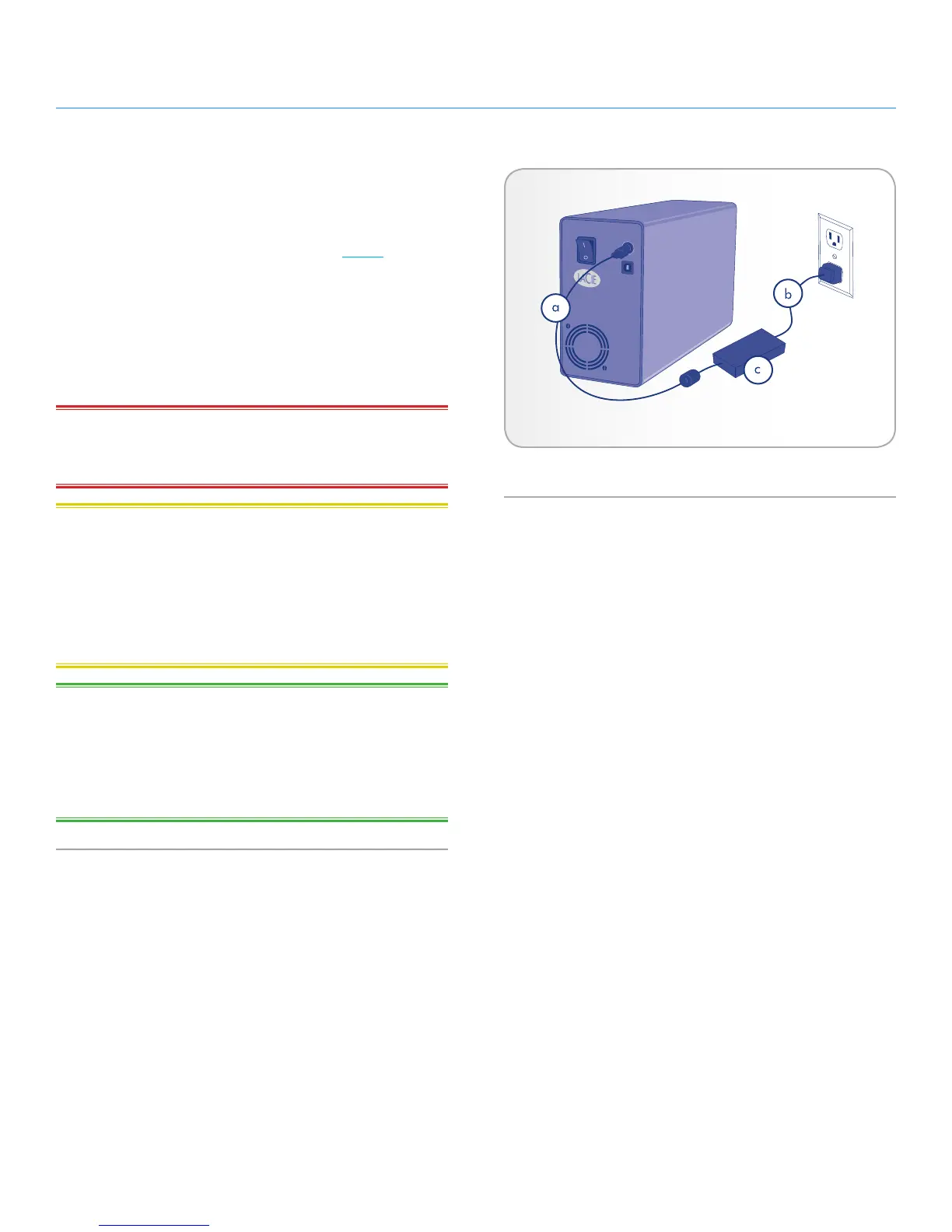
The power supply kit is composed of two cables: one cable (A) con-
nects to the LaCie drive; and the other cable (B) connects to a power
outlet, such as a wall outlet or a surge protector (Fig. 01).
1. Connect Cable A to your LaCie Drive.
2. Connect Cable B to the Power Supply brick.
3. Connect Cable B to a grounded surge protector or wall outlet.
4. Turn the drive on and off by using the On/Off switch.
IMPORTANT INFO: Please connect the power supply before con-
necting the USB 2.0 cable to ensure that the volume mounts cor-
rectly on your computer.
CAUTION: Only use the AC adapter supplied with your specific
LaCie drive. Do not use a power supply from another LaCie drive or
another manufacturer. Using any other power cable or power supply
may cause damage to the device and void your warranty.
Always remove the AC adapter before transporting your LaCie drive.
Failure to remove the adapter may result in damage to your drive
and will void your warranty.
TECHNICAL NOTE: You may use your LaCie drive when in a for-
eign country thanks to its 100-240 Volt power supply. To be able to
use this feature, you may need to purchase an appropriate adapter
or cord. LaCie accepts no responsibility for any damage to the drive
resulting from the use of an inappropriate adapter. Using an adapter
other than one authorized by LaCie will void your warranty.
Fig. 01











 To Next Page