LaCie Desktop Hard Disk Getting Connected
User Manual page 9
2.2. Connecting the USB 2.0 Cable
1. Connect the power supply (see section 2.1. Connecting the
Power Supply).
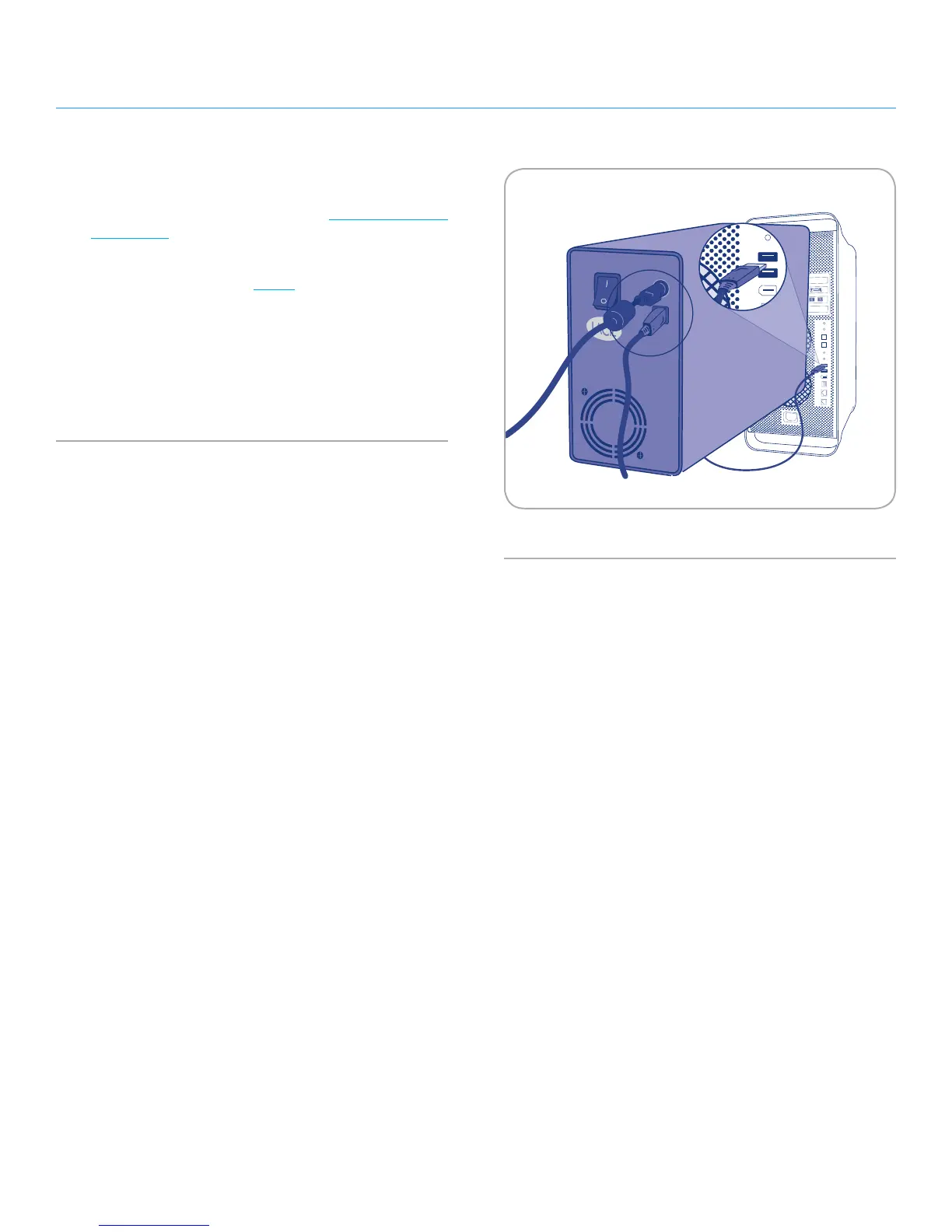
2. Attach the large end of the USB 2.0 cable to an available USB
2.0 port on your computer (Fig. 02).
3. Connect the other end of the USB 2.0 cable to the USB 2.0
port on the back of the Hard Disk .
4. After a few seconds, the Hard Disk will mount on your com-
puter and appear in My Computer (Windows users) or on your
desktop (Mac users).
Fig. 02











 To Next Page