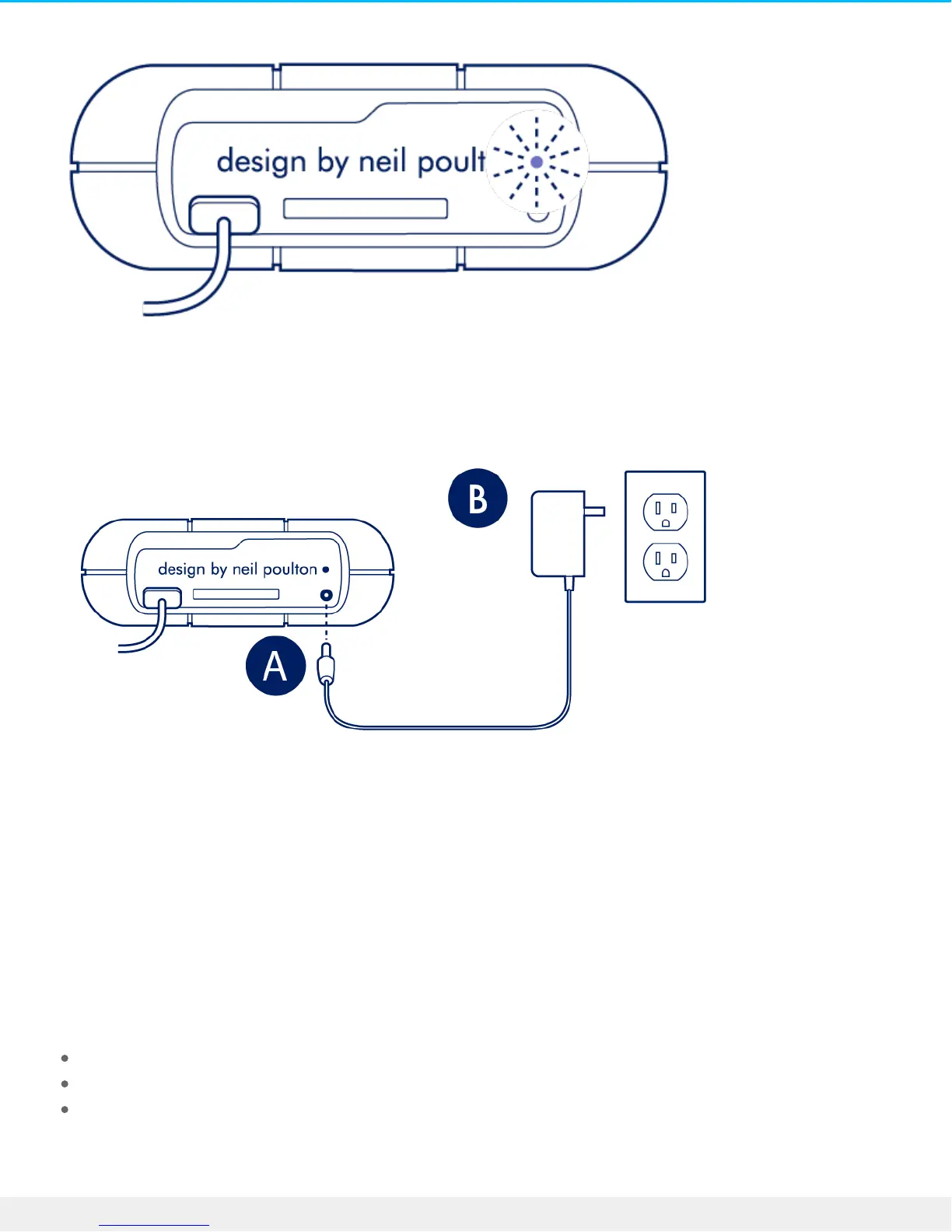
If the power LED light is blinking, connect the power cable to Rugged RAID Pro and then connect the power
supply to a live power outlet.
Power-saving mode
Your Rugged RAID Pro can conserve energy by entering power-saving mode. Managed by your computer,
power-saving mode can extend the life of the hard drives by sparing them from working during extended
periods of inactivity.
Operang system
You can initiate power-saving mode on your computer by performing one of the following:
Placing the host computer in sleep mode.
Mac OS—Go to System Preferences > Energy Saver to enable sleep mode for hard drives.
Windows—Go to Control Panel > Hardware > Power Options > Choose a power plan > Change advanced
power settings. Click on Hard disk and Turn off the hard disk after. Choose the time to spin down USB
hard drives.












 To Next Page