Cables and Connectors
USB-C protocols
USB is a serial input/output technology for connecting peripheral devices to a computer. USB-C is the latest
implementation of this standard and it provides higher bandwidth and new power management features.
USB-C supports many protocols:
Thunderbolt 3 transfer rates up to 40Gb/s
USB-C 3.1 Gen 2 transfer rates up to 10Gb/s
USB-C 3.1 Gen 1 transfer rates up to 5Gb/s
SuperSpeed USB 3.0 transfer rates up to 5Gb/s
Hi-Speed USB 2.0 transfer rates up to 480Mb/s
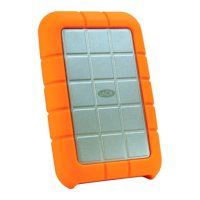
The USB-C port on the LaCie Rugged RAID Pro is USB 3.1 Gen 1. You can connect your Rugged RAID Pro to
any USB-C or USB Type A port but transfer rates vary. See below for more details.
Cables
Your LaCie hard drive is shipped with two cables for universal compatibility with modern computers.
USB-C to USB-C cable
For optimal transfer rates, use the USB-C to USB-C cable to connect your computer to the USB 3.1 Gen 1
port on LaCie Rugged RAID Pro.












 To Next Page