20-18071 Rev A
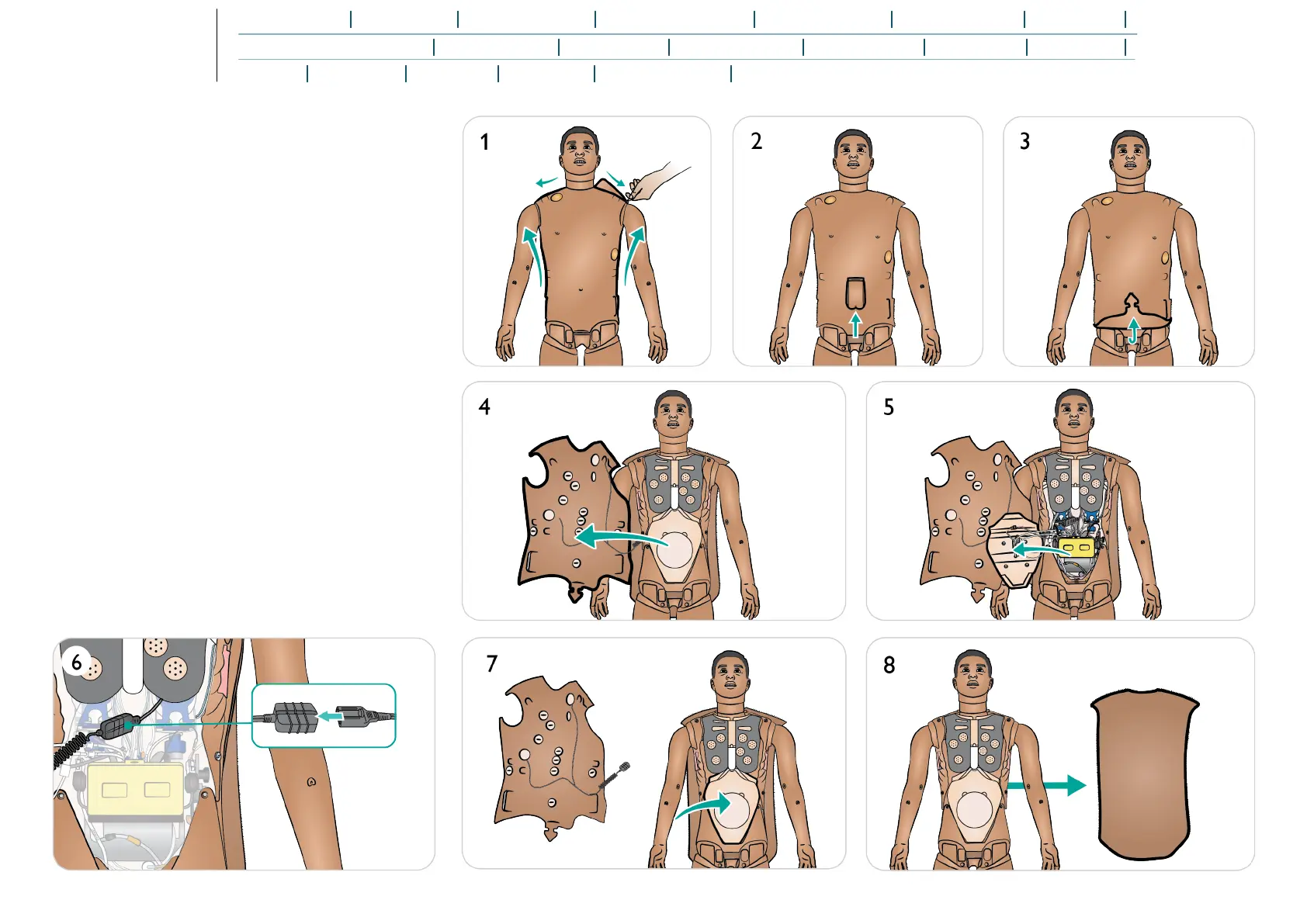
Replacing Torso Skin
1. Unzip the skin at shoulders and torso.
2. Remove the genitalia pad.
3. Release the skin flap.
4. Move the skin to one side.
5. Move the stomach foam carefully to one side.
6. Disconnect the torso skin cable from the Patient Simulator.
7. Remove the front torso skin section and replace the
stomach foam.
8. Remove the back torso skin section.
9. To install a new torso skin, repeat the steps above in
reverse.















 To Next Page