20-18071 Rev A
Replacing Arm Skin 2/2
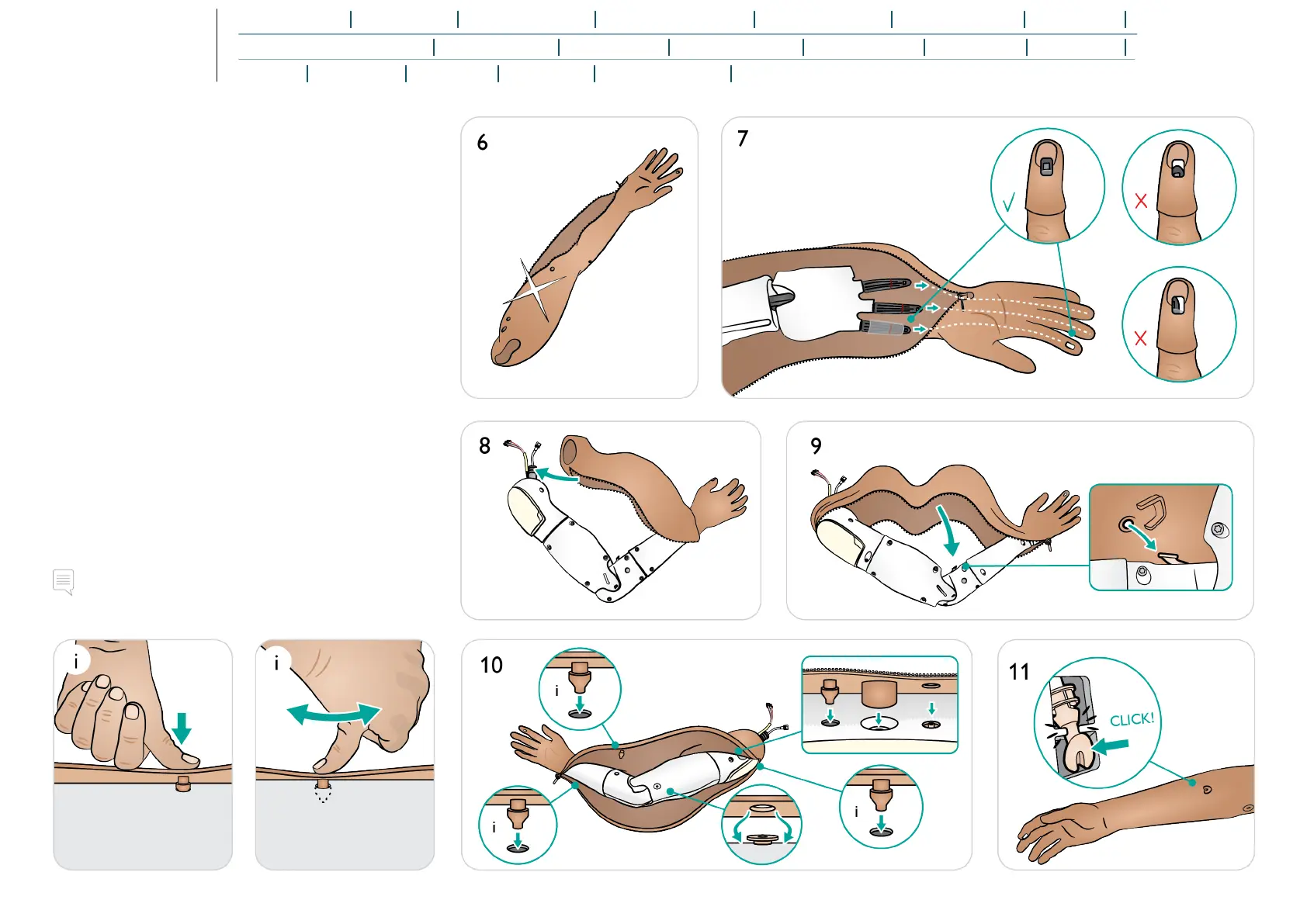
6. Select new arm skin.
7. Insert arm into new skin, ensuring that the SpO
2
finger
window is positioned correctly over the sensor area.
8. Place arm skin over shoulder area and tubing.
9. Attach skin at elbow point.
10. Attach skin at each plug.
11. Click the IV port into place.
Note
The skin plugs may require manipulation into place using a
massaging motion with the thumb.















 To Next Page