23
•Press [F] + buttons to set the Squelch Level.
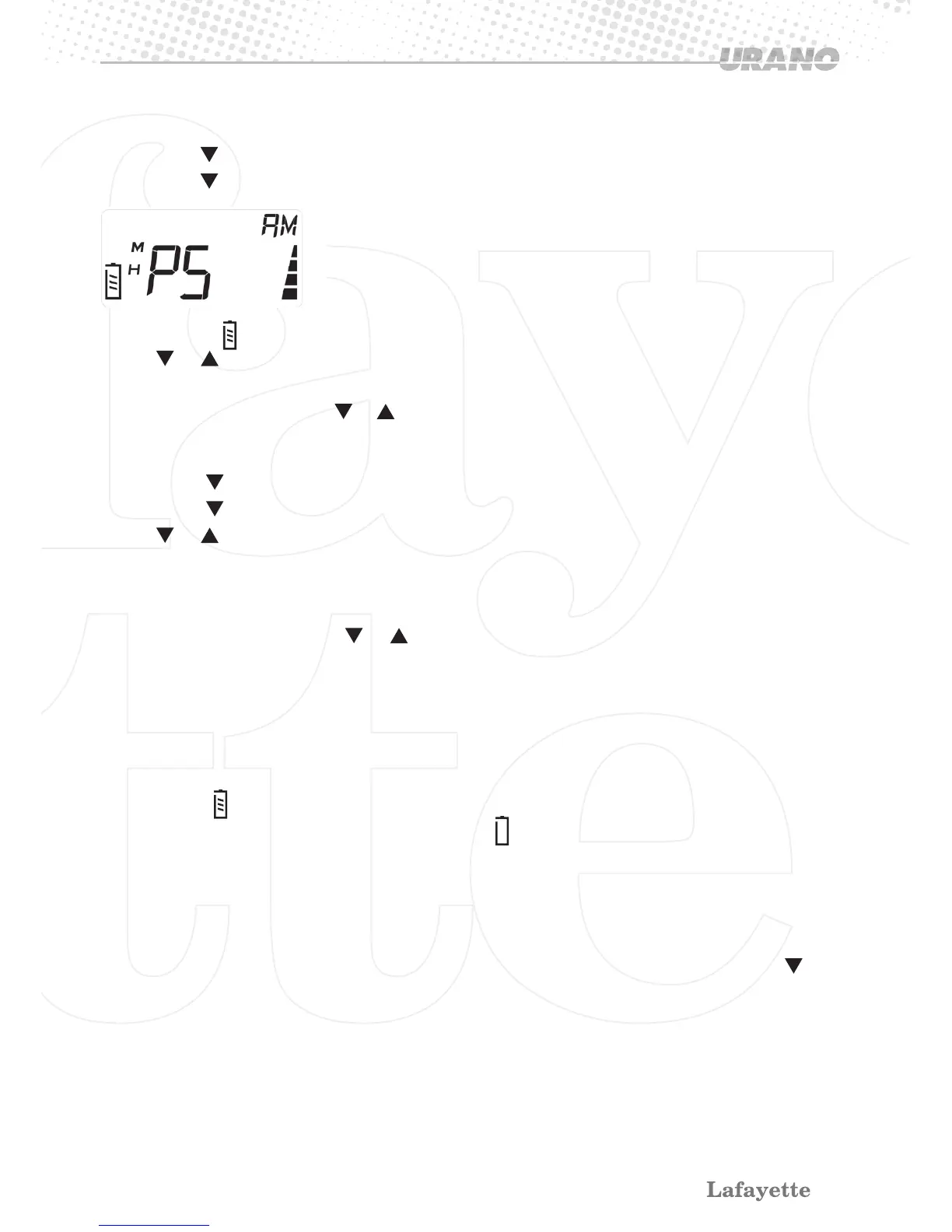
•Press [F] + buttons again to the Power Save setting.
> PS 01 and
are shown on the display.
•Press or button for selecting Power Save setting 1, 2, 3 or 0 (for power saving “off”).
•Press
[F]
button for saving the Power Save Level setting and go to “Beep tone” setting mode.
•Press any other button except or button without store the setting & return to the start position.
3.13.3 Beep Tone
•Press [F] + buttons to the Squelch Level.
•Press [F] + button Three times to “Beep tone” setting item.
•Press or button for setting the Beep Tone on or off.
•When Beep Tone is on, a beep tone shall be heard when a button is pressed except [PTT],
and [SQ] buttons.
•Press
[F]
button to save the Beep Tone setting and go to “Squelch Level” setting mode.
•Press any other button except or button, it will return to the operating mode without stor-
ing the setting.
Note!
During the menu setting, If no button is pressed within 10 seconds, the radio will return to operat-
ing mode without storing the setting.
3.14 Battery Indicator.
The LCD icon
shows the capacity of the battery.
When the battery capacity is low, the battery icon
is at the display and the red LED shall start
to blink.
NOTE! If the function “Beep Tone” is set on, a beep tone warns every 10 second, otherwise no
beep tone from the speaker.
3.15 Reset Function
This function is used to reset the transceiver to the previous default setting. Hold press and
[AM/FM] buttons, then turn on the power switch, it will go back to default setting.


 To Next Page