41
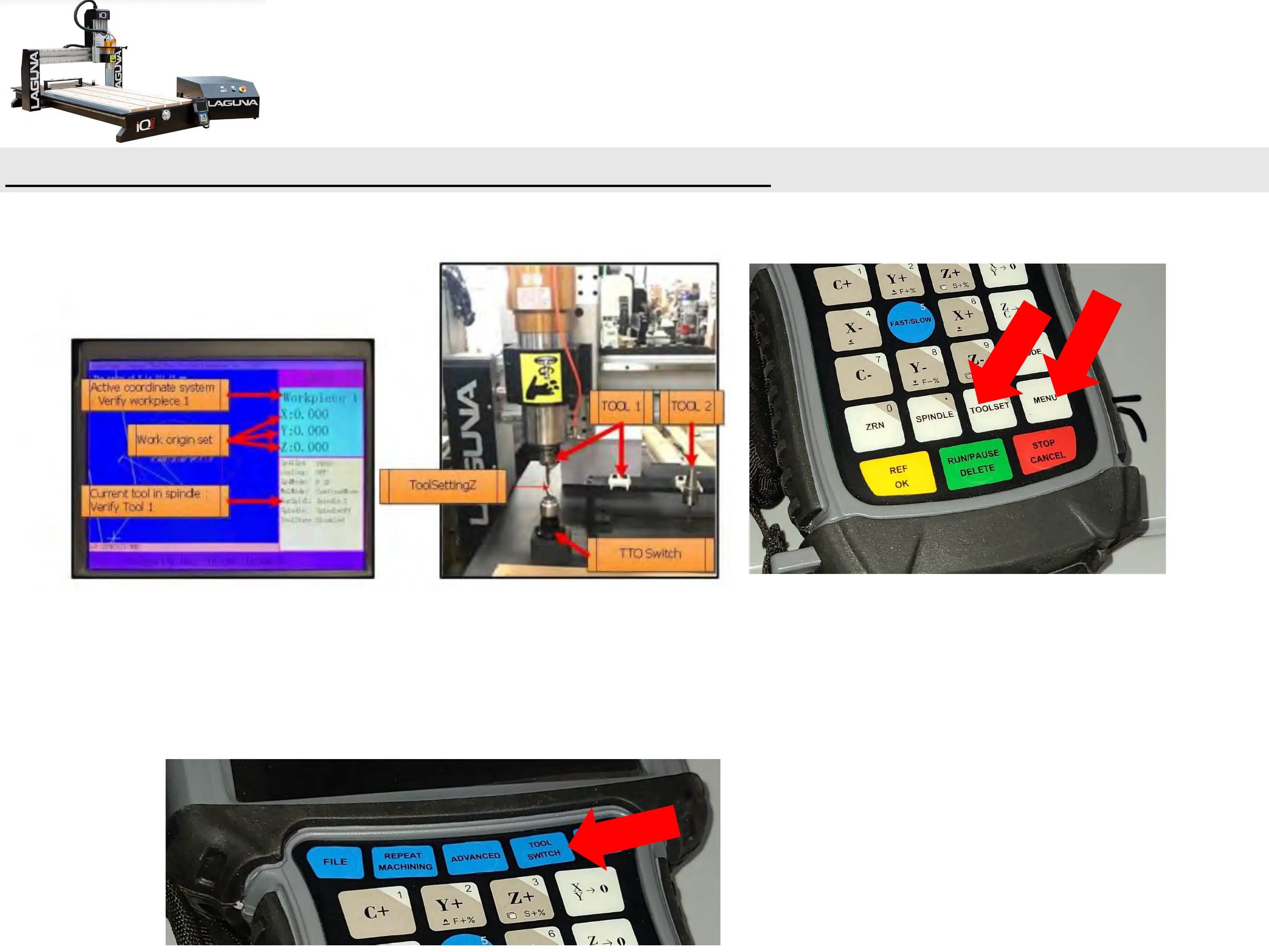
MULTIPLE TOOL PROGRAM (Cont’d.)-Setting Tool Offsets
• Press TOOLSET Button.
• The spindle will move over the tool touch off switch from its current position.
• Rapid to a preset Z value (Tool Setting Z).
• At a slower feed rate, it will lower until the switch is trigger, then retract.
• Once Tool 1 has touched off, Switch to each Tool being used and repeat Tool Set
Process.


 To Next Page